70
1 Configure the Radius Server. Choose the menu Authentication > Authentication Server
> Radius Server.
2 Configure the Server group. Choose the menu Authentication > Authentication Server
> Authentication Server Group.
7.5.1 Radius Server
Choose the menu Authentication > Authentication Server > Radius Server to load the
following page.
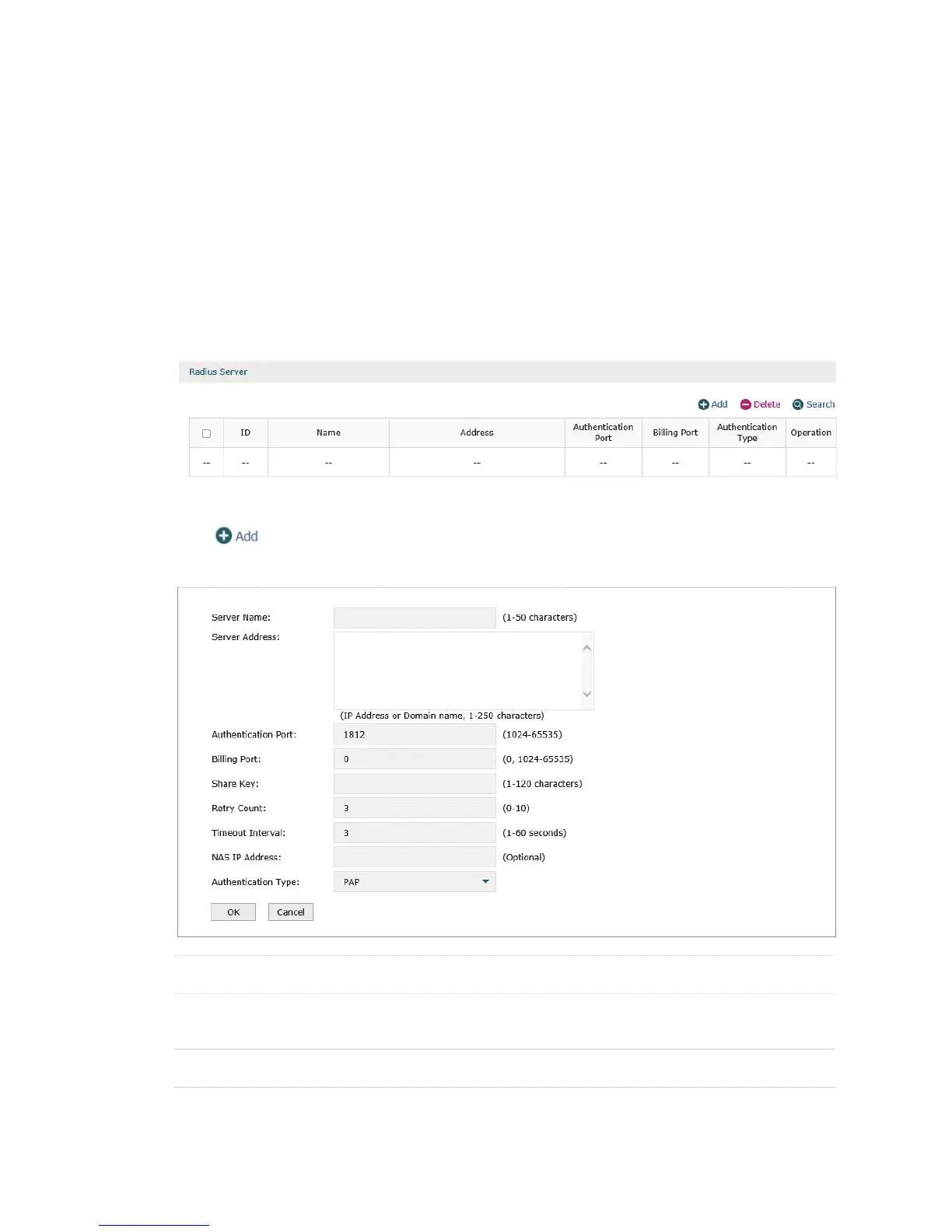
Figure 7-29 Radius Server
Here you can add, edit or delete an external radius server.
Click
to add a new entry.
Figure 7-30 Add a Radius Serve
Server Name Specify a name for the Radius server.
Server Address Specify the address of the server. It should be an IPv4 address or a DNS
domain.
Authentication Port Specify a port for the server to monitor the authentication packets.


 To Next Page
 Loading...