6
1.2 Connect Network Devices
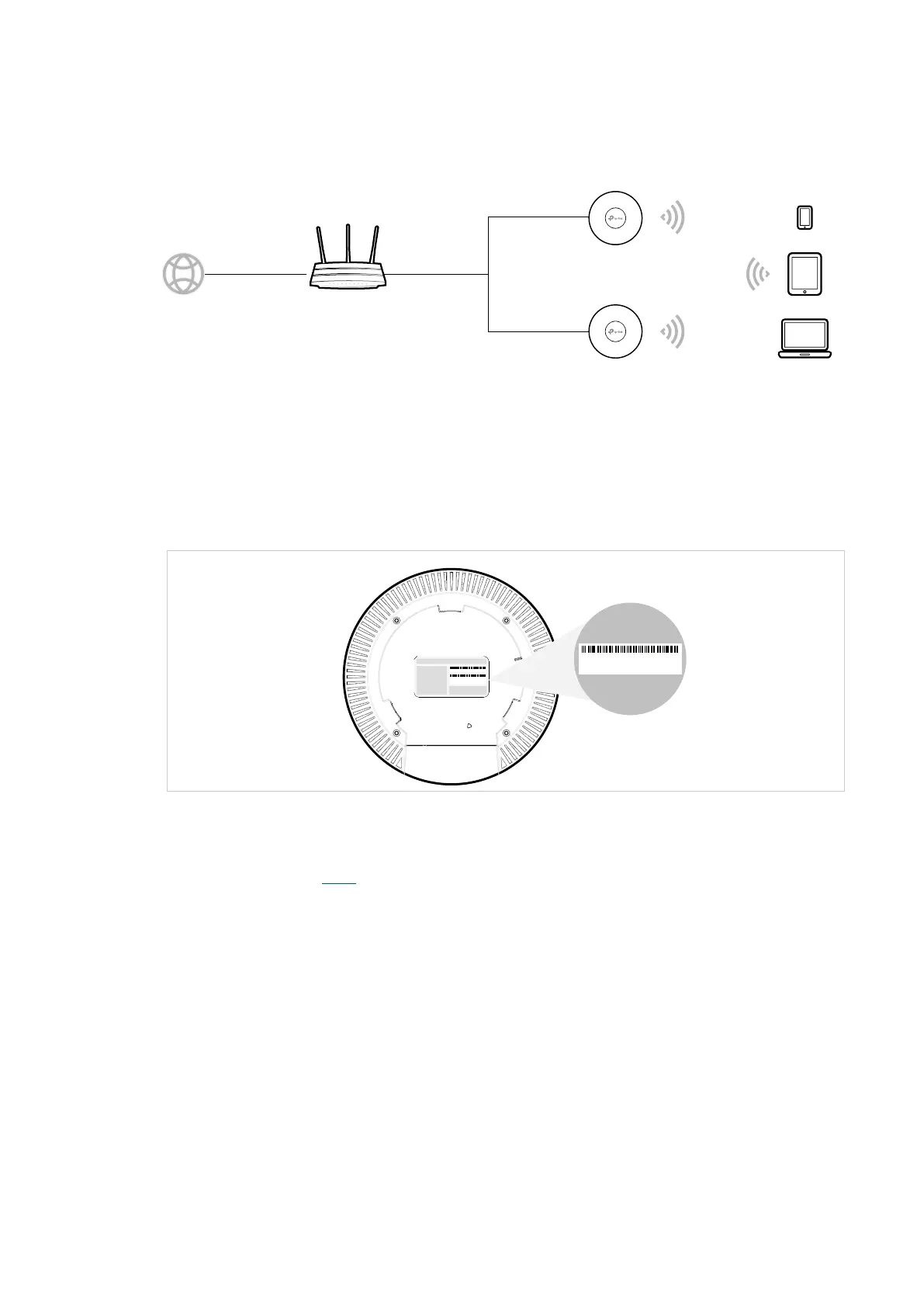
To connect your APs to the local network, refer to the following topology.
Internet
Clients
Router (DHCP Server)
WANLAN
AP
AP
1. Connect the WAN port (or Internet port) of the router to the internet.
2. Connect your APs to the LAN port of the router.
3. Connect your wireless clients such as phones, tablets and laptops to the WiFi of the AP.
The default SSID is printed at the bottom of the AP.
S/N:XXXXXXXXXXXXX
Model:APxxxx Ver:1.0
MAC:XX-XX-XX-XX-XX-XX
SSID: TP-Link_2.4GHz_XXXXXX
SSID: TP-Link_5GHz_XXXXXX
MAC:XX-XX-XX-XX-XX-XX
SSID: TP-Link_2.4GHz_XXXXXX
SSID: TP-Link_5GHz_XXXXXX
Now you can surf the internet on your phones, tablets and laptops. If you cannot access
the internet, follow the FAQ to troubleshoot the problem.








 To Next Page