107
6.2 Build the Network Topology
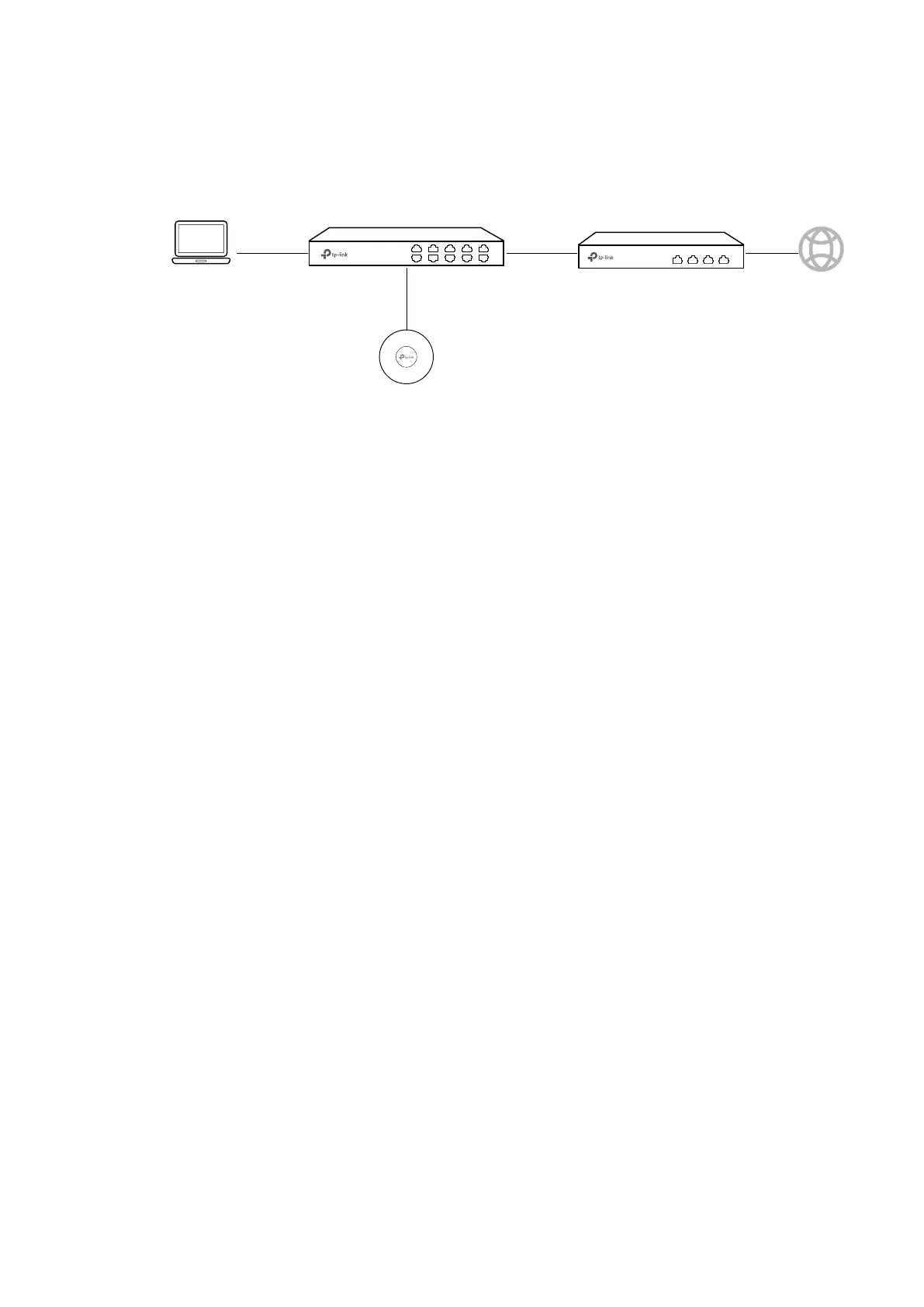
Build the network topology as the following figure shows.
Switch
Router (DHCP Server)
LAN: 192.168.88.1
Internet
• The router is the gateway of the network and acts as a DHCP server to assign dynamic
IP addresses to the management host, AP and clients. The LAN IP of the router is
192.168.88.1/24.
• Connect the switch to the LAN port of the router.
• Connect the management host and the AP to the switch. The IP address mode of
the management host and AP is dynamic, which means that they will get dynamic IP
addresses from the router.
Tips:
If the router has more than one LAN port, we can also respectively connect the management host
and the AP to the LAN ports of the router.








 To Next Page