36
2.1.3 Configure the MLO Network (Only for Wi-Fi 7 Devices)
MLO (Multi-Link Operation) enables Wi-Fi 7 devices to simultaneously send and receive
data across different bands and channels. This ensures fast and reliable connections even
in dense network environments.
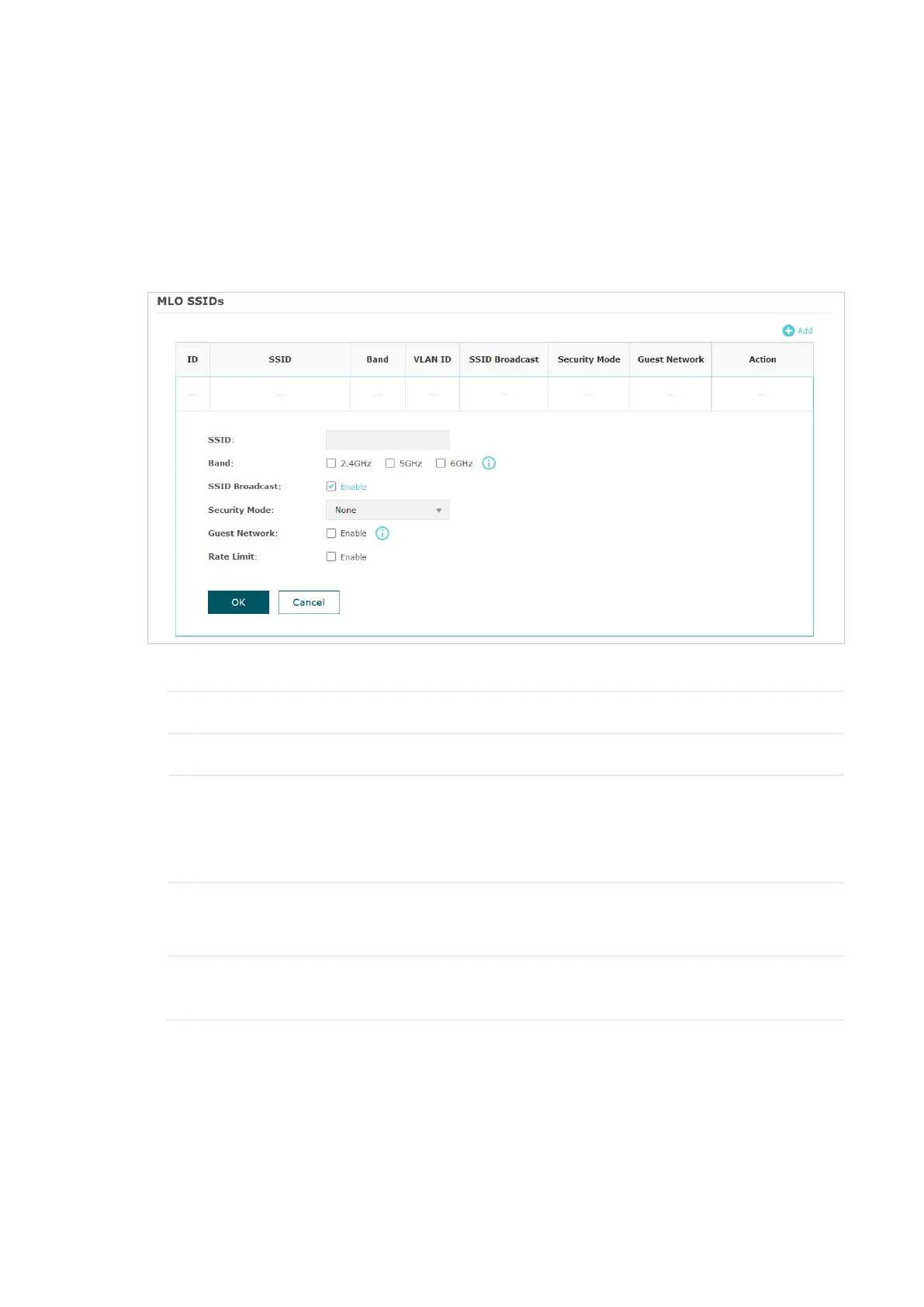
To configure an MLO network, go to Wireless > Wireless Settings > MLO and click Add.
Configure the parameters and save the settings.
SSID Specify a name for the MLO network.
Band Select two or more bands to form the MLO network.
SSID Broadcast With the option enabled, AP will broadcast the SSID to the nearby hosts,
so that those hosts can find the wireless network identified by this SSID.
If this option is disabled, users must enter the SSID manually to connect
to the AP.
Security Mode Select the security mode of the wireless network.
For detailed instructions, refer to
2.1.1 Configure SSIDs
.
Guest Network With this option enabled, guest network will block clients from reaching
any private IP subnet.








 To Next Page