9
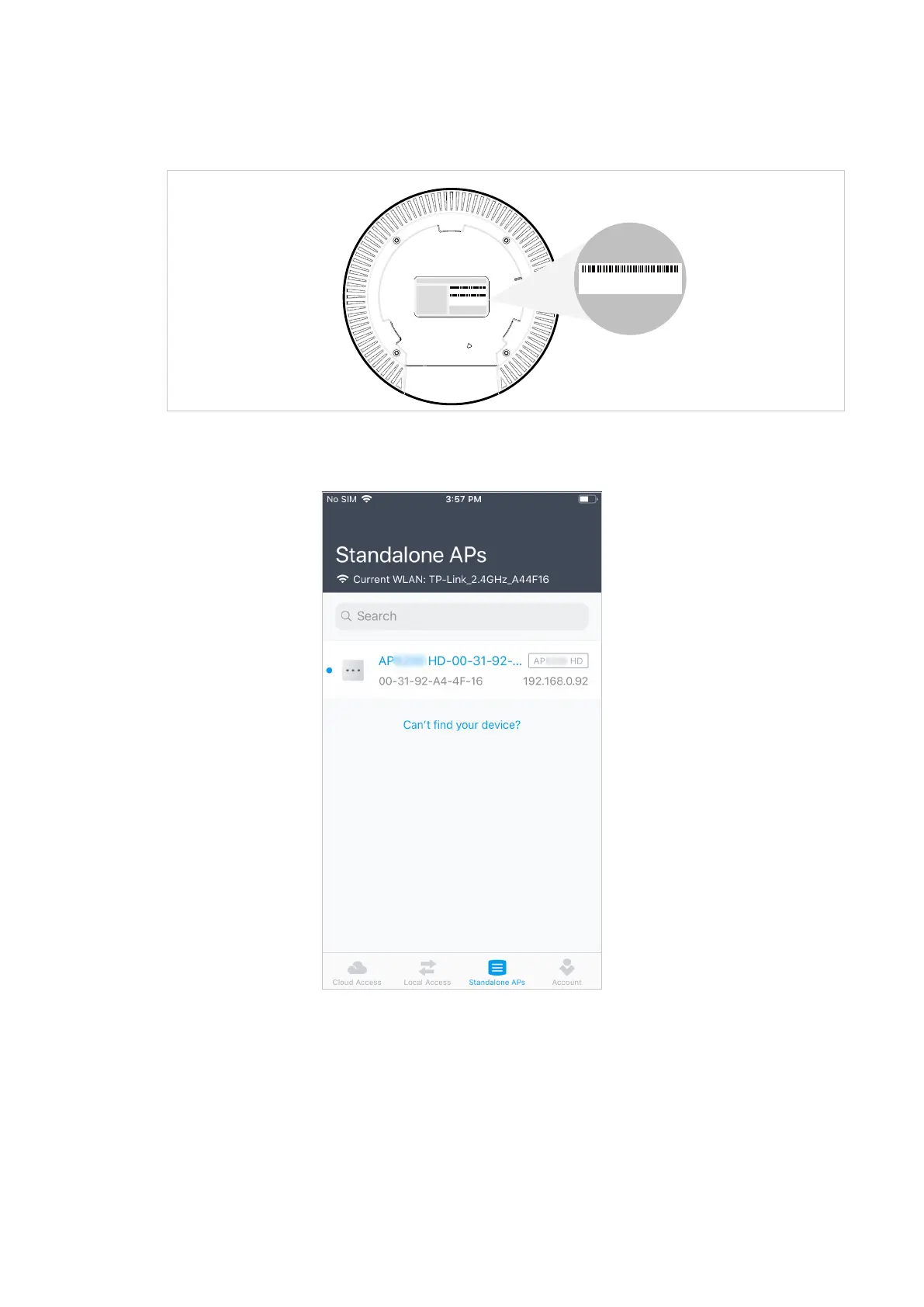
2. Connect your mobile device to the WiFi of the AP. The default SSID is printed at the
bottom of the AP.
S/N:XXXXXXXXXXXXX
Model:APxxxx Ver:1.0
MAC:XX-XX-XX-XX-XX-XX
SSID: TP-Link_2.4GHz_XXXXXX
SSID: TP-Link_5GHz_XXXXXX
MAC:XX-XX-XX-XX-XX-XX
SSID: TP-Link_2.4GHz_XXXXXX
SSID: TP-Link_5GHz_XXXXXX
3. Launch the Omada app, tap Standalone APs and wait for the AP to be discovered.
Tips:
All the APs in the same subnet will be discovered by Omada app and shown on the page.








 To Next Page