1
About This Guide
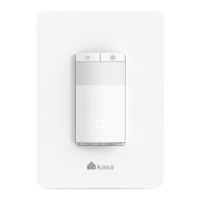
This guide provides a brief introduction to Kasa Smart Wi-Fi Light Switch and the Kasa app, as well as regulatory information.
Please note that features of Kasa Smart Wi-Fi Light Switch may vary slightly depending on the model and software version you have, and on your
ORFDWLRQODQJXDJHDQGLQWHUQHWVHUYLFHSURYLGHU$OOLPDJHVVWHSVDQGGHVFULSWLRQVLQWKLVJXLGHDUHRQO\H[DPSOHVDQGPD\QRWUHưHFW\RXUDFWXDO
experience.
Conventions
In this guide, the following convention is used:
Convention Description
Teal
Key information appears in teal, including management page text such as menus, items, buttons and so on.
Underline
Hyperlinks are in teal and underlined. You can click to redirect to a website.
More Info
• 6SHFLƮFDWLRQVFDQEHIRXQGRQWKHSURGXFWSDJHDWhttps://www.tp-link.com.
• Our Technical Support and troubleshooting information can be found at
https://www.tp-link.com/support.







 To Next Page