7
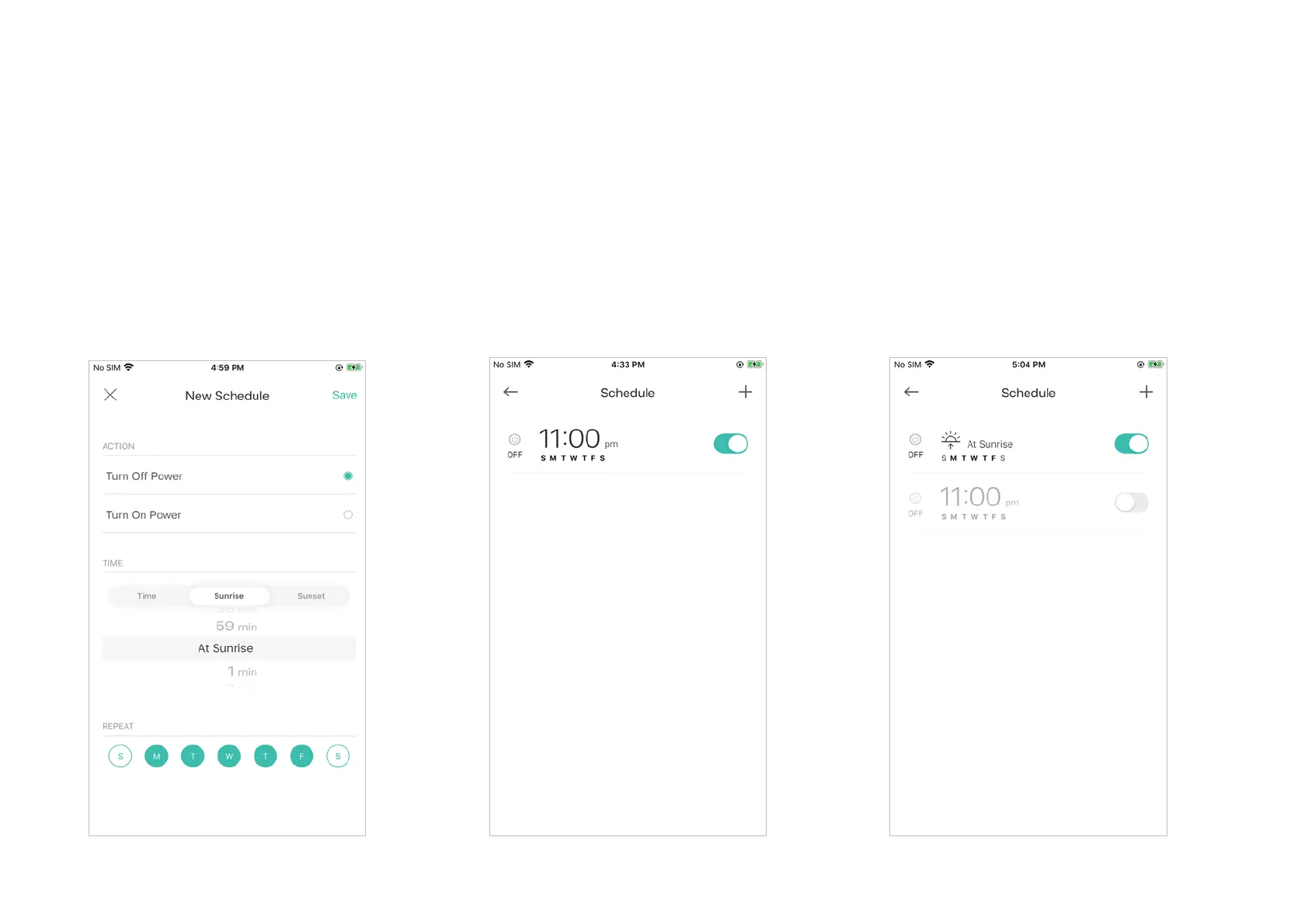
4. You can also choose to turn on/off the
light at Sunrise or Sunset. Please note that
the Sunrise and Sunset times are based
your location.
5. Tap
SaveDQG\RXOOVHH\RXUVFKHGXOH
listed in the
Schedule Page. You can add
more schedules following the same steps.
6. You can turn off your schedule any time
at the
Schedule page.







 To Next Page