00Mbps Wireless N Gigabit ADSL2+ Modem Router User Guide
10
Chapter 3. Quick Installation Guide
3.1 Configuring the PC
After you directly connect your PC to the modem router TD-W8970 or connect your adapter to a
Hub/Switch which has connected to the modem router, you need to configure your PC’s IP
address. Follow the steps below to configure it.
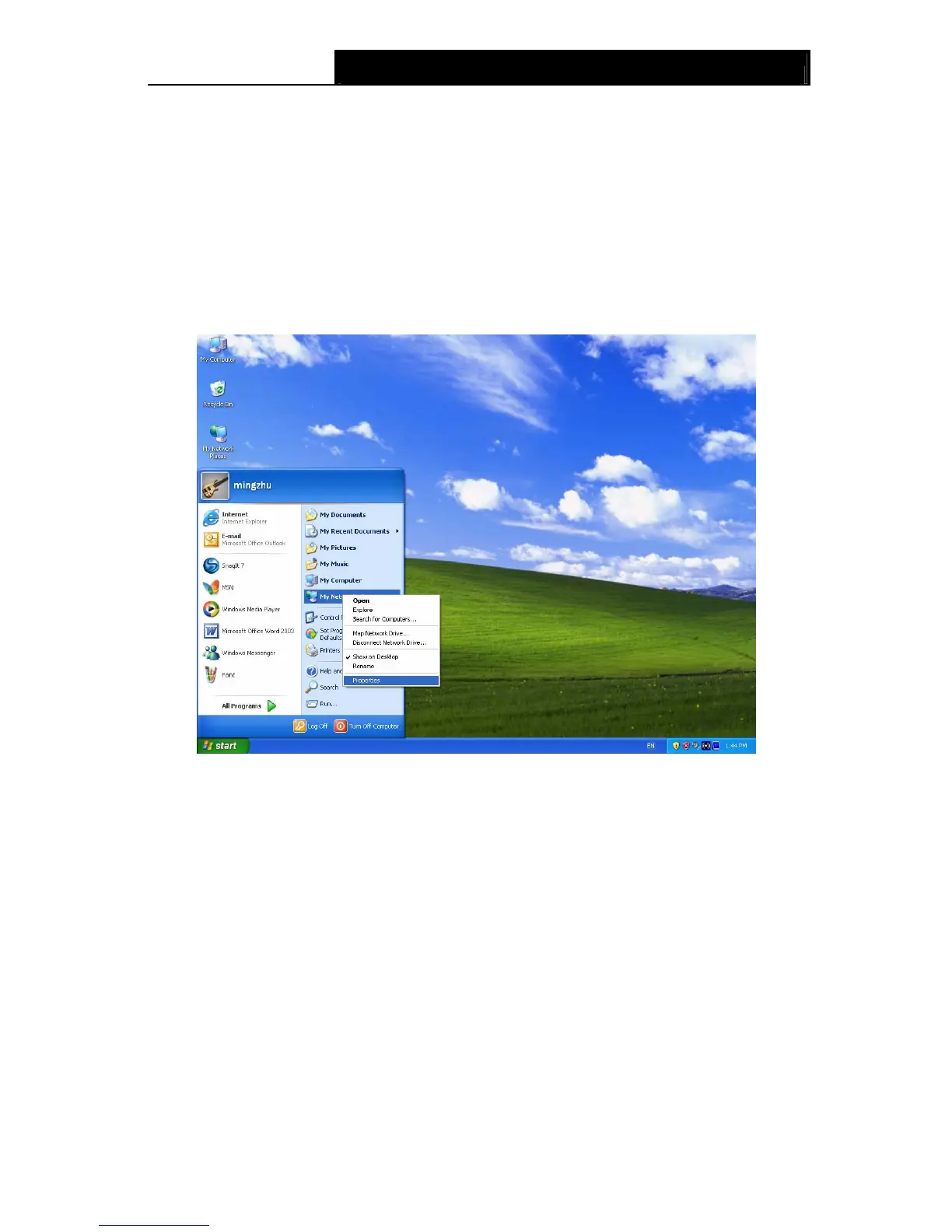
Step 1: Click the Start menu on your desktop, right click My Network Places, and then select
Properties (shown in Figure 3-1).
Figure 3-1
Step 2: Right click Local Area Connection (LAN), and then select Properties.









 To Next Page