00Mbps Wireless N Gigabit ADSL2+ Modem Router User Guide
16
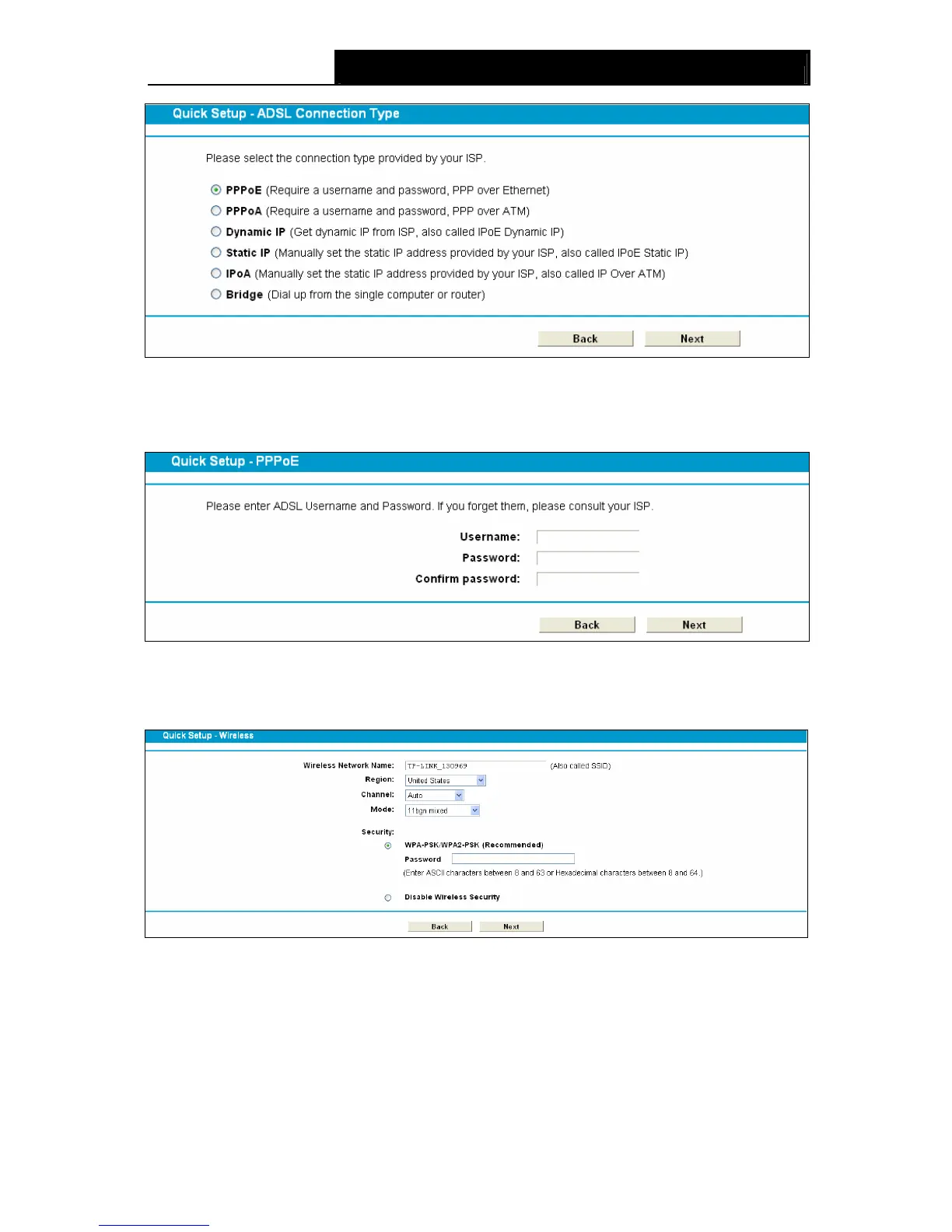
Figure 3-11
5.
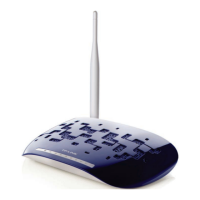
Enter the Username, Password and Confirm Password given by your ISP, and then click
Next.
Figure 3-12
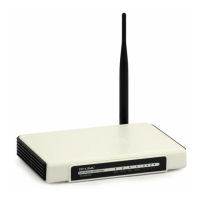
6. On the Wireless screen, we use the default SSID, select a Mode. Set a Password or select
Disable Security(Disable Security is not recommended.), and then click Next to continue.
Figure 3-13
7. On this page, please confirm all parameters. Click Back to modify or click the Save button to
save your configuration.









 To Next Page