SERVICE MANUAL
TIREBOSS
TM
Tire Pressure Control
4-6
f:tec\manuals\Service\SERVICEv5.indd - V6-0615
Testing Overspeed Function
The TIREBOSS system is equipped with an Overspeed function which will
automatically increase the selected pressure/speed setting to the next
pressure/speed setting in the event of an continuous Overspeed situation. The
testing of this function should be done on an annual basis.
1. Ensure a good speed signal by following this procedure...
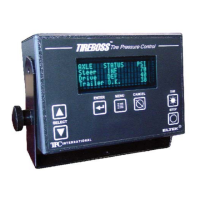
-On the Operator Control Unit press, MENU then the DOWN ARROW (one time) and
ENTER.
-The display will now show the hertz reading...
-with vehicle at full stop hertz should read 0.
-now, drive vehicle at a steady speed (i.e. 15mph/21kph) and hertz should increase
and stay constant. It should not fl uctuate as long as you are at that same speed. (it
takes a few seconds to process the signal)
-press CANCEL if hertz are not fl uctuating
Note: If hertz do not read 0 at full stop or are fl uctuating when driving vehicle, a GPS
speed board may have to be installed, contact TIREBOSS for assistance.
2. Ensure proper Overspeed Function by following this procedure...
With Operator Control Unit on lowest speed setting (Refer to Speed Setting Chart on Cab
Card), drive truck at a speed just below maximum speed for that setting for 30 seconds.
(i.e. if setting is 10mph/14kph drive truck at 8mph/12kph)
The Overspeed Alert should not activate.
With Operator Control Unit still on same setting, drive truck at a speed just above maximum
speed for that setting.
(i.e. if setting is 10mph/14kph, drive truck at 12mph/16kph)
The Overspeed Alert should now activate with an audible beep and a warning message on
the Operator Control Screen, “VEHICLE OVERSPEED CONDITION - SLOW VEHICLE
DOWN OR CHANGE TO NEXT SETTING”.
This warning will appear 3 times in approx. 30 second time span. Allow warning to activate
until it automatically changes to the next higher setting and ensure the system starts to
infl ate in the new setting.
If the system does not operate as described above, you may have one of the following
problems...
-poor connection or inconsistent speed signal
-Operator Control Unit not pulse speed calibrated properly.
-speed board in Operator Control Unit is defective


 To Next Page