39
Analogue SAT receiver
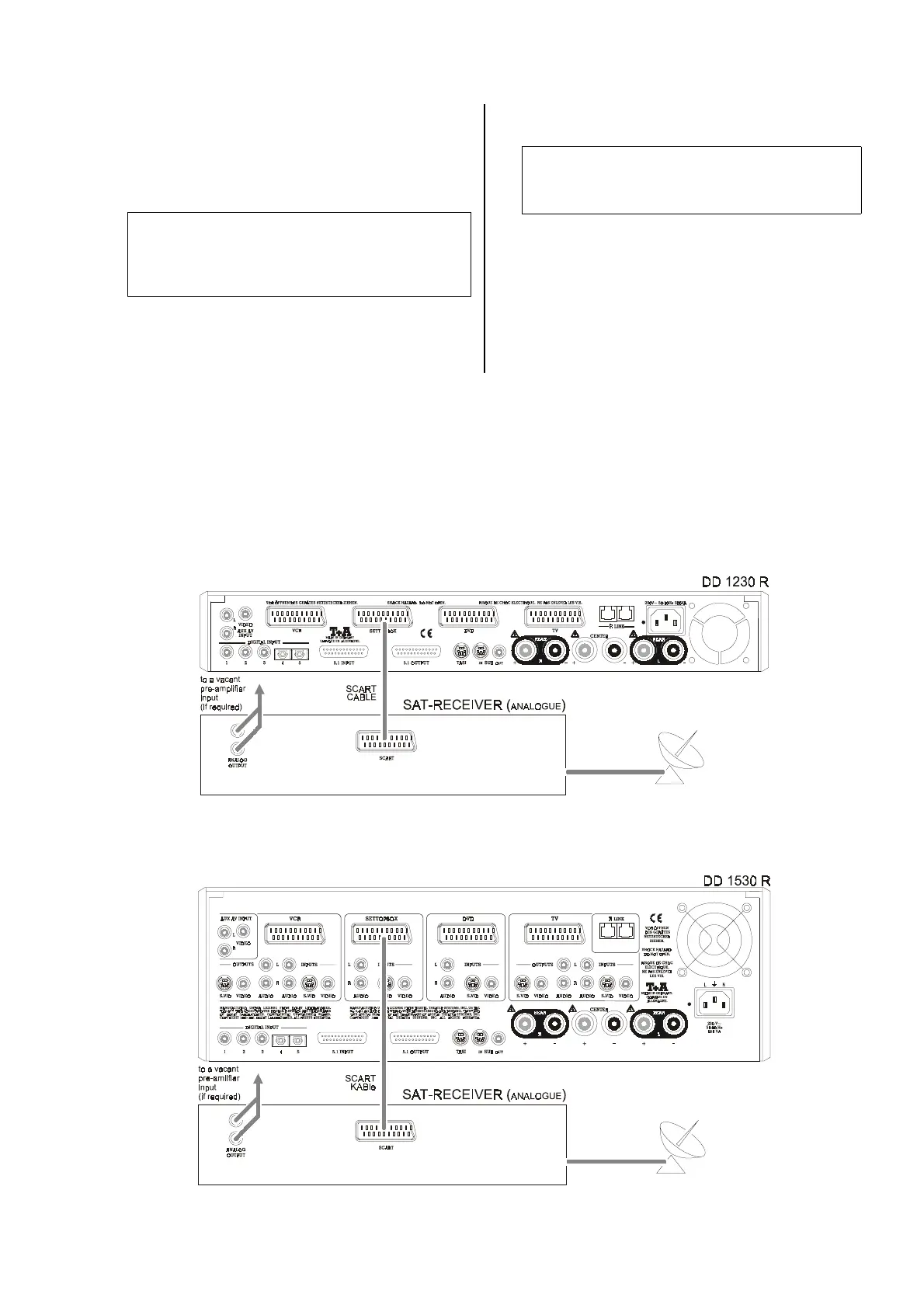
Connect the components as shown in wiring diagram
6
as follows:
• Connect the
SCART
socket on the SAT receiver to
the
SETTOPBOX
socket on the decoder using a
SCART lead.
Note:
If your SAT receiver does not feature a SCART
socket, use the VIDEO (Cinch) or S-VIDEO (Hosiden)
and AUDIO (Cinch) sockets on the decoder and the
SAT receiver.
• If your set-top box does not feature a SCART socket,
use a SCART adaptor lead. Please ask your special-
ist
dealer for advice.
• Finally connect the mains power supply and switch
the system on.
Note:
Any other analogue source device can also be con-
nected to the SETTOPBOX input instead of an ana-
logue SAT receiver.
Wiring diagram 6
Analogue SAT receiver connected to the
DD 1230 R
.
Analogue SAT receiver connected to the
DD 1530 R
.


 To Next Page