Obtain IP parameters via Flash or DHCP
TR-Electronic GmbH 2020, All Rights Reserved Printed in the Federal Republic of Germany
Page 82 of 91 TR-ECE-BA-GB-0163 v03 10/07/2020
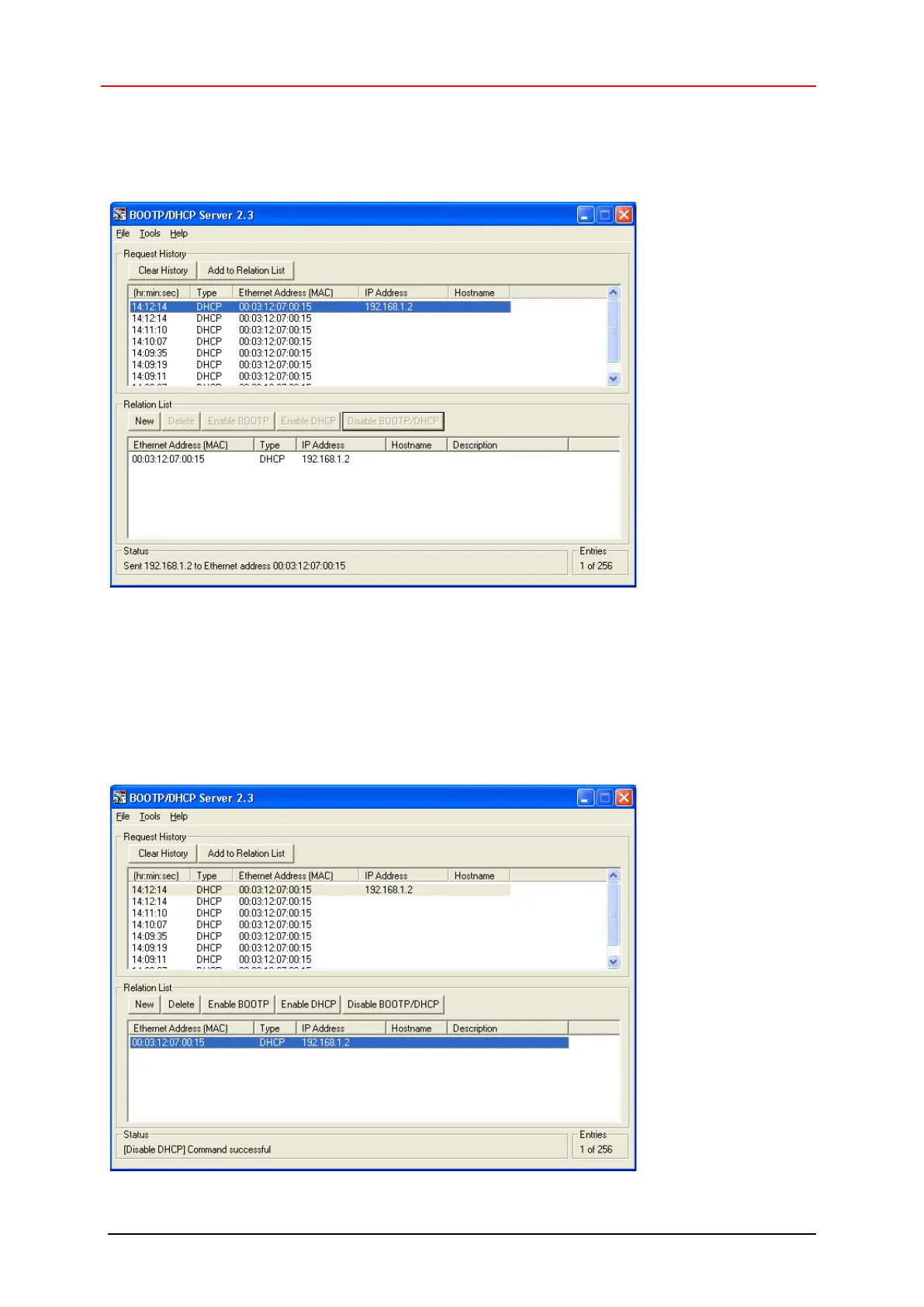
The new entry is displayed in the Relation List and the specified IP parameters are assigned to
the measuring system with the next DHCP request. The result of this assignment is written to the
Request History:
6. Use the Disable BOOTP/DHCP button to save the IP parameters to the FLASH.
– The successful execution is confirmed with the status report (Disable DHCP)
Command successful, which completes the configuration.
– Disable BOOTP/DHCP sets the Instance Attribute 3 Configuration Control to
0x0000 0000
-> the measuring system does not send any more DHCP requests after POWER ON if the
hardware switch = 0x00.










 To Next Page