EasyManua.ls Logo

TR-Electronic CDV582 - User Manual

TR-Electronic CDV582
91 pages
Print Icon
To Next Page IconTo Next Page
Loading...
TR-ECE-BA-GB-0163 v03 10/07/2020
User Manual
Interface
_Safety instructions
_Installation
_Commissioning
_Parameterization
_Error causes and remedies
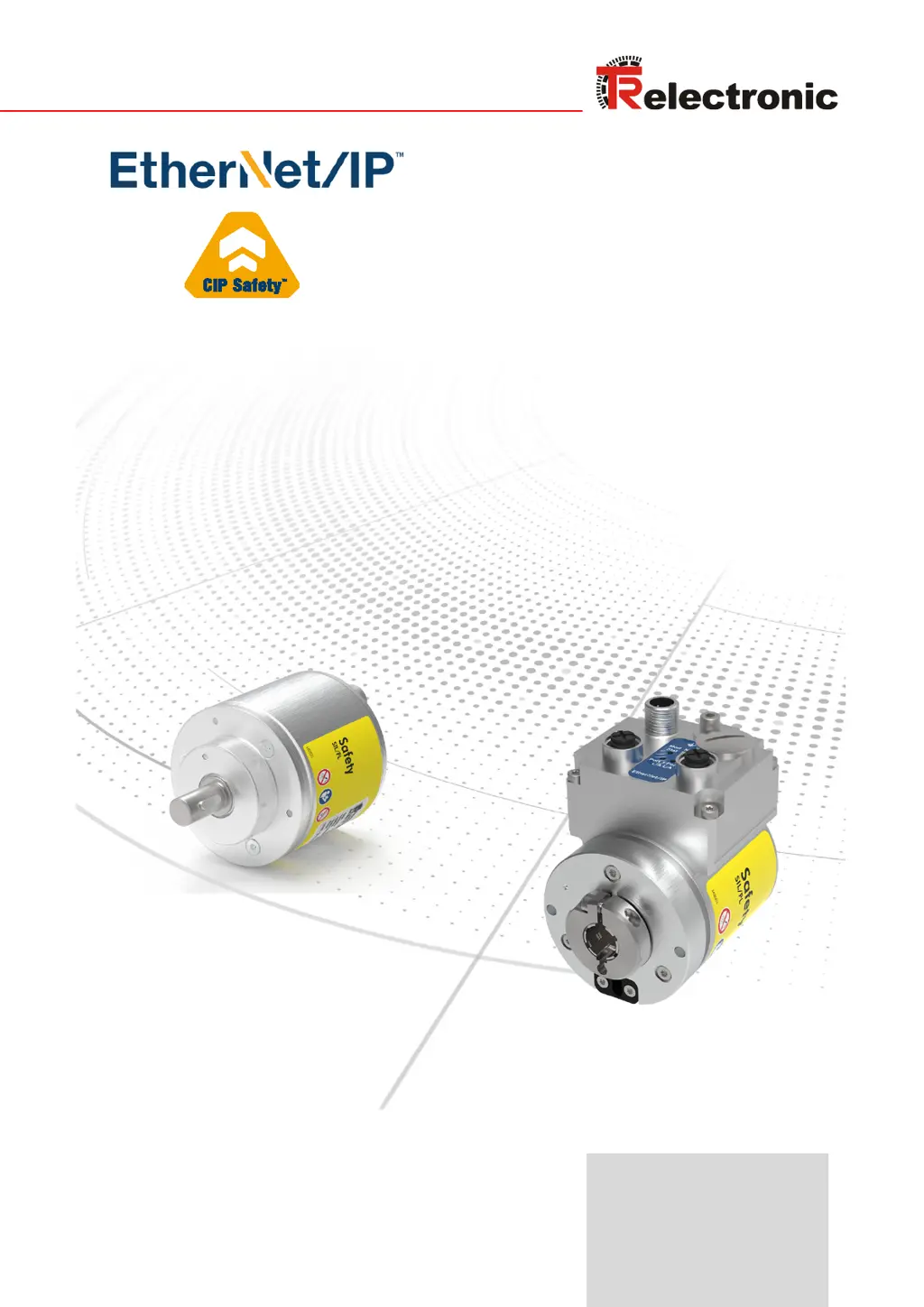
Absolute Encoder CD_582
EtherNet/IP
/ CIP Safety
OPTION: Optional interface
Original manual
DIN EN 61508 / DIN EN 62061: SIL2 / SIL CL 2, SIL3 / SIL CL 3
DIN EN ISO 13849:
PL d / PL e
CDV582
Pictures are similar
Notice: This PDF is not subject to an updating service
Get the most recent version:
https://www.tr-electronic.de/f/TR-ECE-BA-GB-0163

Table of Contents

Other manuals for TR-Electronic CDV582

Questions and Answers

  • R
    Renee PopeAug 1, 2025
    What to do if the red Net-Status LED is ON on the TR-Electronic CDV582?
    • R
      Roy GarciaAug 1, 2025
      If the red Net-Status LED is ON, it indicates there is no connection to the IO controller, no data exchange, or that invalid configuration parameters are being used. The project setup configuration may also differ from the measuring system configuration. To resolve this, check the bus connection to ensure the IO controller is available and online. Verify the device name, IP address, and subnet mask. Also, ensure the setup configuration parameters match the measuring system configuration.
  • D
    dmcculloughAug 10, 2025
    Why is the green LED OFF on my TR-Electronic CDV582 Media Converter?
    • P
      Patrick MitchellAug 10, 2025
      If the green LED is OFF, it could be due to several reasons. The voltage supply might be absent or too low, the connector might be incorrectly wired or screwed down, or there could be a hardware error with a defective measuring system. Check the power supply and wiring to ensure the voltage supply is within the permissible range. Also, check the wiring and connector position. If these steps don't resolve the issue, the measuring system may need to be replaced.
  • D
    Diana CantuAug 14, 2025
    How to fix a green Net-Status LED that is OFF on a TR-Electronic CDV582 Media Converter?
    • A
      Andrew BrockAug 14, 2025
      If the green Net-Status LED is OFF, it may indicate that the voltage supply is absent or too low, the connector is incorrectly wired or screwed down, or there is a hardware error causing the measuring system to be defective. Check the power supply and wiring to ensure the voltage supply is within the permissible range. Also, check the wiring and connector position. If the issue persists, consider replacing the measuring system.
  • M
    matthewtaylorAug 18, 2025
    What does it mean when the red LED is repeating 3x 5 Hz on the TR-Electronic Media Converter?
    • J
      James BakerAug 18, 2025
      If the red LED is repeating a 3x 5 Hz pattern, it indicates a parameterization error, such as an incorrect F-parameterization or an incorrectly configured F_iPar_CRC value. To resolve this, check the measuring system configuration to ensure at least one module is configured.
  • N
    Nicholas MillerAug 22, 2025
    What does it mean when the green LED is repeating 3x 5 Hz on the TR-Electronic CDV582 Media Converter?
    • T
      Tracey FlemingAug 22, 2025
      If the green LED is repeating a 3x 5 Hz pattern, it means that either the measuring system could not synchronize with the F Host during start-up and is requesting a re-integration, or an error has been detected in the safety-related communication or a parameterization error has been eliminated. In either case, re-integration of the designated variable is required via the safety program.
  • J
    jennifer41Aug 27, 2025
    Why is the green LED off on my TR-Electronic CDV582 (PORT1: LED1; PORT2: LED2)?
    • A
      Amanda SmithAug 27, 2025
      The green LED on the TR-Electronic Media Converter might be off due to several reasons. First, check the power supply and wiring to ensure the voltage supply is within the correct range. Second, verify the Ethernet connection by checking the cable. Finally, a hardware error or a defective measuring system could be the cause, requiring replacement of the measuring system.
  • J
    Jordan SwansonNov 4, 2025
    Why is the red LED ON related to the Window Increments parameter on my TR-Electronic Media Converter?
    • D
      david47Nov 5, 2025
      If the red LED is ON and related to the Window Increments parameter, it could be due to several reasons. The value set for the Window Increments parameter might have been exceeded, or the ambient temperature might be outside the permissible range. It could also mean the internally calculated PROFIsafe telegram is faulty, or, for double magnetic scanning systems, the electrically permissible speed has been exceeded. To solve this, check that the set value for the Window Increments parameter is appropriate for the automation task and ensure the permissible ambient temperature range is maintained. Try turning the power supply OFF and then ON. If the error persists, the measuring system must be replaced. For speed issues, bring the speed into the permissible range and acknowledge the fault by ...

Summary

General Information

Scope of Application

Defines the application range and article numbers for the encoder.

Main Features of the Encoder

Highlights key features like EtherNet/IP, CIP Safety, and dual-channel scanning.

Principle of Safety Function

Explains how system safety is established through internal comparisons and diagnostics.

Safety Instructions

Definition of Symbols and Notes

Explains warning, caution, and notice symbols used in the manual.

Safety-Related Requirements for CIP Safety Devices

Details essential user responsibilities and checks for safe operation with CIP Safety™.

Safety Functions of Fail-Safe Processing Unit

Describes how the system ensures safety by handling errors and passivated data.

Installation and Preparation for Commissioning

Basic Installation Rules

Covers fundamental safety and installation principles for devices and wiring.

EtherNet;IP Transmission Technology and Cable Specification

Specifies network topology, cable types, and switch requirements.

Connection Notes

Provides essential information regarding connectors, moisture protection, and supply voltage.

Additional Interfaces Hardware Description

Describes hardware options like Incremental, SIN/COS, and SSI interfaces.

Defining the Target Unique Network Identifier (TUNID)

Explains how to uniquely identify the measuring system in the safety network.

Commissioning Procedures

Device Identification

Details attributes used for device verification and electronic keying.

Bus Status Display

Explains the meaning of diagnostic LEDs for system status monitoring.

Downloading Safety-Related Configuration

Guides through the process of downloading and verifying configurations using the SNCT tool.

Resetting Safety-Related Device Parameters

Configuration Data Structure

Instance 103: Grey Config Channel 1

Details configuration data for Instance 103, including direction toggle.

Instance 104: Grey Config Channel

Describes TR Grey attributes for non-safety-related configuration assembly.

Instance 123: Safety Config

Outlines safety-related attributes for configuration assembly.

Cyclic Process Data Structure (IO Assembly)

Instance 1: Grey Default Input

Details the non-safety-related default input for position value.

Instance 101: TR Grey Input

Describes non-safety-related data output for TR Grey.

Instance 121: Safety Input

Details safety-related data output for TR Safety.

Connection Types and Points

Exclusive Owner Connection Type

Describes an independent connection controlling target device output states.

Input Only Connection Type

Explains connections receiving inputs from the target device.

Non-Safety-Related Connections

Lists and describes connection points for non-safety-related data flow.

Safety-Related Connections

Lists and describes connection points for safety-related data flow.

Parameter Description

Object 0 x23 (Instance 1): Position Sensor Parameters

Details attributes for the Position Sensor object, including non-safety and safety parameters.

TR Grey Scaling Parameter

Defines TR Grey scaling parameters like Measuring Range, Numerator, Denominator.

TR Safety Scaling Parameter

Defines TR Safety scaling parameters for measuring range and revolutions.

TR Safety SIL; PL Level

Specifies the expected Safety Integrity Level (SIL) for the safety-related device.

TR Safety Preset Adjustment Function

Preset Adjustment Procedure

Outlines the step-by-step process for executing the preset adjustment function.

Calculating Delay for Moving Axis

Explains how to calculate the delay when adjusting a moving axis.

Obtain IP Parameters via Flash or DHCP

Object 0 xF5, Instance 1 Configuration

Covers configuration of the TCP/IP network interface via Object 0xF5.

Example: Obtaining IP Parameters via DHCP Server

Provides a practical guide for setting IP parameters using a DHCP server.

Error Causes and Remedies

Optical Displays (LEDs)

Explains diagnostic meanings of module and network status LEDs.

Miscellaneous Faults

Lists common faults like position jumps and their causes/solutions.

Checklist for Commissioning and Verification

TR-Electronic CDV582 Specifications

General IconGeneral
BrandTR-Electronic
ModelCDV582
CategoryMedia Converter
LanguageEnglish

Related product manuals