18
2. Use
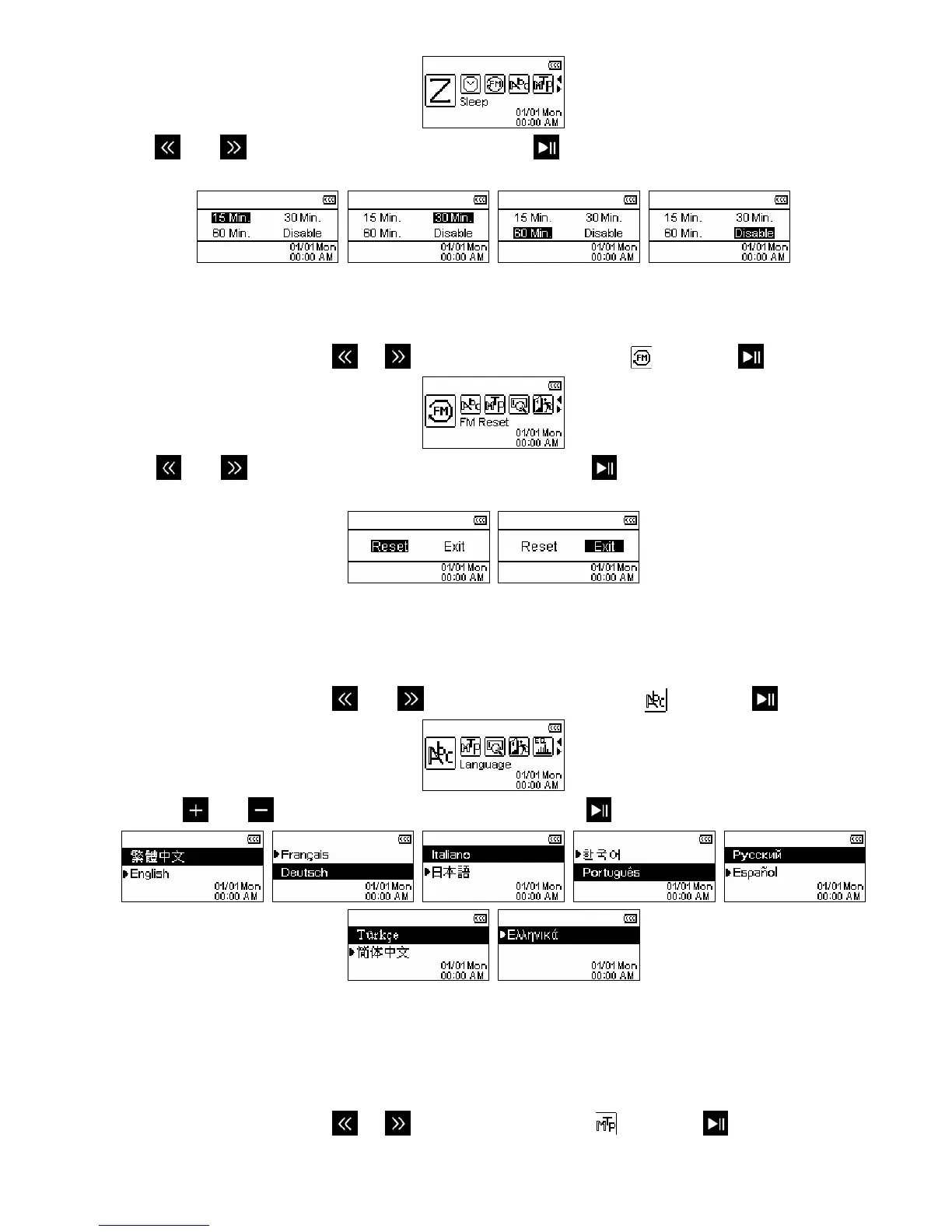
and to select a Sleep delay time and press . You can choose from “15 Min”, “30 Min”, “60
Min” or “Disable”. When the selected time is reached, the unit will automatically power OFF.
FM Reset
This function resets all saved Radio stations (CH 01 – CH 20).
1. In the SETTINGS menu, use
or to select the “FM Reset” icon
and press
.
2. Use
and to switch between “Reset” or “Exit” and press . The next time you enter the RADIO
mode, the T.sonic 650 will rescan all frequencies and save the 20 strongest stations.
Language
This option adjusts the T.sonic 650’s display language, which includes menus, song/album titles, artist names,
and lyrics. The player supports 13 different languages.
1. In the SETTINGS menu, use
and to select the “Language” icon and press .
2. Use the and
buttons to select your language and press
to confirm.
Music Transfer Mode
If you own WMA-DRM10 music files or if you want to use Windows Media Player 10 to synchronize music
between your computer and the T.sonic, the Music Transfer Protocol (MTP) must be enabled.
1. In the SETTINGS menu, use
or to select the “MTP” icon
and press
.















 To Next Page