22
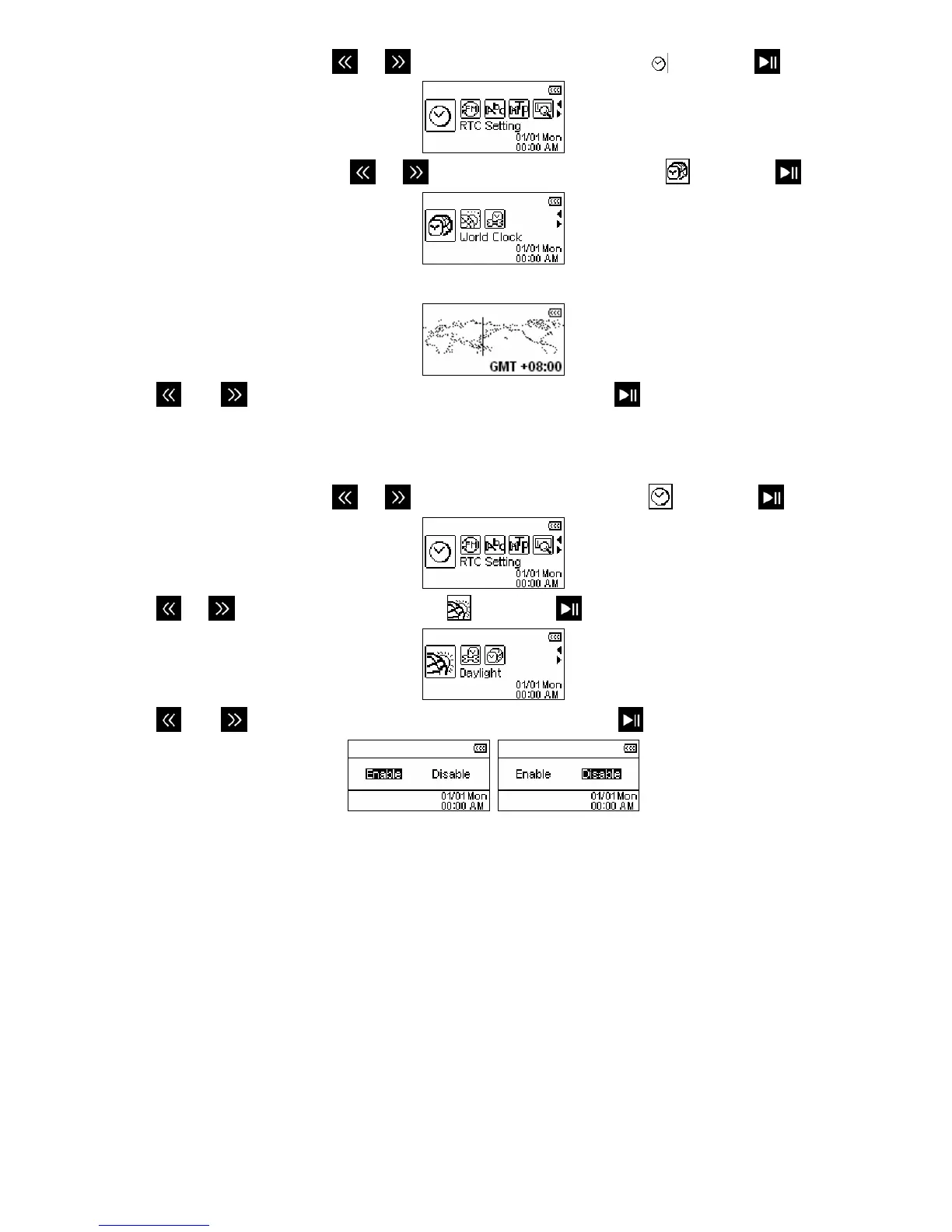
1. In the SETTINGS menu, use
or to select the “RTC Setting” icon
and press
.
2. In the “RTC Setting” menu, use
or to select the “World Clock” icon
and press
.
3. The Time Zone setup screen will appear.
4. Use
and to select the time zone for your country and press .
Day light (DST)
If your region uses DST, the T.sonic can automatically adjust the clock for Summer and Winter time.
1. In the SETTINGS menu, use
or to select the “RTC Setting” icon
and press
.
2. Use
or to select the “Day light” icon and press .
3. Use
and to switch between “Enable” or “Disable” and press .
¾ Enabling Daylight Savings Time will automatically adjust the T.sonic 650’s clock forward or
backward one hour, depending on the time of year and the time zone you are in.















 To Next Page