30
PC-Lock
With PC-Lock, you can use your T.sonic as a key to temporarily lock your computer while you are away.
¾ PC-Lock is only supported in Windows
®
Me, 2000, XP and Vista
¾
The PC-Lock function is not supported in the Mac™ or Linux™ Operating Systems.
¾
To use the PC-Lock function, you must log in to the Windows OS with Administrator rights.
Lock Your Computer
1. Start the T.sonic Utility (
->
Programs -> T.sonic Utility)
2. Click on the “PC-Lock” button in the T.sonic Utility window.
Figure 17: T.sonic Utility – PC-Lock
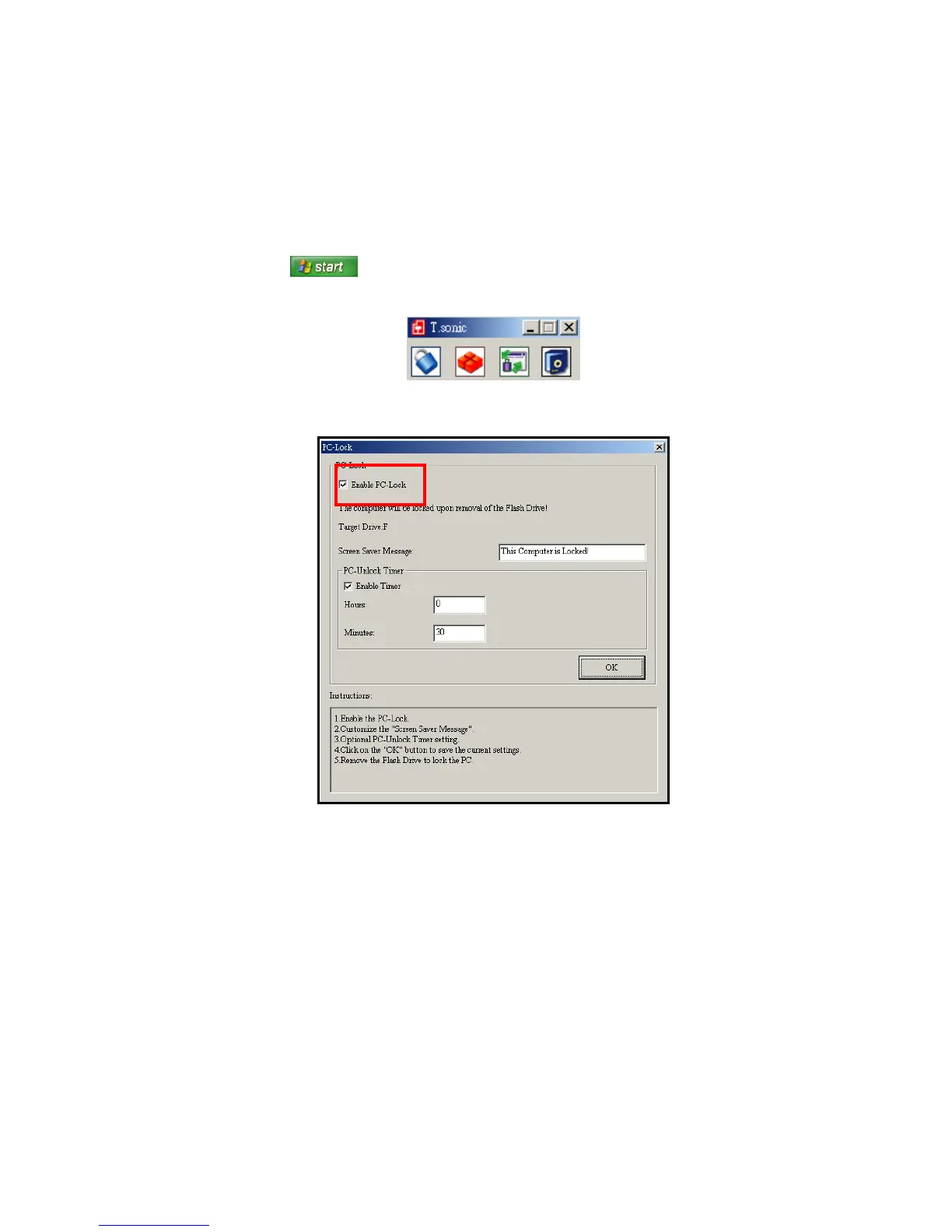
3. The PC-Lock Settings window will appear. Select the “Enable PC-Lock” checkbox.
Figure 18: Enable PC-Lock















 To Next Page