34
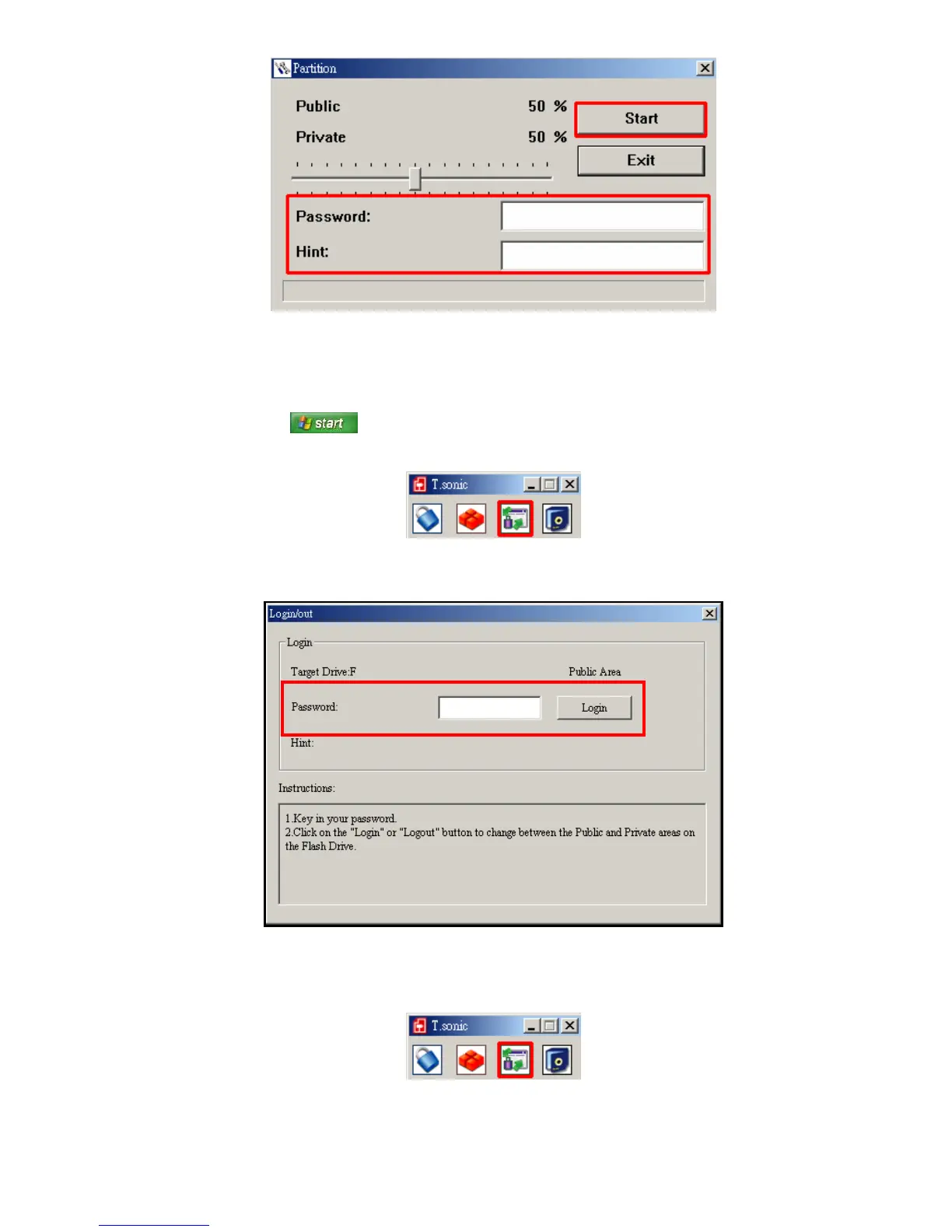
Figure 24. Password and Hint
6. Click the “Start” button to complete the Partition & Security setup.
Using the Private Area
1. Start the T.sonic Utility (
->
Programs -> T.sonic Utility)
2. Click on the “Login/Logout” button in the “T.sonic Utility” window.
Figure 25: T.sonic Utility – Login/out
3. The Login/out window will appear. Input your password and click “Login” to enter your Private area.
Figure 26. Enter your password
4. When you are finished using the Secure Area and no data is being transferred between the T.sonic and the
computer, click the “
Login/Logout” button in the “T.sonic Utility” window to log out.
Figure 27: T.sonic Utility – Login/out















 To Next Page