14 TREK SERVICE INFORMATION August 2016
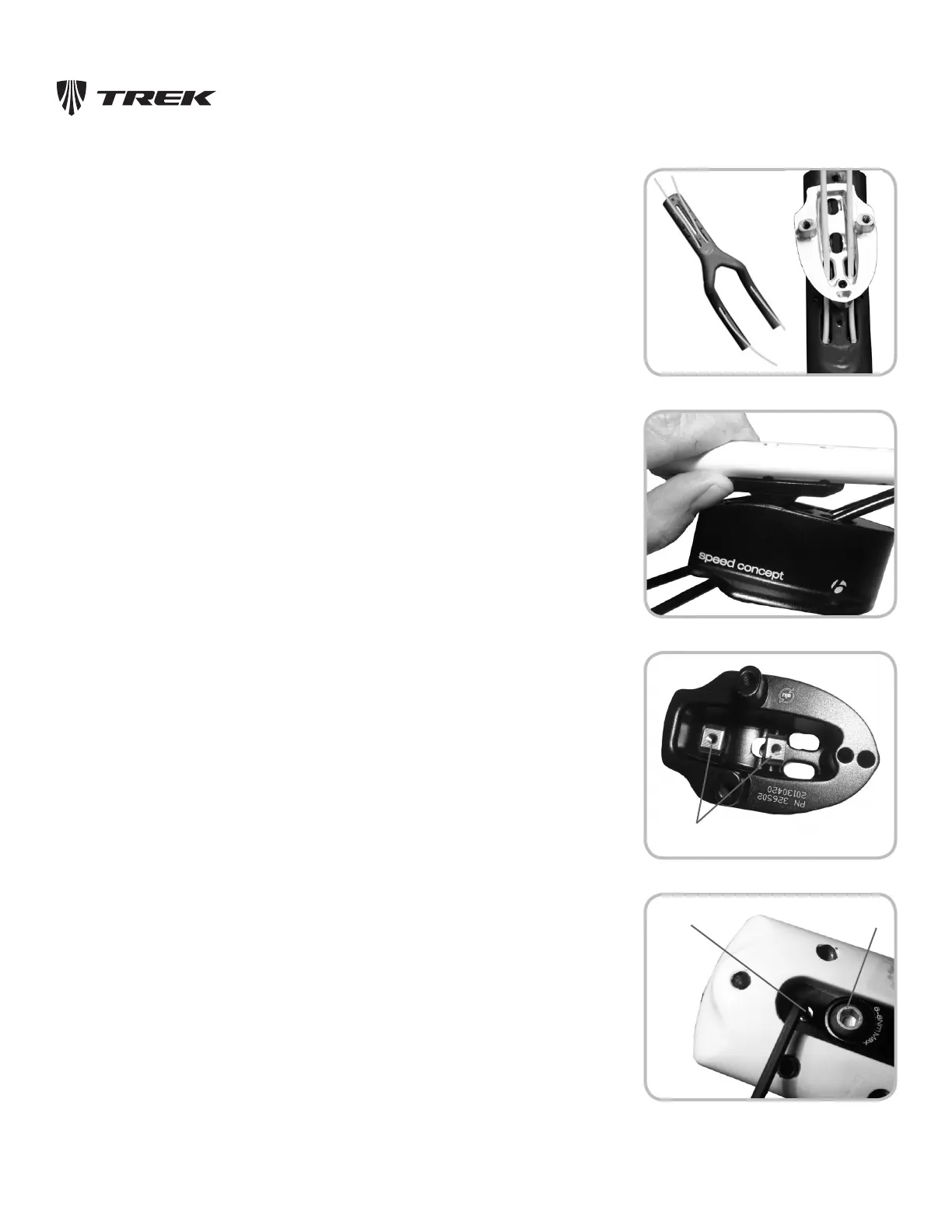
Figure 7.8. Shi housing routed through mono-extension
and mono-spacer
Figure 7.9. Pivot cradle between mono-extension and
mono-spacer
To Install Housings In The Mono-Extension
And Aerobar
1. Starting from the front (shifter) end of the mono-extension, slide the shift housing
pieces through (Figure 7.8). Then align the housings with the holes in the mono-spacer,
and slide the mono-spacer into place under the mono-extension.
Note: Only 4 mm housing will fit the housing connectors. To determine the length of
housings, use the previous pieces as a guide, or install new pieces that extend 3 to 4” (75-
100 mm) past both ends of the bar. You will re-size the housing later.
2. Slide the pivot cradle into position between the mono-extension and the mono-spacer
(Figure 7.9).
3. Insert the T-nuts into the underside of the mono-spacer (Figure 7.10).
4. From the top of the mono-extension, insert the mono-extension attachment bolts
(Figure 7.11) through the mono-extension, pivot cradle, and into the mono-spacer
T-nuts.
These bolts control the tilt of the mono-extension, so for now only tighten until
finger-tight. Back out the set screw so that it is not touching.
Figure 7.10. Underside of mono-spacer
Figure 7.11. Mono-extension bolts allow fore/a
adjustment and control lt of bar. Set screw prevents
movement aer adjustment.
Set screw
Mono-extension
aachment bolt
Mono-extension
Mono-spacer
Pivot cradle
T-nuts












 To Next Page