45
General Information
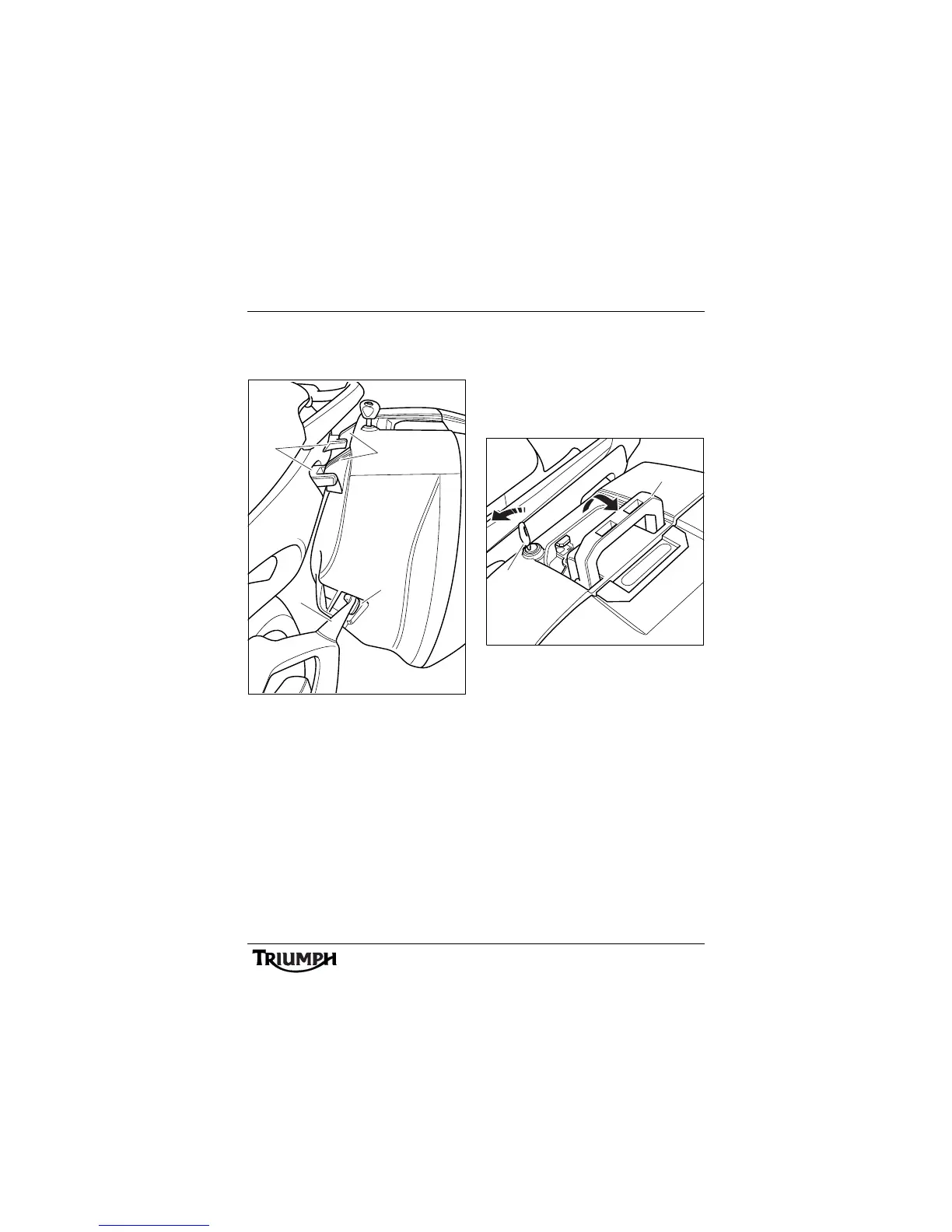
Ensure that the lower mounting bracket fits
into the locating cup moulded into the front
of the pannier.
1. Pannier fixed hooks
2. Pannier mountings
3. Locating bracket
4. Locating cup
Lock the pannier to the rail by pressing the
carrying handle to the fully closed position
while turning the key to the LOCK position.
Remove the key.
To remove each pannier:
Note:
• The same procedure can be
followed to remove and mount the
left hand or the right hand
panniers.
1. L o c k
2. Carrying handle
To unlock and remove the pannier from the
pannier mountings, turn the key to the
RELEASE position and lift the carrying handle
to its fully raised position. Lift the pannier free
from the pannier mountings.
cgdu
2
1
3
4






 To Next Page