27
XD1+_User manual_P5650.1600_Rev A
• Sensor comms check
Ensures communications and correct functionality of the OPC sensor.
• Device hardware check
Ensures functionality of the internal electronic hardware.
• Device battery check
Ensures that the internal battery pack is functional and calibrated for use.
• Data logging comms test
Ensures communications and correct functionality of the D1
+
internal memory storage.
• EEPROM memory test
Ensures communications and functionality of the EEPROM is correct and that custom defined
user settings are not lost.
At any point during normal operation, the D1
+
can run the ‘self-test’ routine to ensure system
functionality.
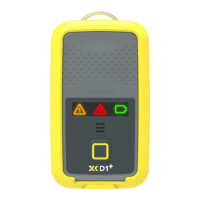
To perform a ‘self-test’, press and hold the power button until all three function icons are blue, at
this point, release the power button and the device will initiate the ‘self-test’ sequence.
‘Self-test’ results
After the self-test routine has been performed, the D1
+
will indicate the result via illuminated
icon status.
Refer to section 11.2 for “Pass” / “Fail” illumination details.
Note: On return of a “Pass” result, the D1
+
will automatically continue with sensing operation.
On return of a “Fail” result, the D1
+
will check if the fault is recoverable and repeat the ‘self-
test’. This will take place up to a maximum of four times before the device will return a fatal error
indication. In the unlikely case of fatal error indication, it is recommended to contact the Trolex
service team.
11.6 User initiated ‘self-test’ routine’


 To Next Page