35
XD1+_User manual_P5650.1600_Rev A
14. CONNECTIVITY
The D1
+
has been designed to be connected via the single USB port for battery charging,
device configuration, live operating modes, and data review purposes.
14.1 Charging
The D1
+
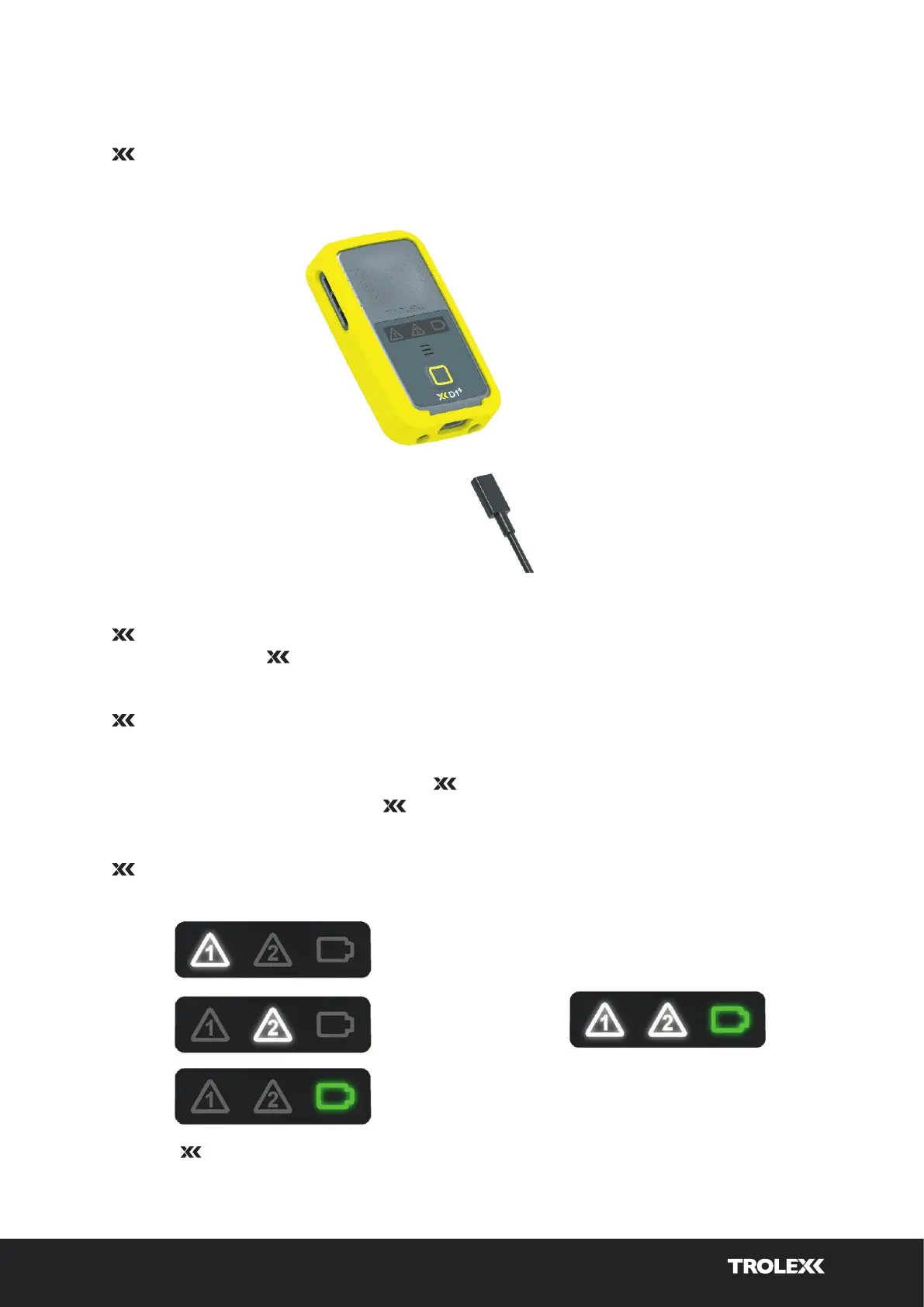
device is charged via the on-device USB Port and cable provided. It is
recommended that the D1
+
is charged using a wall adapter where possible to ensure that
the maximum power is delivered to the battery in the shortest timeframe.
The D1
+
can be charged via a PC USB port, however, please note that this will take
significantly longer to charge due to standard PC USB power delivery limitations.
The following sequence is displayed on the D1
+
during battery charging and is used to
indicate the battery charge level. The D1
+
charge sequence will run at diering speeds for
fast (wall adapter) or slow (PC USB) charging.
The D1
+
will display 2 solid white icons and a flashing green battery indication once
charging is complete.
D1
+
charge sequence.
Fully charged indication
(flashing green icon).


 To Next Page