29
XD1+_User manual_P5650.1600_Rev A
11.7 Accidental activation of power/function switch
The D1
+
has a single power / function switch that has been designed for all device input
operations. All positive inputs are completed via a press, hold and release functionality and
during normal operation accidental activation of the power swich, via a single press and
release, is unlikely.
In the event that the D1
+
power / function switch is accidentally activated during operation,
the device will alert the user to the prolonged button press and hold via a series of sequential
audio alarms.
Once the power / function switch is released, the D1
+
will automatically perform a self-test
and revert to normal sensing operation.
11.8 Power management
The D1
+
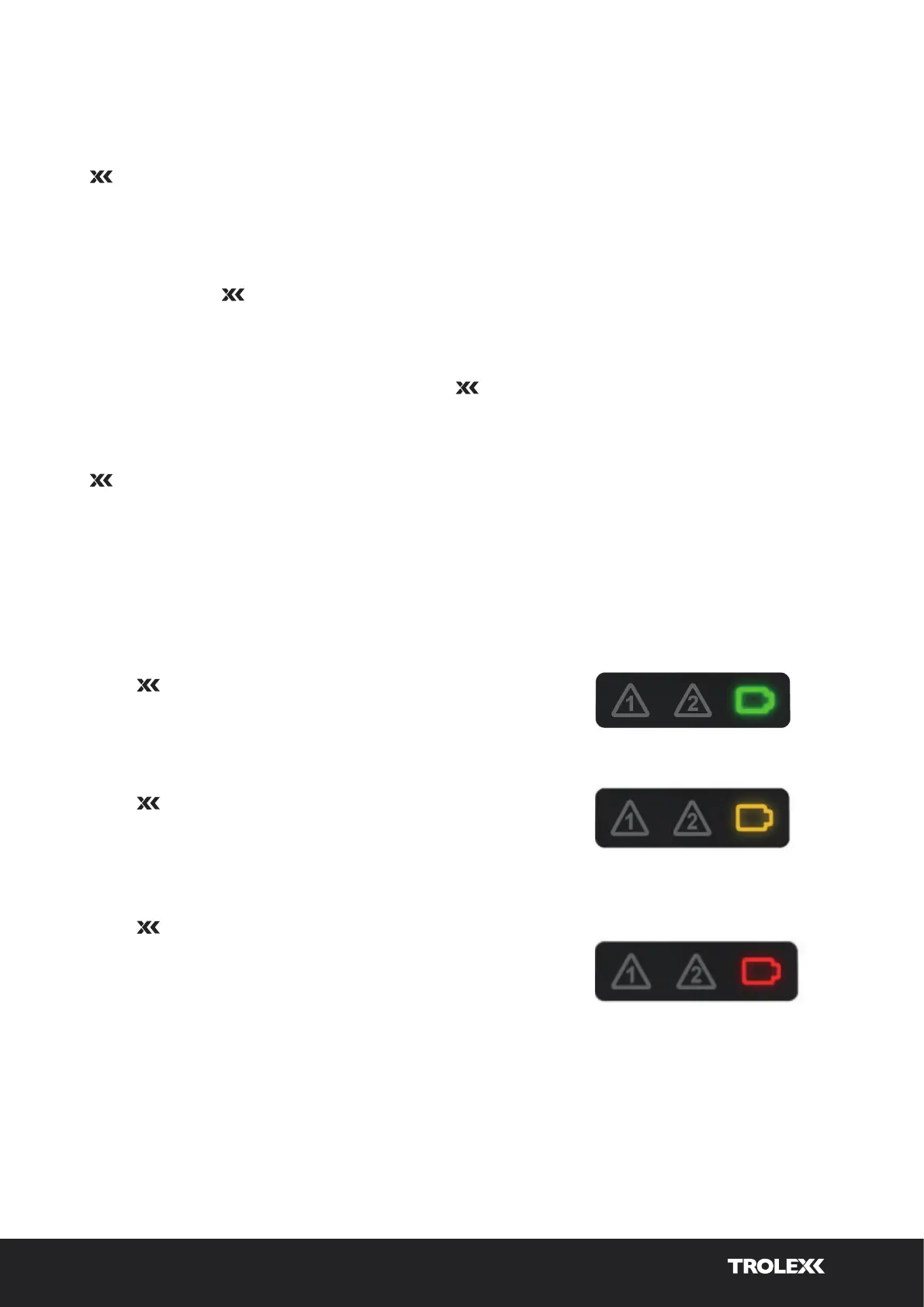
uses a single battery icon to identify the battery life of the device. The internal
battery has a 16-hour operating capacity when fully charged and it is recommended that the
device is charged between shifts to ensure maximum operational charge during use.
During normal operation, the battery indication icon is used to display the following battery
status.
Green flashing icon (intermittent at 3-second intervals)
When the D1
+
is displaying a green flashing icon,
the battery charge level is between 100 and 70%.
Amber flashing icon (intermittent at 3-second intervals)
When the D1
+
is displaying an amber flashing icon,
the battery charge level is between 69 and 40%.
Red flashing icon (intermittent at 3-second intervals)
When the D1
+
is displaying a red flashing icon,
the battery charge level is between 39 and 10%.
When the battery decreases below 10%, the red
flashing icon will blink at 1-second intervals.


 To Next Page