24 D1
+
PERSONAL DUST MONITOR
11.3 Power on sequence
The D1
+
has been designed to be simple to operate and the following information details the
power on sequence. On device power on, please note that the D1
+
will automatically run the
following sequence.
Note: Before first power on, ensure that the D1
+
is fully charged using the charger provided.
1. Device power on
The D1
+
will switch on and run the start-up routine.
2. Device self-test
The D1
+
will automatically run a self-test sequence and indicate a pass / fail result.
Auto-particulate sensing
The D1
+
will automatically begin sensing and recording operation environment particulate
levels.
Note: The D1
+
is designed to begin particulate sampling as soon as the power on and start up
routine is complete. STEL / TWA calculations, alarm warnings and data recording are immediately
active alongside particulate sampling following the power on sequence.
To power on the D1
+
, follow the steps below.
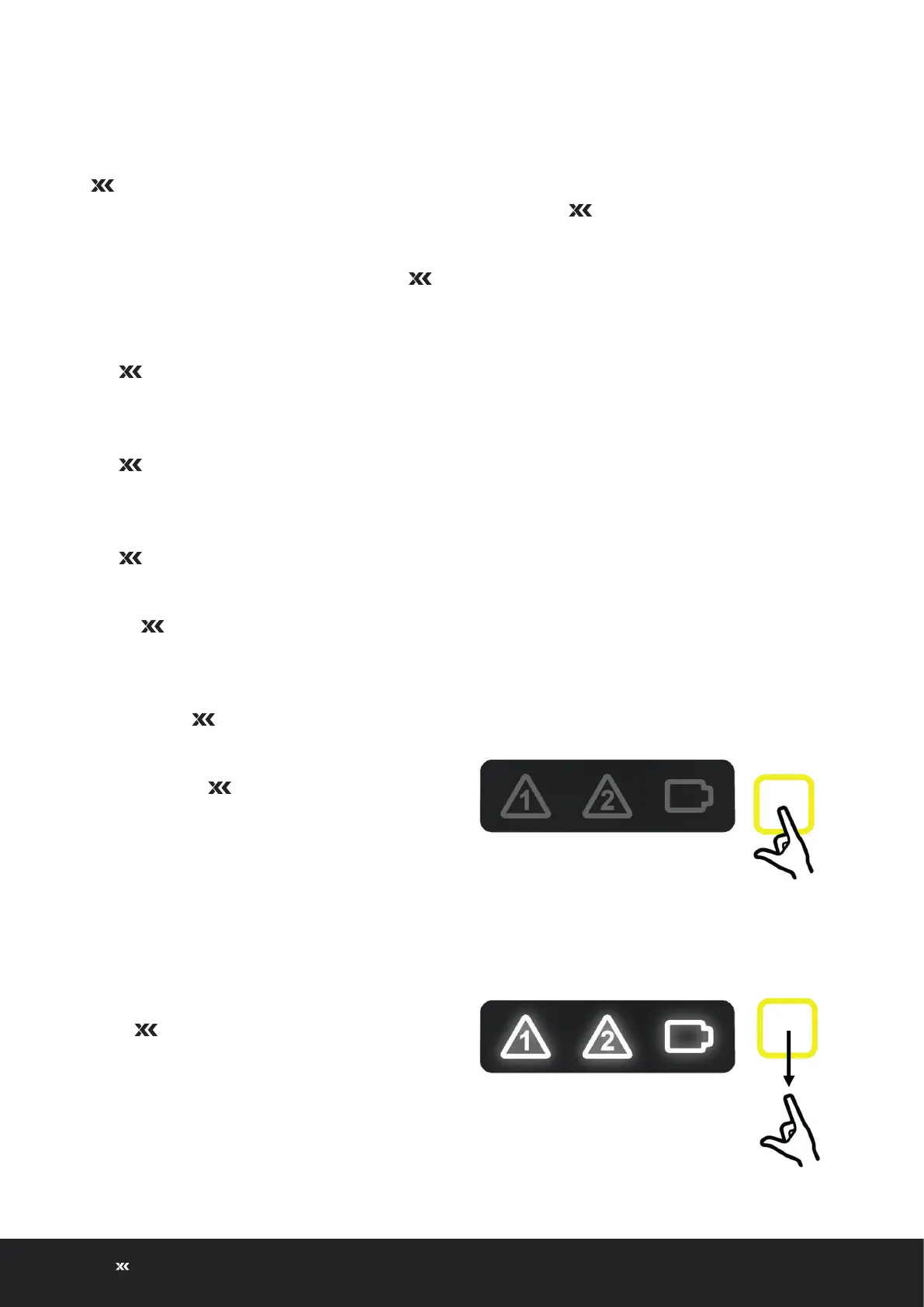
1. Press and hold the function button on
the front of the D1
+
to initiate the
power on sequence.
2. Release the function button on the front
of the D1
+
when all icons are
illuminated white.
Hold
Release
Power on
XD1+_User manual_P5650.1600_Rev A


 To Next Page