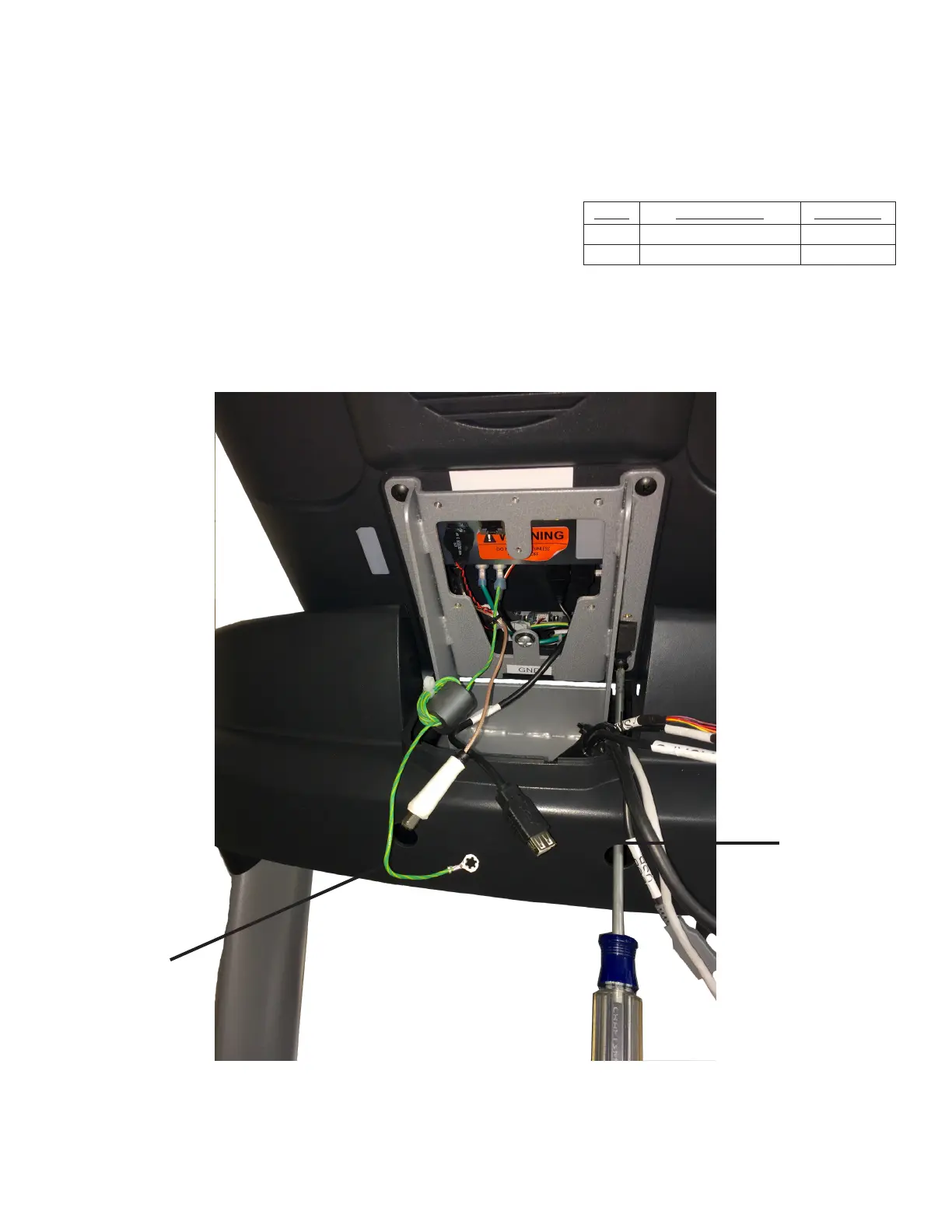
Step 2 (Console Mounting):
Route the Ground Wire and Data Cable (USB) through the console
mast assembly.
Set the bottom two console mounting screws, which were partially
thread into the console, into the keyholes on the console mast assembly.
Partially thread the top two console mounting screws and then fully
tighten all four console mounting screws using a long, Phillips screwdriver.
Item Description Quantity
4 Ground Wire 1
5 Data Cable (USB) 1
4
5
CHAPTER 2: ASSEMBLY GUIDE
TREADMILL ASSEMBLY STEPS:
Transcend Console Assembly:
Truetness.com / 800.426.6570 / 636.272.7100
42 of 141



 To Next Page