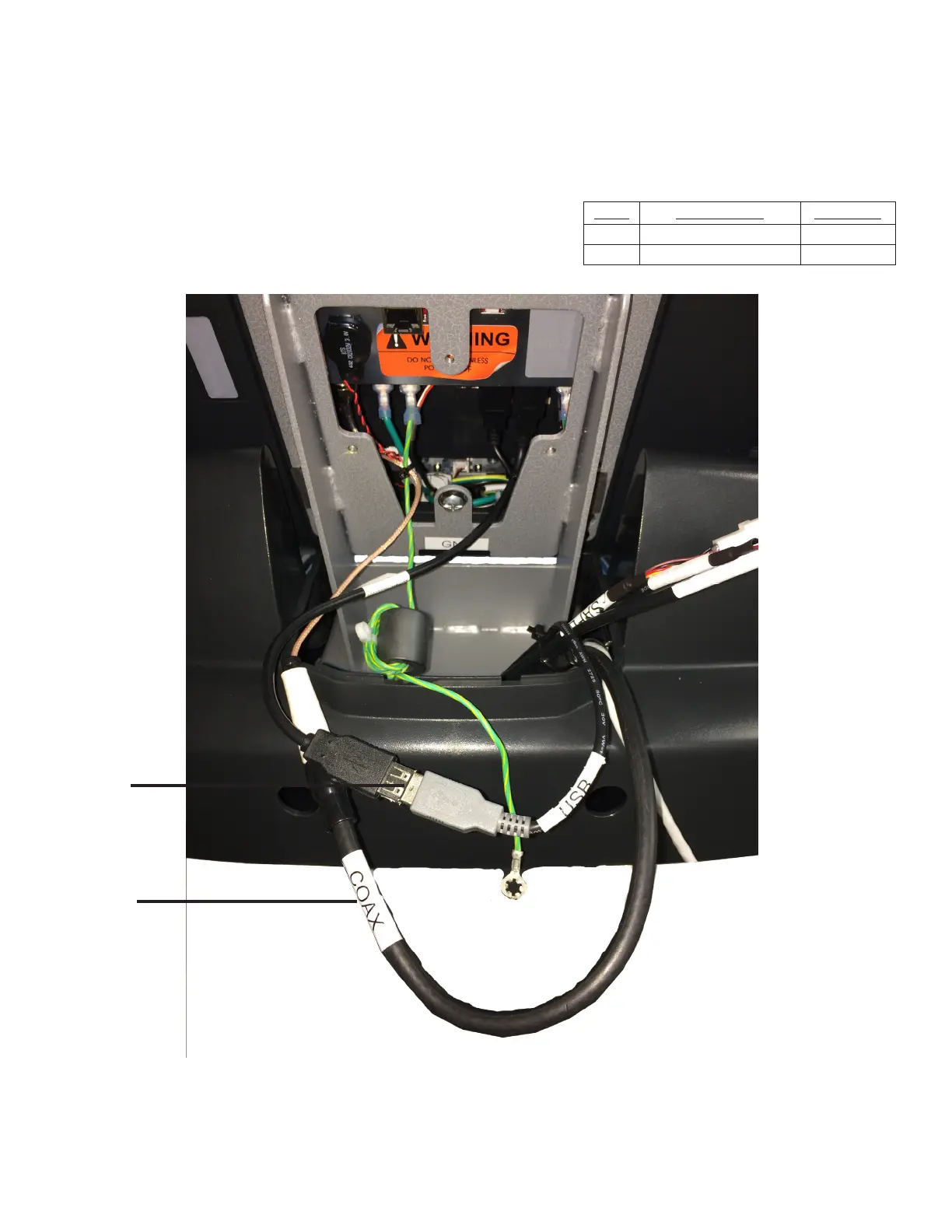
Step 3 (Data and Coaxial Cables):
Connect the Coaxial Cable and Data Cable (USB) to their
counterparts as shown below.
Note: Position the rubber boot over the coaxial cable connection point.
Item Description Quantity
6 Data Cable (USB) 1
7 Coaxial Cable 1
6
7
CHAPTER 2: ASSEMBLY GUIDE
TREADMILL ASSEMBLY STEPS:
Transcend Console Assembly:
Truetness.com / 800.426.6570 / 636.272.7100 43 of 141



 To Next Page