96 of 171
Truetness.com / 800.426.6570 / 636.272.7100
CHAPTER 4A: TRANSCEND OPERATION
ADVANCED CONSOLE FUNCTIONS:
Diagnostics Menu:
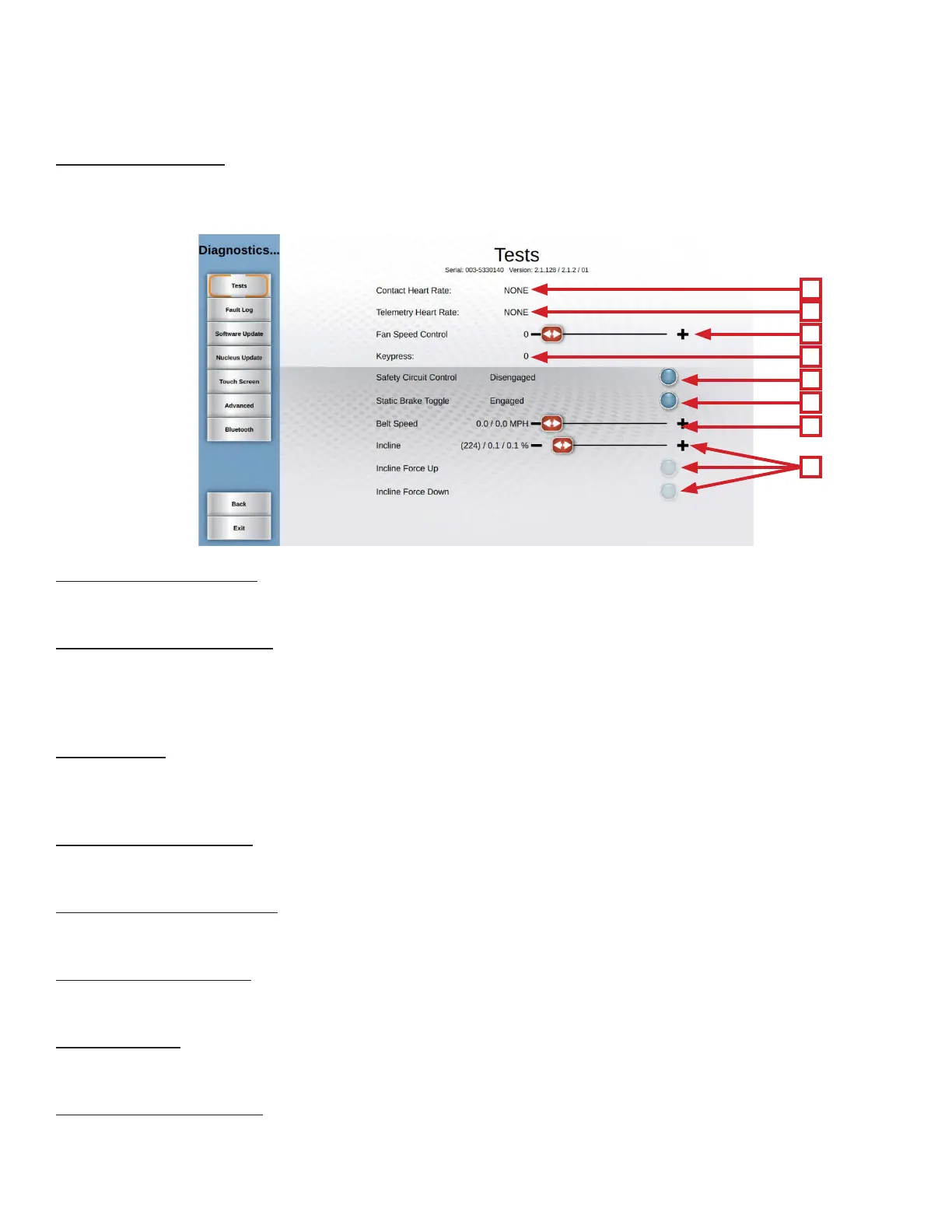
e Diagnostics Menu contains tools used to help diagnose errors and performance issues. e rst screen displayed is
Tests:
A
B
C
D
E
F
G
H
A) Contact Heart Rate:
Ensures the unit is receiving the data by displaying the user’s heart rate when the contact heart rate pads are gripped.
B) Telemetry Heart Rate:
Use a wireless heart rate strap or simulator to test if the unit is receiving wireless heart rate data. If there is a reading
displayed without the use of a heart rate strap or simulator, there is outside interference from another source.
*is unit is designed to receive 5 khz non-coded transmissions only.
C) Keypress:
When a quick access key is pressed on the unit, “NONE” will change to indicate which key is being pressed. In the event
of a stuck key, the key that is being engaged will display.
D) Fan Speed Control:
Using the slider allows users to test the fan independent of a program.
E) Safety Circuit Control:
Used to test if the console is able to read the safety key.
F) Static Brake Toggle:
Used to test the functionality of the static brake.
G) Belt Speed:
Use the Target Speed slider to command the treadbelt to move for troubleshooting purposes.
H) Incline/ ADC Value:
Used to troubleshoot incline system faults by commanding the unit to incline with the incline slider and reading the
Incline ADC Value.



 To Next Page