16
3.3.2 Install the Peripherals
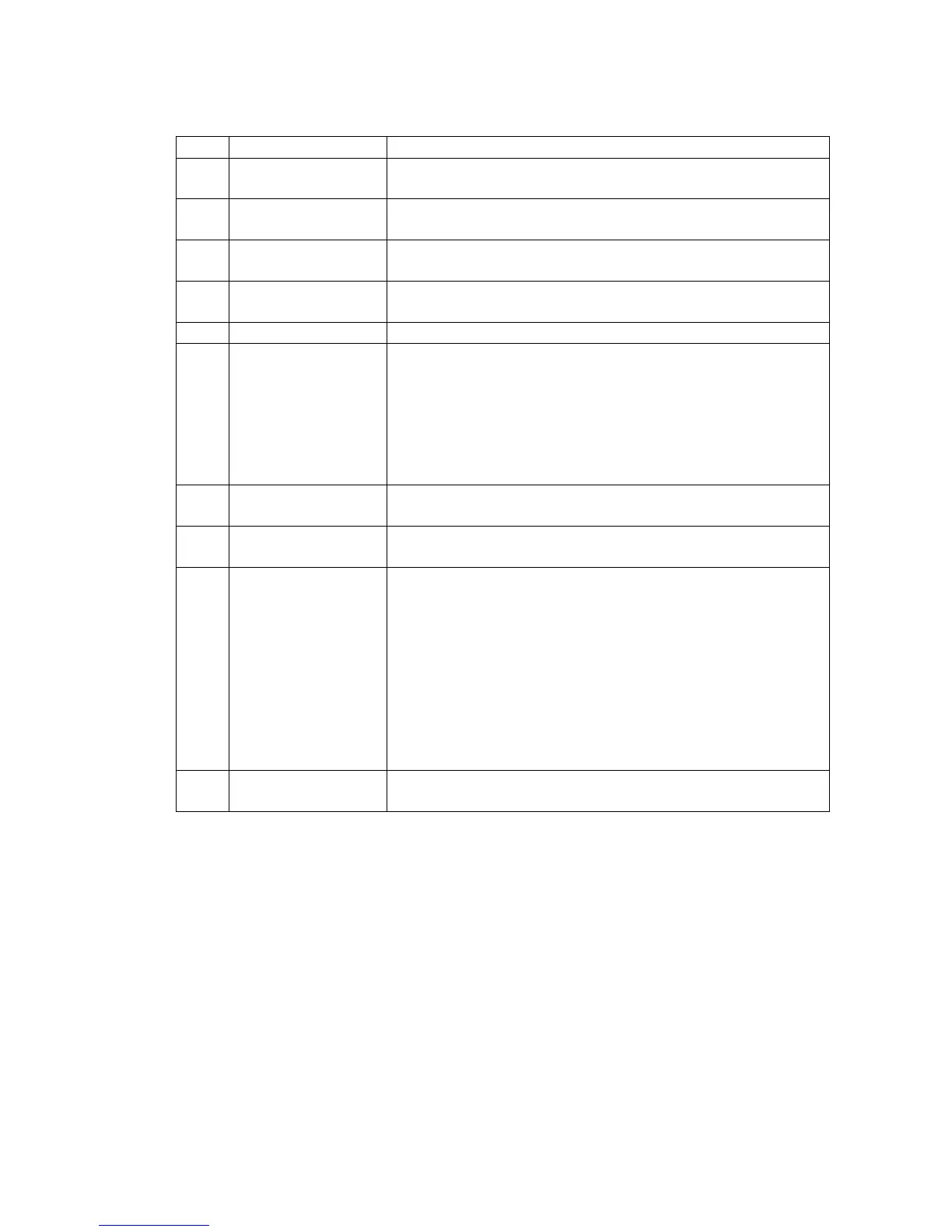
Installing steps of peripherals
Connect air supply to input point.
Fill lubrication system..
Remove the mount blocks in X- & Z-axis; don’t remove the
wooden block that supports the spindle head.
Mount and install
the wiring lines
Follow the wire numbers connecting and mounting the
dismantled wires/pipes.
After checking the electric control lines, connect them.
Turn on power to
make test run
a. Certify the correctness of power phases.
b. Certify the correctness of motor turning direction.
c. Check if pipe connectors are connected correctly and
locked tight; mechanism locations are correct
(mechanism should be located at respective location
normally).
d. Lift the tool post head; take out the supporting pads.
Certify track
lubrication
Check if the lube system feeds lube oil? Are two lube oils
distributed properly?
Clean the anti-rust oil on jaw chuck & tool post; clean up
dust on Machine and wipe it clean.
a. First, manually return Machine’s three axes back to
HOME point manually in slow speed.
b. Return the two axes back to HOME point by 100% fast
speed; certify if the HOME points are same.
c. Check if stroke of each axis follows the set one? If
over-stroke is effective?
d. Follow the attached parameter table to check if
controller’s display meets the parameter table or not?
e. Are the spinning directions and speed of positive/reverse
turns normal?
During running, follow the precision inspection table to
make commissioning run.


 To Next Page