EasyManua.ls Logo

TSC TDP-225 Series - User Manual

TSC TDP-225 Series
36 pages
Print Icon
To Next Page IconTo Next Page
Loading...
;’RFTGTT5RT12
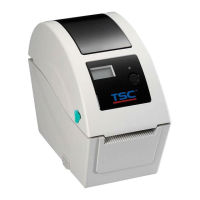
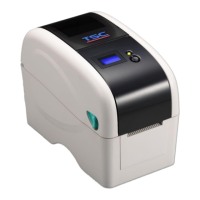
TDP-225 Series
Desktop Barcode Printers
User Manual
Series Lists:
TDP-225 / TDP-225W
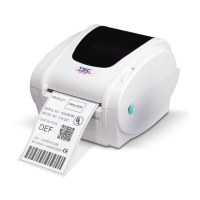
TDP-324 / TDP-324W
Direct Thermal

Other manuals for TSC TDP-225 Series

Questions and Answers

  • K
    Kari CarpenterSep 23, 2025
    How to resolve a 'Cutter Error' on my TSC TDP-225?
    • B
      Brandi SmithSep 23, 2025
      If your TSC Barcode Reader displays 'Cutter Error', first remove any jammed labels. Ensure the media thickness is equal to or less than 0.19mm. If the problem persists, replace the cutter or cutter driver circuit board.
  • S
    Steven WrightAug 25, 2025
    How to improve print quality on my TSC TDP-225?
    • J
      Jennifer ReynoldsAug 25, 2025
      If your TSC Barcode Reader is producing poor print quality, ensure the top cover is completely closed and latched on both sides. Verify that the correct 24V DC power supply is connected. Reload the supply correctly. Clean the print head if dust or adhesives have accumulated. Adjust the print density and speed settings. Run a self-test to check the print head test pattern for any missing dots.
  • M
    Melissa RyanAug 25, 2025
    How to fix 'Out of Mem' error on my TSC Barcode Reader?
    • P
      Paul StricklandAug 26, 2025
      If your TSC Barcode Reader displays 'Out of Mem', delete unused files from the FLASH/DRAM or MicroSD card to free up space.
  • W
    Wyatt KempAug 27, 2025
    How do I fix a paper jam on my TSC TDP-225 Barcode Reader?
    • B
      bennettarthurAug 27, 2025
      If your TSC Barcode Reader displays 'Paper Jam', calibrate the gap/black mark sensor. Ensure the label size is set correctly. Remove any jammed labels from inside the printer mechanism.
  • S
    sanchezerinAug 27, 2025
    Why is my TSC Label Maker not printing?
    • M
      Miss Alicia Brown DVMAug 27, 2025
      If your TSC Label Maker isn't printing, several factors could be the cause. Ensure the interface cable is securely connected. If using a serial port, the cable's pin configuration must be pin-to-pin; if it is not, replace the cable. Also, verify that the serial port settings are consistent between your host and the printer, and that the correct printer port is selected in the Windows driver. For Ethernet connections, confirm that the IP address, subnet mask, and gateway are properly configured.
  • P
    Paul McdanielSep 14, 2025
    What to do when my TSC TDP-225 says 'No Paper'?
    • M
      Mckenzie WrightSep 14, 2025
      If your TSC Barcode Reader displays 'No Paper', supply a new label roll. If that doesn't work, refer to the user’s manual for steps to reinstall the label roll correctly. If problems persist, calibrate the gap/black mark sensor.
  • R
    Ronald WilsonSep 12, 2025
    How to fix a TSC TDP-225 Barcode Reader with no response?
    • E
      Emily WoodSep 12, 2025
      If your TSC Barcode Reader shows 'No Response', try the following: * First, ensure the power switch is turned on. * Check that the green LED on the power supply is lit; if not, the power supply may be broken. * Verify that both power connections—from the cord to the supply and from the supply to the printer—are securely connected.
  • T
    Tony DominguezSep 12, 2025
    Why is my TSC TDP-225 continuously feeding labels?
    • R
      Ryan WatkinsSep 12, 2025
      If your TSC Barcode Reader is continuously feeding labels, initialize the printer and perform a gap/black mark calibration.
  • T
    Tammie WilliamsSep 4, 2025
    What does 'Head Open' mean on my TSC Label Maker?
    • A
      Adam RobertsSep 4, 2025
      If the TSC Label Maker displays 'Head Open', it means the printer top cover is open. Please close the top cover.
  • T
    travis26Sep 2, 2025
    Why is my TSC Label Maker continuously feeding labels?
    • T
      thomassnyderSep 2, 2025
      If your TSC Label Maker is continuously feeding labels, the printer settings may be incorrect. To resolve this, perform the initialization and gap/black mark calibration.

TSC TDP-225 Series Specifications

General IconGeneral
Print MethodThermal Transfer / Direct Thermal
Resolution203 DPI
Memory8 MB Flash
Processor32-bit RISC
InterfaceUSB 2.0
Power Supply100-240V AC, 50/60Hz
Operating Temperature5°C to 40°C (41°F to 104°F)
Storage Temperature-40°F to 140°F (-20°C to 60°C)
Label Width60 mm (2.36")

Related product manuals