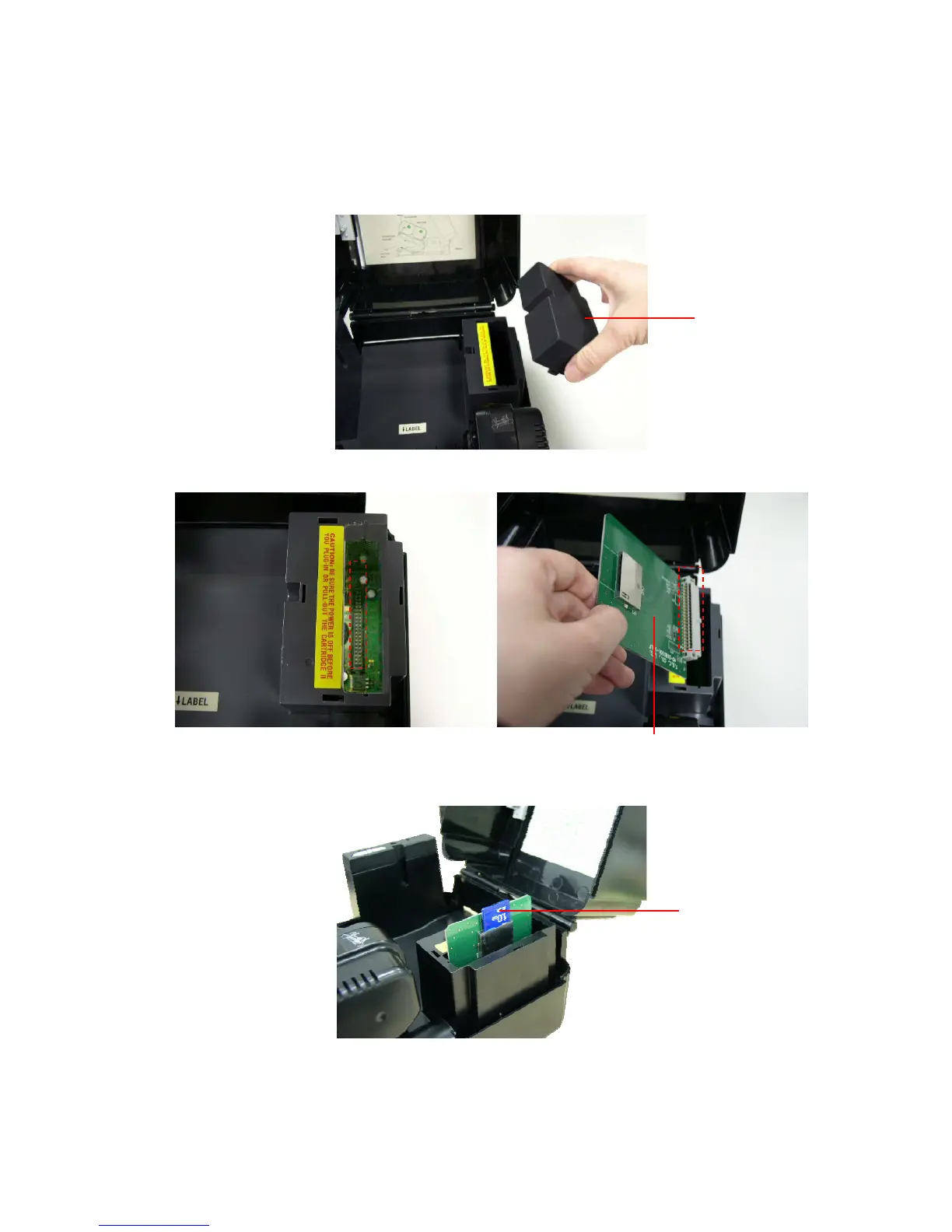
3.7 Install SD Memory Card (TTP-244 Plus Model only / Option)
1. Open the memory card cover.
2. Plus the SD memory card module on the main board.
3. Install the SD memory card.
4. Close the memory card cover.
Memory card
cover
SD memory card module (Option)
SD card
19










 To Next Page