13
TTL Air curtain systems - control and automation panel type Touch
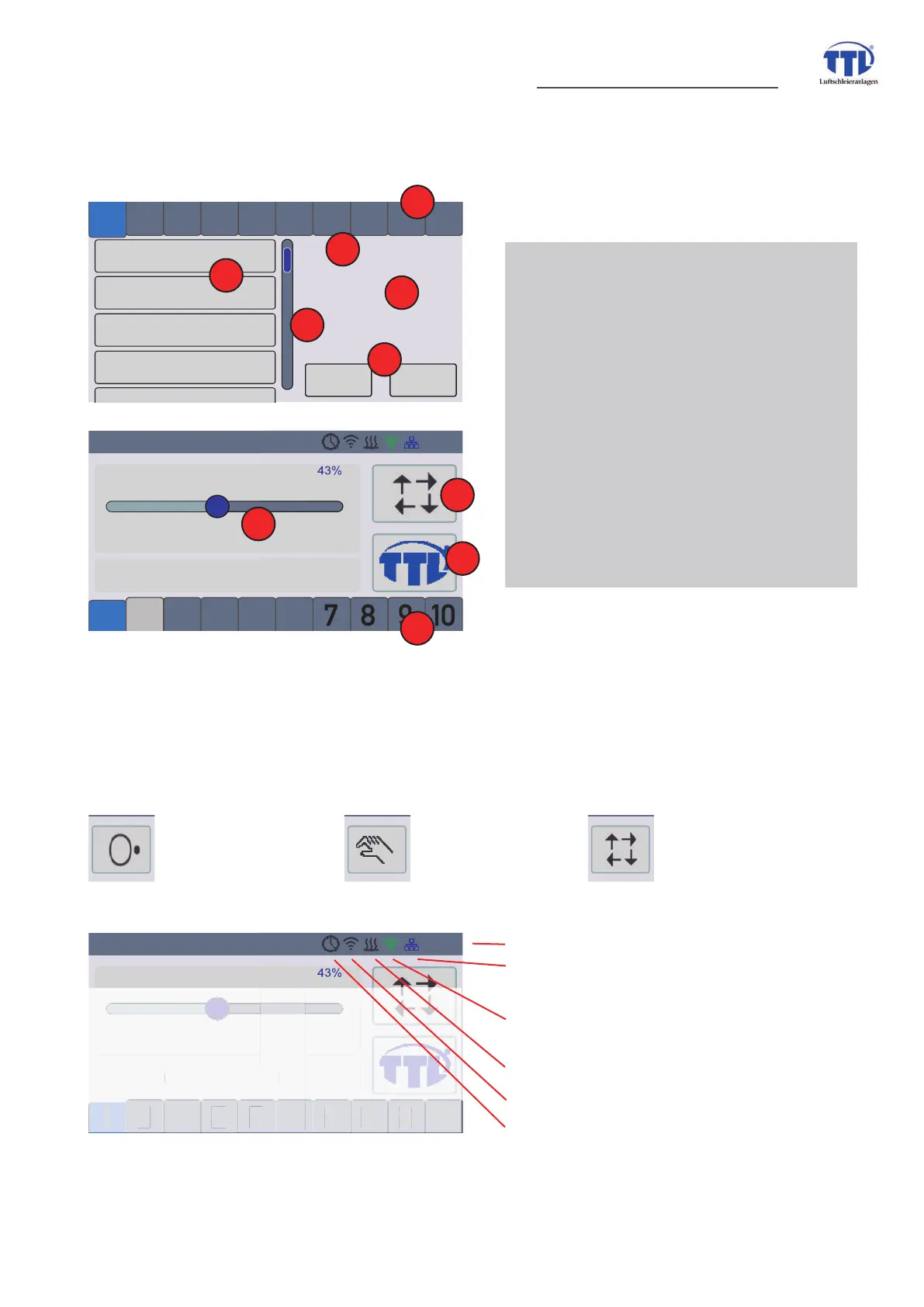
7. Image - menue illustrations - used symbols
7.1 Overview operating elements
7.2 Display symbols
Operators touch areas have normally a distinct cleartext description. In one of the touch areas and the status
bar in operation view are some few symbols used for indicating of conditions.
operation
OFF
HAND
mode
AUTOMATIC
mode
1 adress status bar
shown in menue view above
shown in operation view below
GRAY -adress physical connected
BLUE -adresse selected, their datas
are read and shown in respective
menues
2 menue info
3 menue
4 menue indicator bar
5 execution buttons
DOSKDQXPHULFDOLQIRDQGGDWDÀHOG
(not at all menue points)
7 operation mode selection
8 Home button - change between views
no malfunctions
2 3
4
5 6 7 8 9 10
1
2
TTL Touch
air volume 43%
05:04
OK
Cancel
controller air volume (VOL)
statistics
settings
controller air temperature (AIR)
info
1 2 3 4 5 6 7 8 9 10
1
2
Main
2
1
3
4
5
6
no malfunctions
2 3
4
5 6 7 8 9 10
1
2
TTL Touch
air volume 43%
05:04
m
l
n
ti
n
time
network connection (blue = ok
red = malfunction; gray = no connection
ÀOWHUPRQLWRULQJ\HOORZ SODQDFKDQJH
red SURJUÀOWHUXVLQJWLPHH[FHHGHG
heating ON (selenoid valve opened)
WLAN functions (on time derzeit not acti-
vated)
timer setted (gray = switching time(s) set;
green = device in operation within program-
med switching time(s)
menue view
operation view
7
8
1
4


 To Next Page