EasyManua.ls Logo

TTL Touch - Menu Structure

TTL Touch
36 pages
Print Icon
To Next Page IconTo Next Page
To Previous Page IconTo Previous Page
Loading...
TTL Air curtain systems - control and automation panel type Touch
14
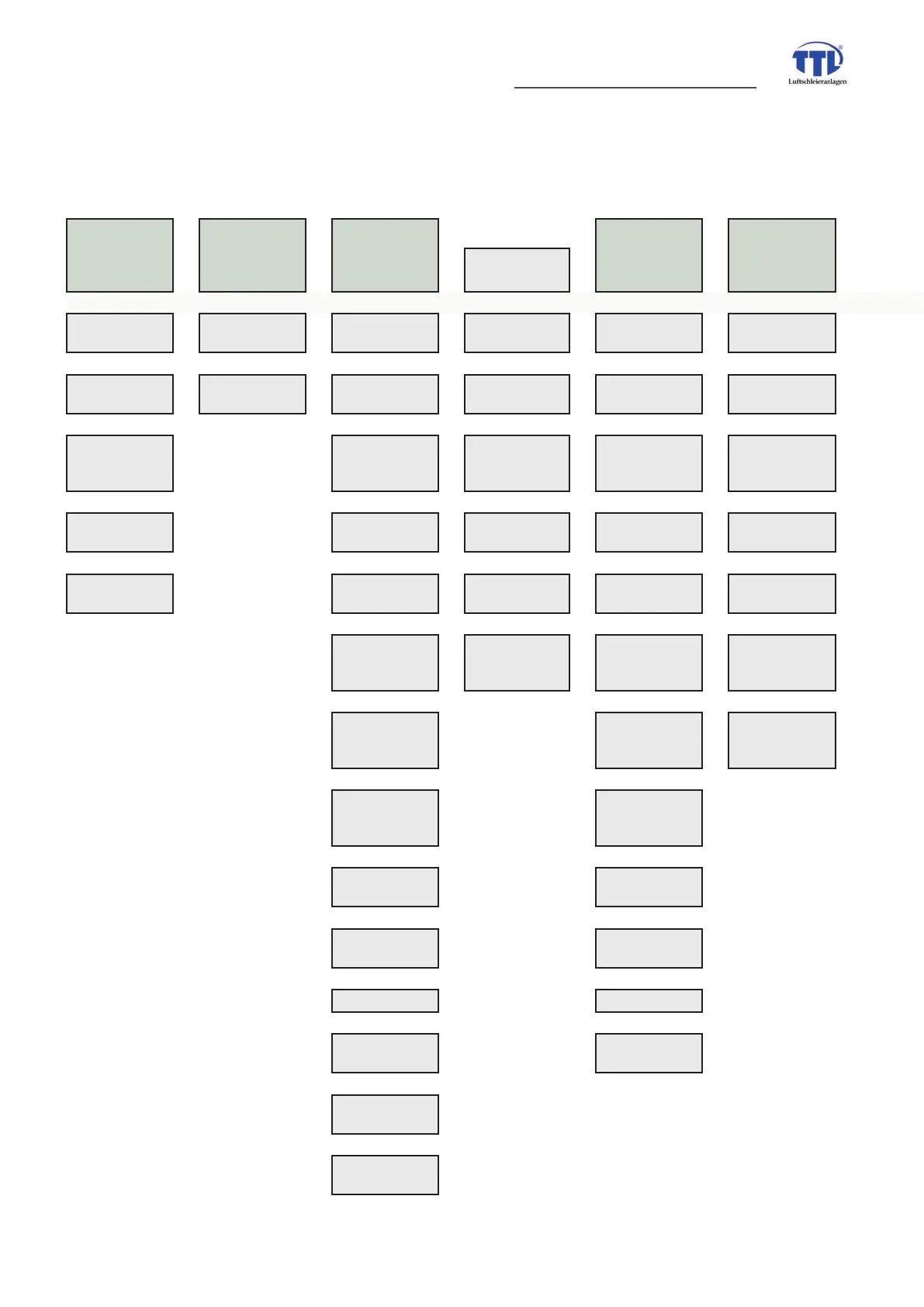
8. Structure of menue
The view „menue overview“ is available after switch-on of system (main supply). A change from „operation view“ back to „
m
1. info 2. statistics 3. settings
4. controller
air tempe-
rature
(AIR contr.)
5. controller
air volume
(VOL contr.)
sub menü
malfunctions
statistic
motor
signal
assignment
DDC release
water target
standby
temperature
winter mode
inputs
statistic
device
follow-up time
automatic
contact
blow-out
temperature
temperature
summer mode
outputs
intensity
reheating
room
thermostate
controller
AIR P-ratel
controller VOL
enable
IR sensor
auto start after
frost alert.
fault dealing
controller
AIR I-rate
controller VOL
summer/winter
version
DDC release
manual mode
room sensor
controller
AIR D-rate
controller VOL
P-rateil
ext. contact
enables winter
mode
IR sensor
controller AIR
summer release
controller VOL
I-rateil
winter mode
permission
reduction
blow-out
temperature
controller VOL
manual mode
quick start
procent
reduction
start
temperature
quick start time
reduction
scaling
selenoid valve
switching
override
motor valve
auto signal delay override time
auto signal
inverting
controller AIR
enable
operation
message setting
ÀOWHUFKDQJH
schedule