Main features explained
Enhanced safety
The provision of an auto GSM backup facility (optional) and a removable memory card means
residents are further protected.
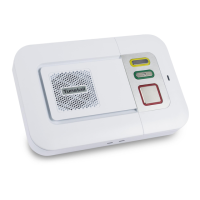
Message waiting
This feature enables Scheme Managers to leave messages for residents on their speech module. For
example if the resident has a visitor when they are out then the scheme manager can leave a message
for the resident rather than trying to remember. A light on the speech module shows the resident
that they have a message waiting.
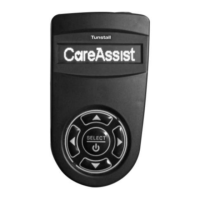
Easy to use System Control Panel (SCP)
The System Control Panel (SCP) allows the user to very easily place calls to residents, perform simple
radio trigger management tasks and to perform certain system configuration tasks. The SCP user
interface is menu driven, with illuminated keys indicating available user options. See the SCP section
of this guide for detailed instructions on how to use the SCP.
System personalisation
Allows the user of the SCP to record and save voice tags against individual residents. This helps
scheme managers to provide a more personalised service as they will be informed of the resident’s
name when an alarm is raised.
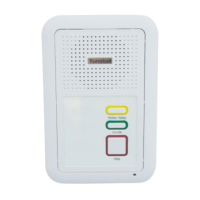
Enhanced door entry system
A DDA compliant door panel with audio and visual prompts, highlighted buttons and dedicated trades
button provides improved performance. The display can also show the name of the scheme to add
further personalisation. The door panels automatically adjust to BST saving the need to manually
adjust them.
Easy to programme triggers and telecare sensors
The programming of triggers and telecare sensors can be performed very easily via the SCP or
remotely using the web browser by following simple on screen instructions.
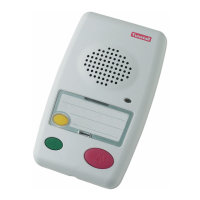
Speech Module Test Mode
This function helps Scheme Managers to reduce the time taken to test equipment including hardwired
devices connected to the speech module, buttons on the speech module, the integral pull cord. To
enter test mode press the speech module I’m OK button and the Home/Away button, the unit will
bleep. Keep the keys held until a second beep is heard, and now release the I’m OK and Home/Away
buttons. Activating any pull cord and or smoke detector along with the speech module buttons will
cause the speech module to beep to indicate correct operation. To exit test mode press the I’m OK
button and the Home/Away key until the unit bleeps.


 To Next Page