
 Need help?
Do you have a question about the Tunstall Universal Sensor and is the answer not in the manual?
Explains the function of the Universal Sensor as an interface for telecare systems.
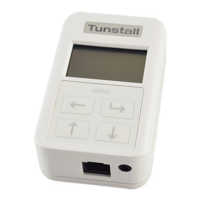
Provides a visual diagram of the Universal Sensor with labeled components.
Lists the contents of the universal sensor package.
Guidance on the proper installation environment and methods.
Details the procedure to unlock the sensor for configuration.
Outlines the process for changing the sensor's display language.
How to exit the configuration menu and save settings.
Guides on selecting the operational mode for the Universal Sensor.
Explains how to access and adjust advanced sensor settings.
Details configuration options related to battery status and alerts.
Instructions for sending a test radio message to verify system connection.
Shows the current sensor configuration and identification details.
Displays information about the sensor's firmware version and ID.
Details about user-replaceable parts and battery life.
Step-by-step guide for replacing the Universal Sensor battery.
States the device's compliance with relevant EU directives.
 General
| Brand | Tunstall |
|---|---|
| Model | Universal Sensor |
| Category | Accessories |
| Language | English |

 To Next Page