36
Bed Occupancy Sensor
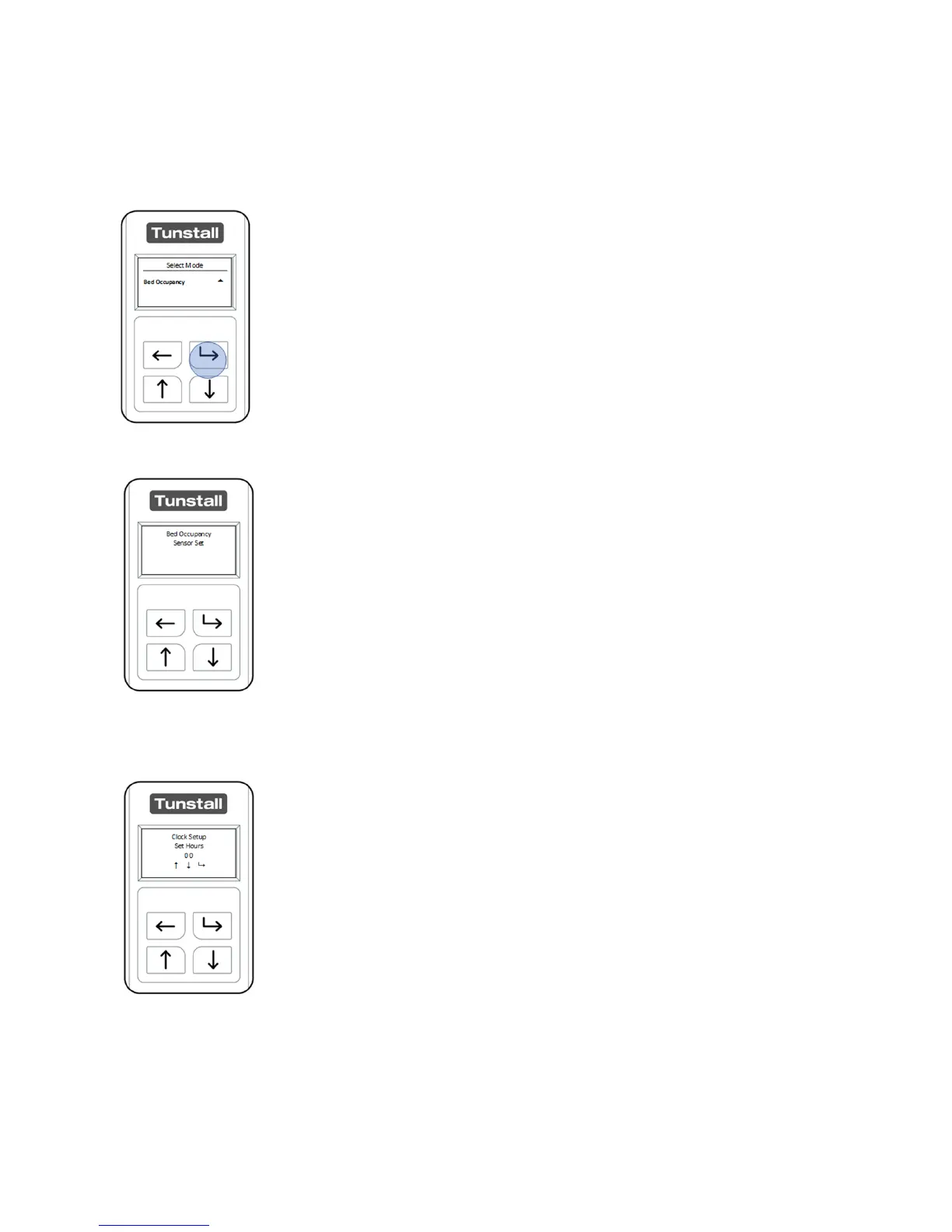
After unlocking the Universal Sensor and entering “Select Mode” navigate the menu
using the “Up Button” and or “Down Button”
When “Bed Occupancy” is highlighted press the “Select Button”
The Universal Sensor will confirm it is now configured as a Bed
Occupancy Sensor. The Universal Sensor will now prompt you to
set the current time and date.
Using the “Up Button” and “Down Button” set the current hour.
This is a 24-hour clock. (00-23) and press the “Select Button” to
confirm.


 To Next Page