27
Door Contact
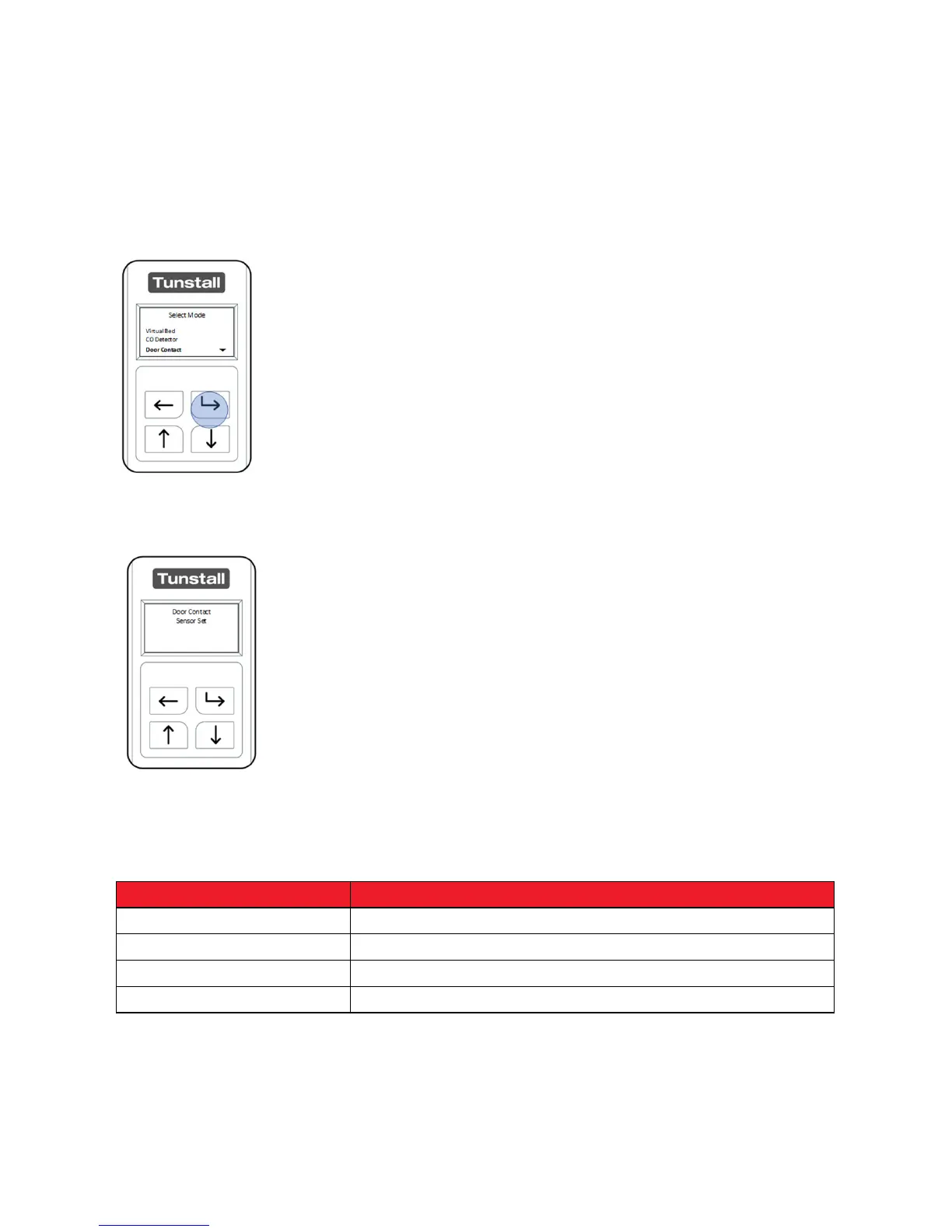
After unlocking the Universal Sensor and entering “Select Mode” navigate the menu
using the “Up Button” and or “Down Button”
When “Door Contact” is highlighted press the “Select Button”
The Universal Sensor will confirm it is now configured as a Door
Contact Sensor.
Suggested Configuration: this can be changed using “Advanced Mode”.
Contact Type NC
Input Channel 1
Cable Connection Using the included magnetic contact
Passage Time Dependent on clients walking speed.
The Universal Sensor can now be used with the magnetic contacts (included in the
box) and the Tunstall Home unit. Tunstall recommends completing a test call before
leaving the property.


 To Next Page