40
How to reset the Universal Sensor
A reset sets all the settings on the Universal Sensor back to factory default. The
Universal Sensor will then need to be programmed before it can be deployed.
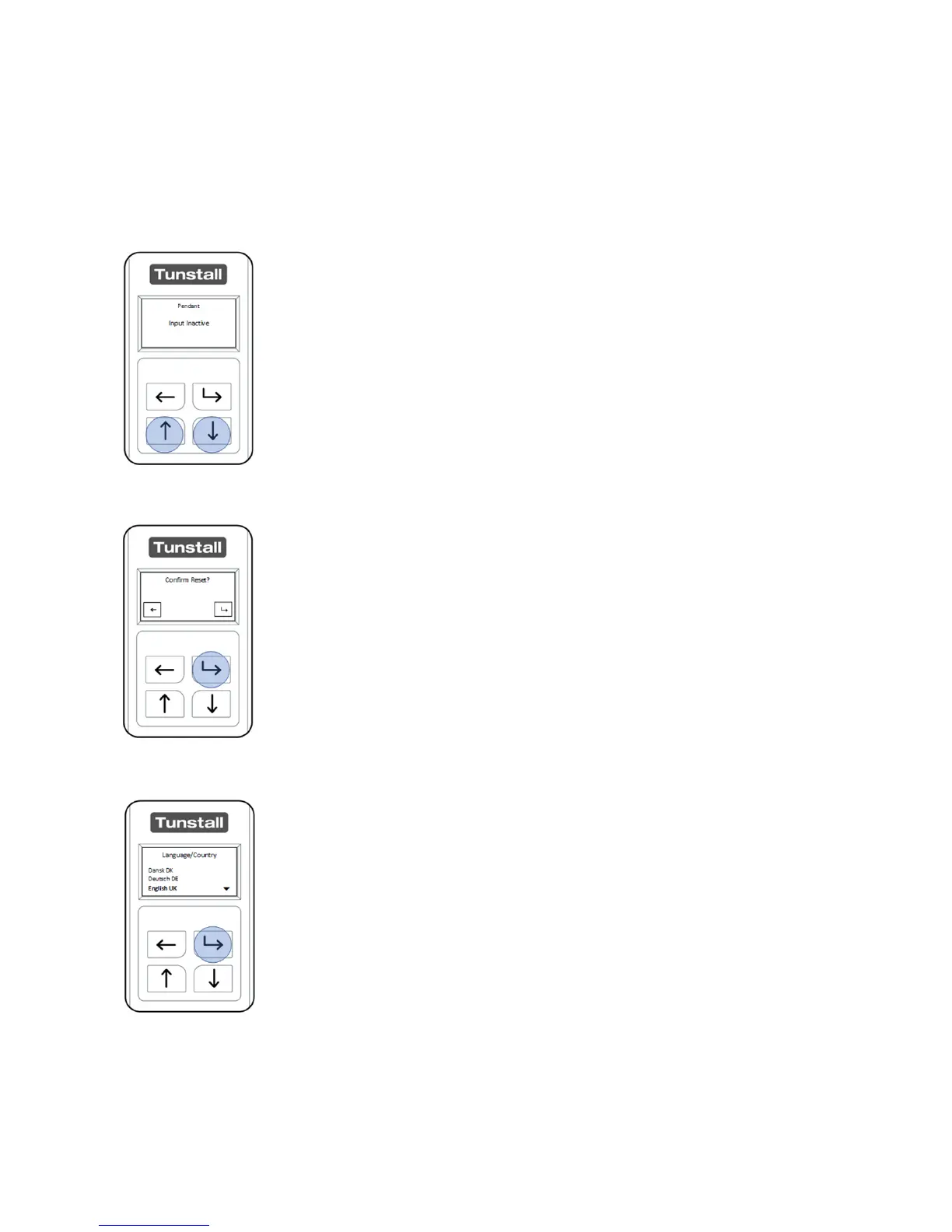
With the LCD activated press and hold the “Up Button” and
“Down Button” for 30 seconds.
After holding for 30 seconds the LCD will display “Confirm Reset”.
Press the “Back Button” to cancel and the “Select Button” to
confirm.
After a reset the unit will go to the “Language Selection” menu.
The Universal Sensor will need to be configured before it can be
installed.


 To Next Page