7
Unlocking the Universal Sensor
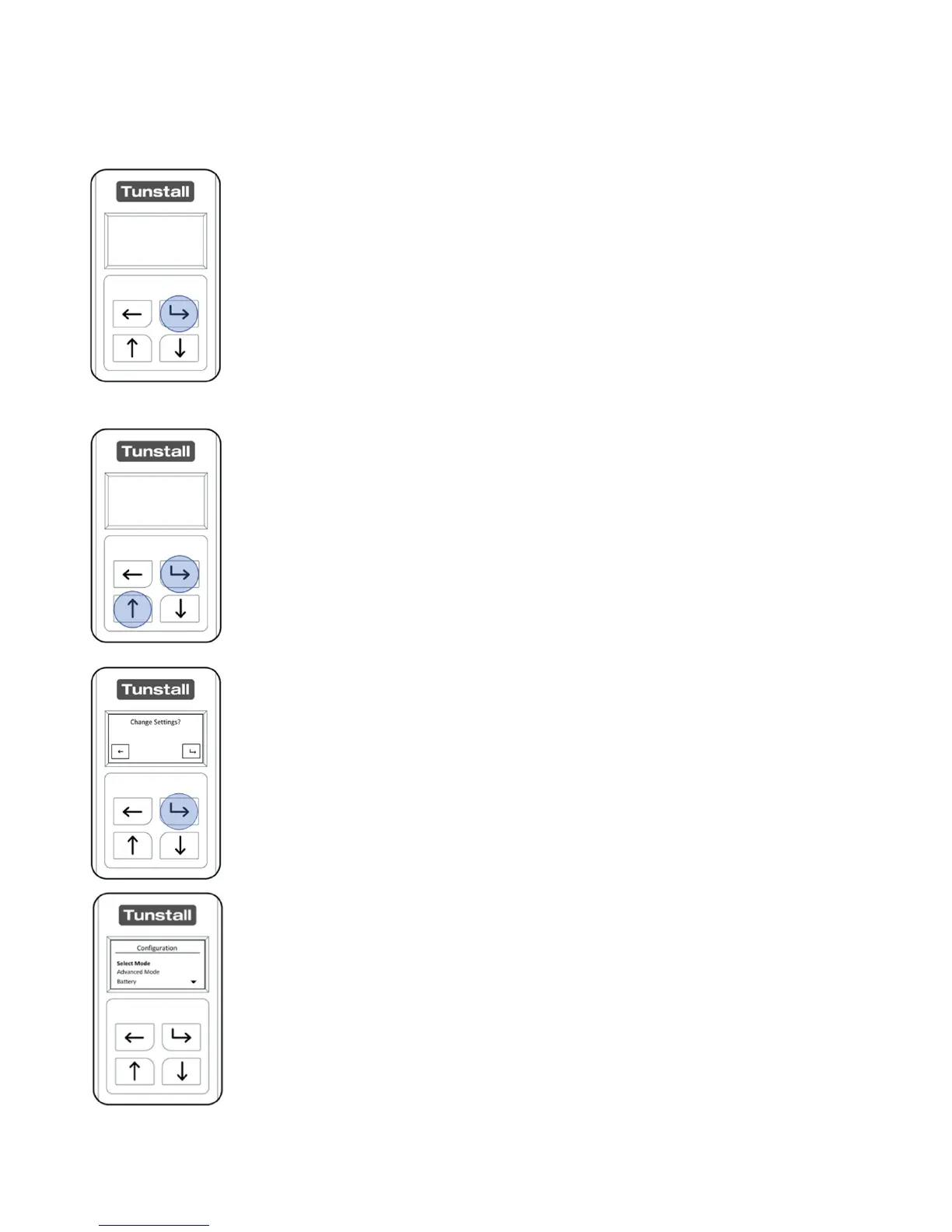
To unlock the Universal Sensor:
Press and hold the “Select Button”
Whilst still pressing the ‘Select Button’, press and hold the “Up
Button” until ‘Change Settings’ appears on the display.
Press the “Select Button” to confirm you want to unlock the sensor.
The Universal Sensor is now unlocked and can now be configured.


 To Next Page