21
Send Message
Once configured it is recommended to test the connection of the Universal Sensor to
the Tunstall Lifeline or Telecare System; this can be done using the “Send Message”
menu.
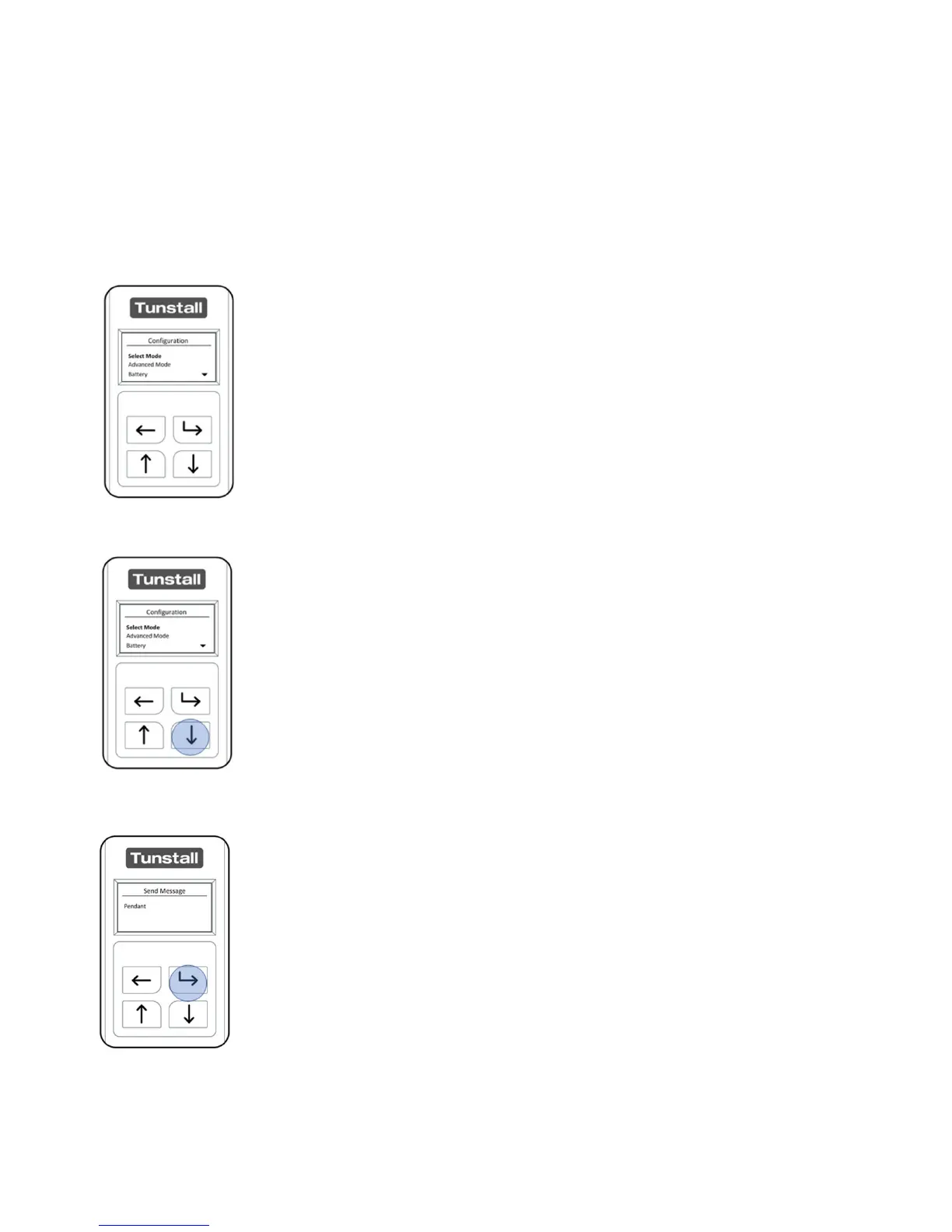
After unlocking the Universal Sensor, the “Configuration Menu will
be displayed.
The “Select Mode” menu will be selected when first opening the
“Configuration Menu” Press the “Down Button” four times to
navigate to the “Send Message” Menu and press the “Select
Button”.
The Universal Sensor will display the available radio message it can
transmit - this will depend on the Universal Sensors current
configuration. Press the “Select Button” to continue or “Back
Button” to exit.


 To Next Page