22
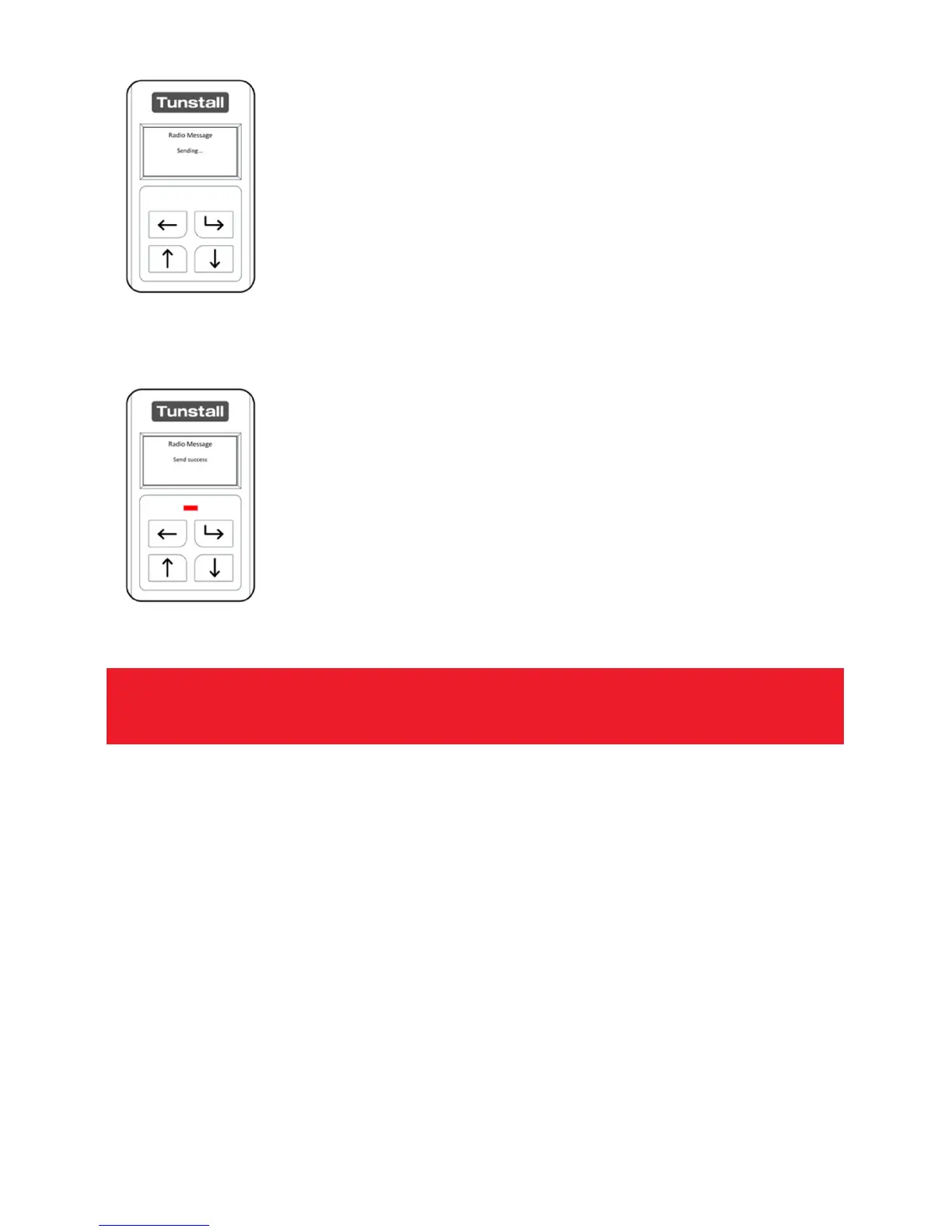
After pressing the “Select Button” the Universal Sensor will send
the radio message to the Tunstall Lifeline or Telecare Overlay
System.
Once the radio message has been sent by the Universal Sensor; it
will confirm the status on screen. If
configured correctly to the
Tunstall Lifeline or Telecare System this will now alarm in the
transmitted radio type.
Note: Always make an end to end test call using the device connected to the
Note: Always make an end to end test call using the device connected to the Note: Always make an end to end test call using the device connected to the
Note: Always make an end to end test call using the device connected to the
Universal Sensor through to the monitoring centre.
Universal Sensor through to the monitoring centre. Universal Sensor through to the monitoring centre.
Universal Sensor through to the monitoring centre.


 To Next Page