23
Setup Summary
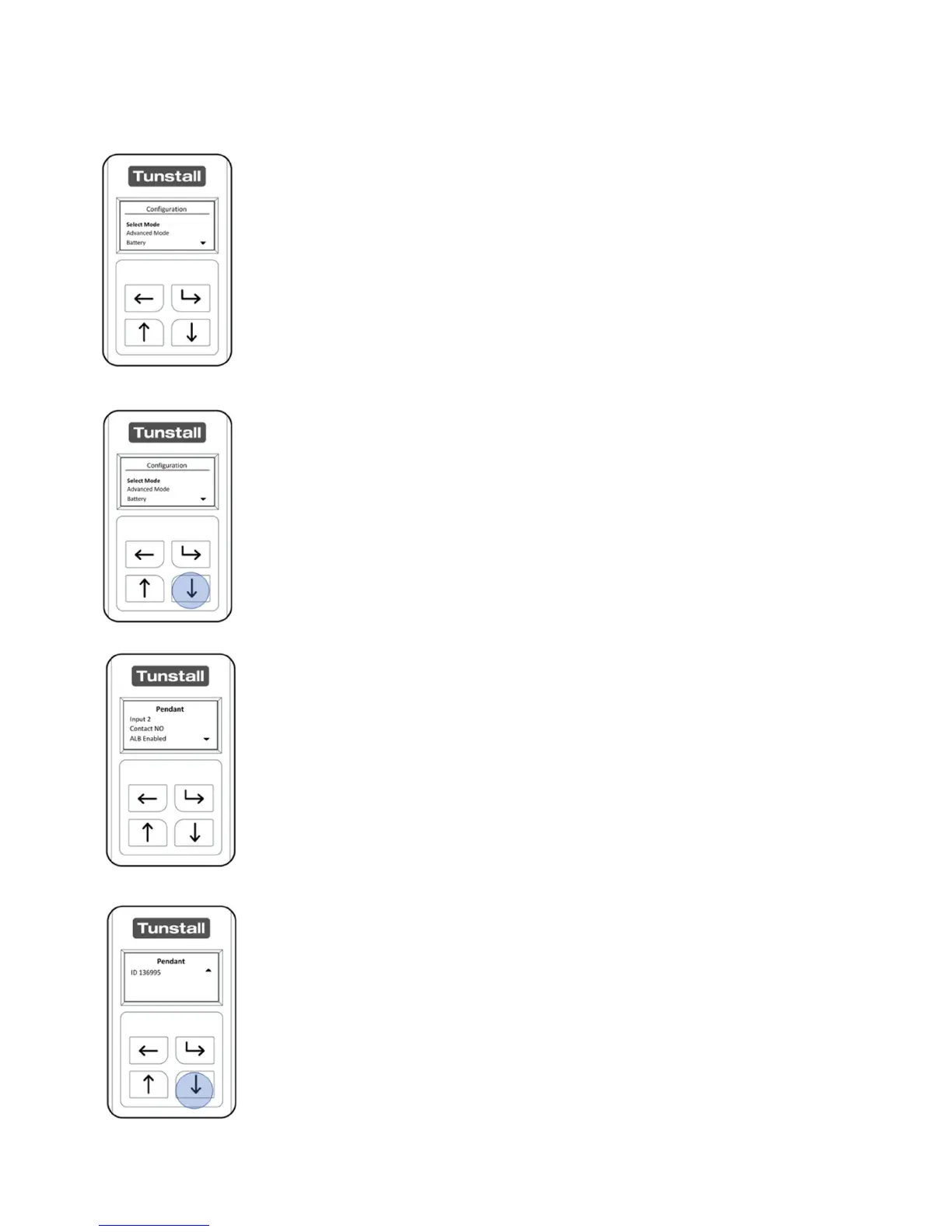
After unlocking the Universal Sensor, the “Configuration” Menu will
be displayed.
The “Select Mode” menu will be selected when first opening the
“Configuration Menu” Press the “Down Button” five times to
navigate to the “Setup Summary” Menu and press the “Select
Button”.
The Sensor Type and configuration will be displayed.
Pressing the “Down Button” will then display the Sensor ID. After 8
seconds the Universal Sensor will revert to the “Configuration
Menu”


 To Next Page