998-2300 Rev. H Page 29
Appendix E: CFINS Installation Guide
Requirements:
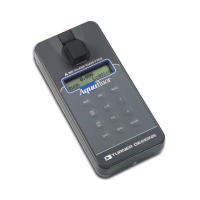
Turner Designs C3 Submersible Fluorometer with extender cable (boosters required for
cable lengths >10M)
ArcGIS
®
Version 10
PC with two com (RS232 serial) ports or PCMCIA slot
GPS with com port (RS232) set to output NMEA and GPS serial cable
ArcMap C3 Extension
Steps:
Prepare C3 Fluorometer
• Run C-Soft and set up C3 for log sampling interval of 1 second (see Log Setup
Section 3.4 of C3 User’s Manual)
• Initiate datalog session as per instructions in Section 3.4 of manual. (C-Soft will
automatically shut down)
• Power down and power up C3, it will take 90 seconds for data to start streaming
Prepare ArcMap
• If not already installed, install C3 extension in ArcMap (double click TD_C3.esriAddIn)
• Select both GPS Toolbar and Turner Designs C3 toolbar using Customize/Toolbars
GPS Toolbar
C3 Toolbar



 To Next Page