54
Solution
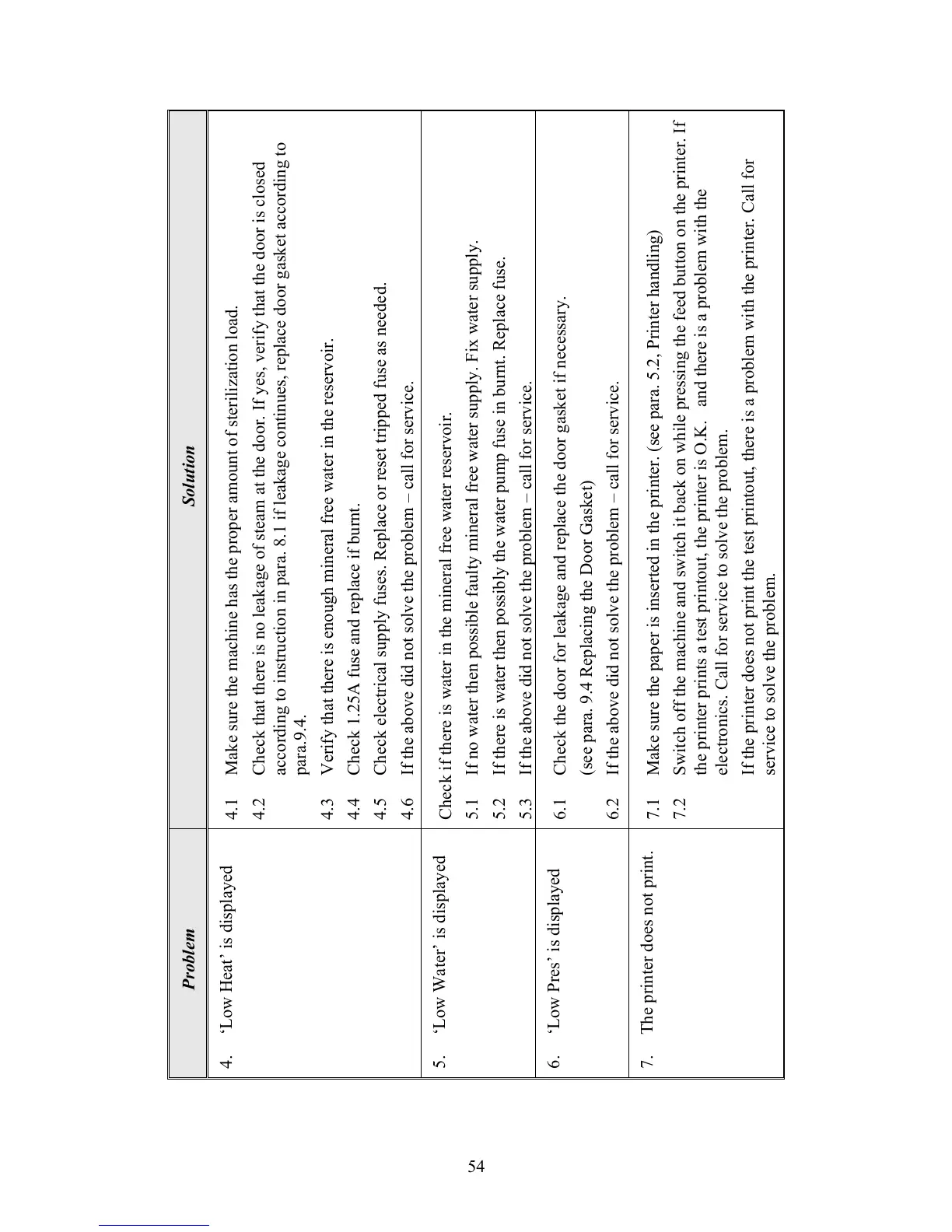
4.1 Make sure the machine has the proper amount of sterilization load.
4.2 Check that there is no leakage of steam at the door. If yes, verify that the door is closed
according to instruction in para. 8.1 if leakage continues, replace door gasket according to
para.9.4.
4.3 Verify that there is enough mineral free water in the reservoir.
4.4 Check 1.25A fuse and replace if burnt.
4.5 Check electrical supply fuses. Replace or reset tripped fuse as needed.
4.6 If the above did not solve the problem – call for service.
Check if there is water in the mineral free water reservoir.
5.1 If no water then possible faulty mineral free water supply. Fix water supply.
5.2 If there is water then possibly the water pump fuse in burnt. Replace fuse.
5.3 If the above did not solve the
roblem – call for service.
6.1 Check the door for leakage and replace the door gasket if necessary.
(see para. 9.4 Replacing the Door Gasket)
6.2 If the above did not solve the problem – call for service.
7.1 Make sure the paper is inserted in the printer. (see para. 5.2, Printer handling)
7.2 Switch off the machine and switch it back on while pressing the feed button on the printer. If
the printer prints a test printout, the printer is O.K. and there is a problem with the
electronics. Call for service to solve the problem.
If the printer does not print the test printout, there is a problem with the printer. Call for
service to solve the problem.
Problem
4. ‘Low Heat’ is displayed
5. ‘Low Water’ is displayed
6. ‘Low Pres’ is displayed
7. The printer does not print.





 To Next Page