EasyManua.ls Logo

Tuttnauer 5075 - Service Manual

Tuttnauer 5075
85 pages
Print Icon
To Next Page IconTo Next Page
Loading...
OPERATION
&
MAINTENANCE
MANUAL
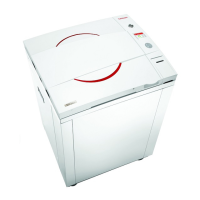
Laboratory Vertical Steam Sterilizers
models 5050, 5075
ELV-D
Standard Autoclave
ELVC-D
Including Fast Cooling System
Cat. No. MAN205-0451001EN Rev B
Tuttnauer Europe b.v., Paardeweide 36, 4824 EH, Breda, P.O. Box 7191, 4800 GD Breda, Netherlands. +31/76-5423510,
Fax: +31/76-5423540
Tuttnauer U.S.A. Co, Ltd. 25 Power Drive Hauppauge, NY, 11788, USA. Tel (631) 737 4850, (800) 624 5836,
Fax: (631) 737 0720

Table of Contents

Other manuals for Tuttnauer 5075

Questions and Answers

  • B
    Brian WardSep 14, 2025
    What does 'High Pressure (Exhaust)' indicate on my Tuttnauer Steriliser?
    • R
      Rita BerrySep 15, 2025
      If the Tuttnauer Steriliser displays 'High Pressure (Exhaust)', it means the system cannot reach preset pressure within 10 minutes from the beginning of the exhaust stage. You should perform a new cycle.
  • S
    Stephanie RamseyAug 30, 2025
    What does it mean if the chamber temperature is not in range on my Tuttnauer Laboratory Equipment?
    • V
      Virginia FordAug 30, 2025
      If your Tuttnauer Laboratory Equipment displays that the chamber temperature is not in range, it could be due to several reasons: the 'End Temperature' parameter has been changed and is too low, a faulty temperature sensor, or a faulty command to the heating elements due to a short-circuit or a faulty I/O board. Correct the parameter. If the issue persists, replace the faulty sensor. Also, fix any short-circuits or replace the I/O board.
  • J
    jillhernandezAug 27, 2025
    What does 'High Pressure (Exhaust)' mean on my Tuttnauer Laboratory Equipment and how do I fix it?
    • J
      Jean MitchellAug 27, 2025
      If your Tuttnauer Laboratory Equipment displays a 'High Pressure (Exhaust)' message, it means the system couldn't reach the preset pressure within 10 minutes from the beginning of the exhaust stage. This can be due to the exhaust valve not opening because of a faulty connection or a faulty I.O. board, or the exhaust valve itself might be faulty. First, perform a new cycle. If the problem persists, fix the connection, replace the faulty I.O. board, or replace the faulty valve.
  • D
    Desiree GarciaSep 18, 2025
    How to fix steam leaks at the door of Tuttnauer Laboratory Equipment?
    • D
      Diana McgeeSep 18, 2025
      If steam leaks at the door of your Tuttnauer Laboratory Equipment, make sure the door is tightened enough and replace the door gasket.
  • D
    danieldelgadoSep 16, 2025
    What does 'Compressed air supply error (ELVCPVG- D only)' mean on my Tuttnauer Steriliser?
    • J
      jamie38Sep 16, 2025
      If the Tuttnauer Steriliser displays 'Compressed air supply error (ELVCPVG- D only)', it indicates a malfunction in the compressed air supply. Check and fix the compressed air supply.
  • T
    Todd SchneiderSep 1, 2025
    What does Low Temp error mean on Tuttnauer Laboratory Equipment and how to solve it?
    • A
      Ana BryantSep 1, 2025
      The 'Low Temp' message on your Tuttnauer Laboratory Equipment appears if the temperature drops below the sterilization temperature for more than 1 second during a sterilization cycle. To address this, perform a new cycle.
  • K
    Katrina FryeSep 3, 2025
    What does High Pressure (Exhaust) error mean on Tuttnauer Laboratory Equipment and how to solve it?
    • R
      Roberto SmithSep 3, 2025
      The 'High Pressure (Exhaust)' message on your Tuttnauer Laboratory Equipment means the system couldn't reach the preset pressure within 10 minutes from the start of the exhaust stage. To address this, perform a new cycle.
  • M
    Misty WashingtonSep 7, 2025
    What does 'Low Pressure' mean on Tuttnauer Laboratory Equipment?
    • G
      Gregory HansenSep 7, 2025
      If the Tuttnauer Laboratory Equipment displays a 'Low Pressure' message, it means the chamber pressure dropped below the sterilization pressure (134°C = 304 kPa, 121°C = 205 kPa) for 2 seconds during the sterilization stage. To resolve this, perform a new cycle.
  • D
    debbiejonesSep 12, 2025
    What to do if my Tuttnauer Steriliser displays 'Low Pressure'?
    • C
      curtisnicoleSep 13, 2025
      If the Tuttnauer Steriliser displays 'Low Pressure', it means the chamber pressure dropped below the sterilization pressure (134°C = 304 kPa, 121°C = 205 kPa) for 2 seconds during the sterilization stage. To solve this, perform a new cycle.
  • F
    fperezAug 25, 2025
    What does 'Low Temp' mean on my Tuttnauer Laboratory Equipment and how to fix it?
    • X
      xandersonAug 25, 2025
      If your Tuttnauer Laboratory Equipment displays a 'Low Temp' message, it indicates that the temperature dropped below the sterilization temperature for more than 1 second during the sterilization cycle. This can also be caused by a leaking door gasket. Try performing a new cycle. If the issue continues, replace the door gasket.

Summary

OPERATION & MAINTENANCE MANUAL

Laboratory Vertical Steam Sterilizers 5050, 5075

Details the 5050 and 5075 vertical steam sterilizers.

1. GENERAL

Incoming Inspection and Warranty

Covers initial inspection of the unit and warranty terms.

2. SAFETY INSTRUCTIONS

General Safety Guidelines

Crucial safety precautions for autoclave operation, maintenance, and usage.

3. TECHNICAL DATA

Introduction and Overview

Introduces models and their purpose.

Operating Conditions and Standards

Specifies environmental, operational limits, and compliance standards.

Specifications and Electrical Data

Details technical specifications, dimensions, and electrical requirements.

Utilities and Loading Capacities

Lists required utilities and maximum loading capacities for the unit.

FRONT VIEW

Component Identification

Labels and identifies components shown in the front view diagram.

REAR VIEW

Component Identification

Labels and identifies components shown in the rear view diagram.

OVERALL DIMENSIONS

Dimensional Drawings

Provides visual representations and dimensions of the sterilizer models.

Water Quality Requirements

Built-in Safety Features

Description of Operation Stages

4. CONTROL PANEL

Control Panel Layout

Illustrates the layout of the control panel.

Display Screen Functions

Details the information displayed on the LCD screen during operation.

Keypad Operation Guide

Explains the functions and usage of the control panel keys.

Error Messages and Symbols

Lists and explains error messages and symbols for troubleshooting.

Operational Messages

Describes operational messages and their required user actions.

5. STERILIZATION PROGRAMS

Program Overview and Parameters

Summarizes available sterilization programs and their settings.

Program 1: Unwrapped Instruments

Details parameters and sequence for unwrapped instrument sterilization.

Program 2: Wrapped Instruments

Details parameters and sequence for wrapped instrument sterilization.

Program 3: Unwrapped Pouches

Details parameters and sequence for unwrapped pouch sterilization.

Program 4: Wrapped Pouches

Details parameters and sequence for wrapped pouch sterilization.

Program 5: Unwrapped Delicate Instruments

Details parameters and sequence for unwrapped delicate instrument sterilization.

Program 6: Wrapped Delicate Instruments

Details parameters and sequence for wrapped delicate instrument sterilization.

Program 7: Custom 1

Allows user configuration of parameters for custom sterilization cycles.

Program 8: Custom 2

Allows user configuration of parameters for custom sterilization cycles.

Program 9: Liquid A

Specifies parameters for sterilizing liquids in unsealed bottles.

Program 10: Liquid B

Specifies parameters for sterilizing liquids in sealed bottles.

6. PARAMETERS AND DATA MANAGEMENT

System Navigation Overview

Outlines the system's menu structure for accessing settings and data.

Table of Default Cycle Parameters

Provides a table of default parameters for custom programs.

Accessing the Main Menu

Guides users on how to navigate to the main system menu.

Custom Cycle Parameter Settings

Details how to configure parameters for Custom 1 and Custom 2 programs.

System Parameters Adjustment

Explains how to adjust system-wide settings.

Cycle History Management

Covers viewing and exporting historical cycle data.

12. SERVICE AND MAINTENANCE

Preventive Maintenance Schedule

Details scheduled tasks for maintaining the autoclave's condition.

Daily, Weekly, and Periodic Maintenance

Covers daily, weekly, and periodic cleaning and checks.

Safety Valve Checking Procedure

Procedure for testing the safety valve's functionality.

13. TROUBLESHOOTING GUIDE

Common Malfunctions and Solutions

Provides solutions for common malfunctions and error messages.

14. SPARE PARTS LIST

Available Spare Parts

Lists available spare parts with their catalog numbers.

15. ACCESSORIES

Optional Accessories

Lists optional accessories with their catalog numbers.

Tuttnauer 5075 Specifications

General IconGeneral
TypeAutoclave
Chamber Volume75 liters
Power Supply230V, 50/60Hz
Sterilization Temperature Range121°C to 134°C
Number of Trays3
Chamber MaterialStainless Steel
Weight120 kg
Power3.0 kW
Power Consumption3, 000 watts
Temperature Range105°C to 137°C
Sterilization Time Range5 to 60 minutes
Exterior MaterialSteel
Safety FeaturesOver-temperature protection, pressure relief valve
Cycle TimeVaries depending on load size and sterilization parameters

Related product manuals