10
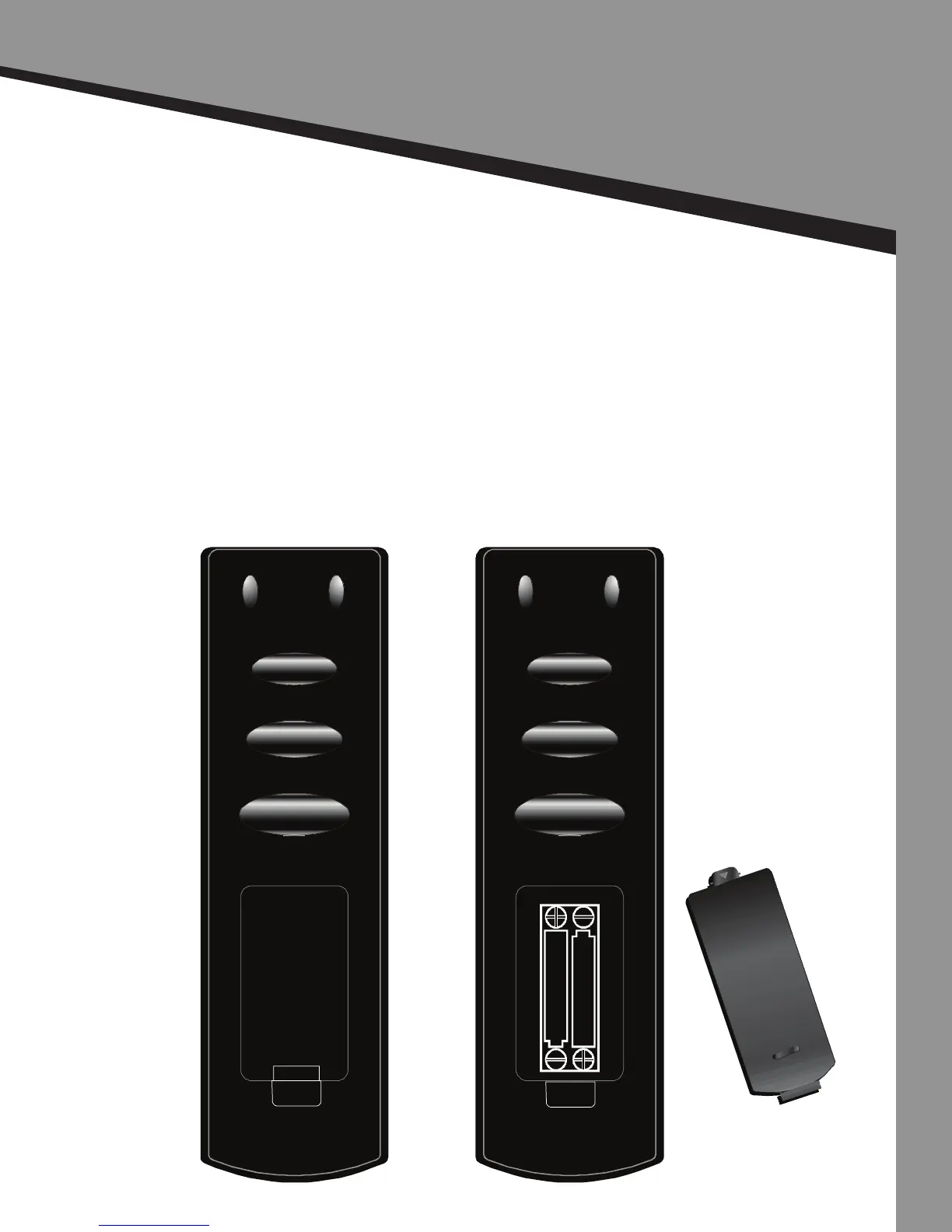
Remote Control
Set Up
2 | Remote Control Setup
1. Remove the baery cover.
2. Insert AAA size baeries into the baery compartment of the remote. When inserng
the baeries, make sure that you match the (+) and (-) symbols on the baeries with the
(+) and (-) symbols inside the baery compartment.
3. Put the baery cover back on.
To prevent baery leakage which may result in bodily injury or damage to the remote:
• Install all baeries correctly and as marked on the remote control.
• Do not mix baeries (OLD and NEW or CARBON and ALKALINE, etc.).
• Remove baeries when the remote is not going to be used for a long me.
• Properly dispose of baeries in accordance with local laws and regulaons.


 To Next Page