EasyManua.ls Logo

TV Ears TV - OSD Adjustments; On Screen Display (OSD) Adjustment

TV Ears TV
44 pages
Print Icon
To Next Page IconTo Next Page
To Previous Page IconTo Previous Page
Loading...
20
OSD Adjustments
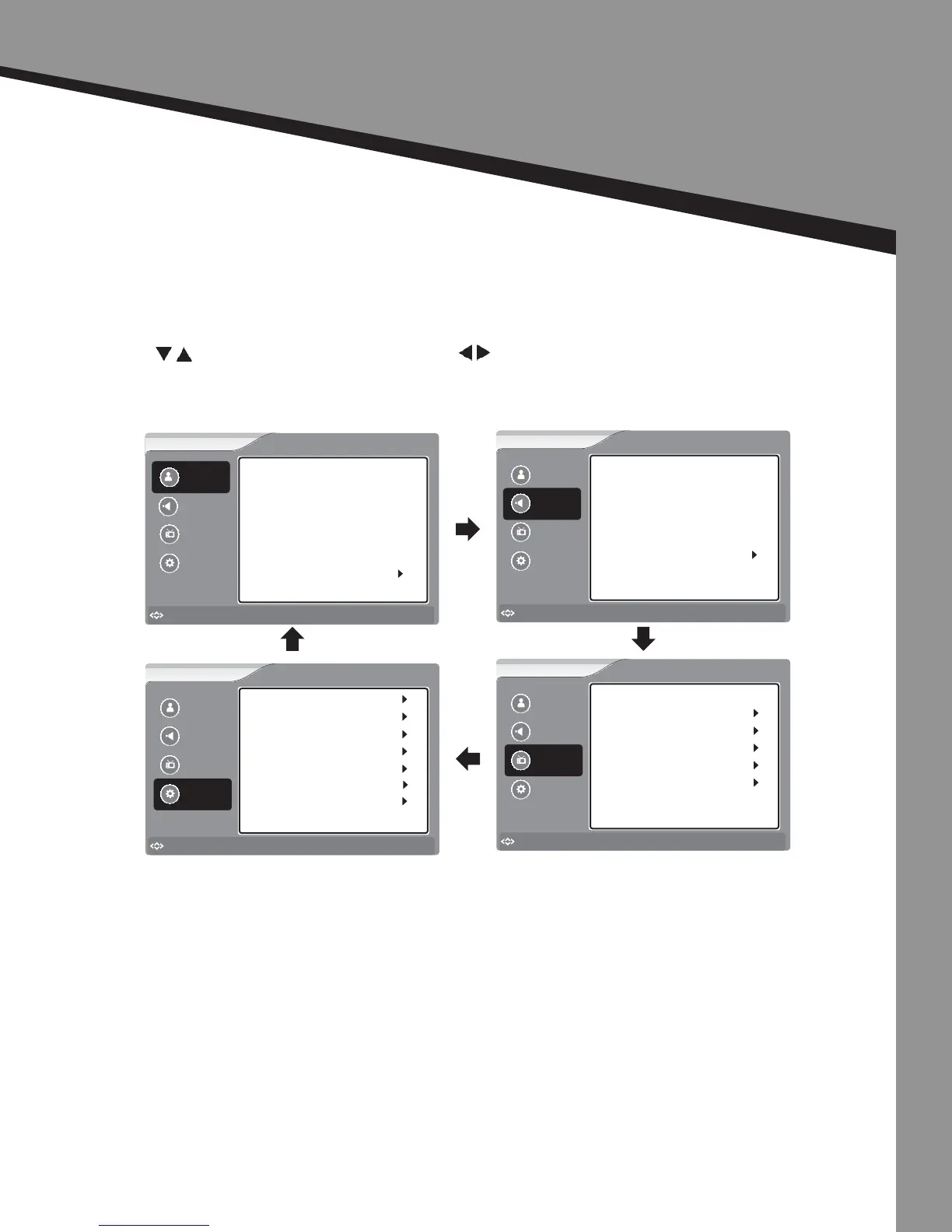
On Screen Display (OSD) Adjustment
Press the MENU buon on your remote control or on the top panel of the TV to display
the main menu.
Press buons to navigate to a topic and to select the topic.
Sound
Picture
Channel
Settings
Brightness
Sharpness
Contrast
Tint
Color
Picture Mode
User
Advanced Video
50
50
50
50
50
Picture
to Move
to Select
Enter
Menu
to Exit
Picture
Sound
Channel
Settings
to Move
to Select
Enter
Menu
to Exit
Balance
Audio Language 1
Advanced Audio
Audio Channel
Equalizer Mode User
Audio Language 2
32
English
Stereo
Sound
English
Picture
Sound
Channel
Settings
to Move
to Select
Enter
Menu
to Exit
Auto Channel Search
Channel Labels
Tuning Band Cable
Channel
Manual Add Channel
Manual Channel Set
Favorite Channels
Picture
Sound
Channel
Settings
to Move
to Select
Enter
Menu
to Exit
Time Set
Closed Caption
Input Labels
Menu Setting
Parental Control Menu
Settings
Reset
TV EARS

Related product manuals