OSD Adjustments
Picture Opons
1 |Picture Opons
Picture Menu Op
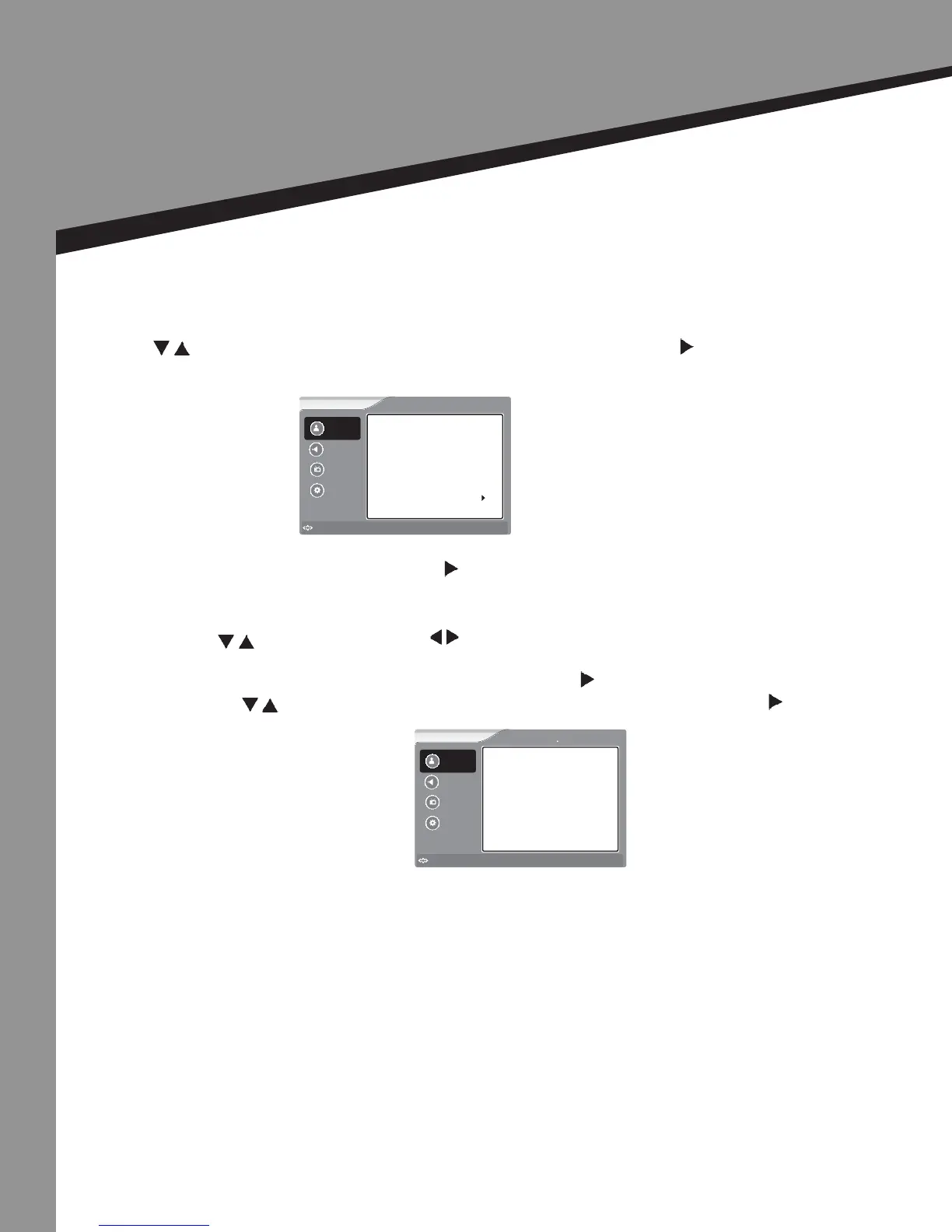
Press to select the item you would like to adjust, then press ENTER or to select that item.
• Select the Picture Mode by pressing when picture mode is highlighted. Scroll to the desired
mode and press ENTER.
• To adjust Brightness, Contrast, Color, Tint, or Sharpness
Press to select the item and repeatedly to adjust the value.
Aer nishing your adjustment, press MENU to save and return back to the previous menu.
• To adjust Advanced Video, select this item by pressing when Advanced Video is highlighted.
1. Press to select the item you would like to adjust, then press ENTER or to adjust
that item.
Aspect Rao – Normal, Zoom, Wide, Cinema, Full Screen
Color Temperature – Cool, Normal, Warm
Noise Reducon – O, Low, Medium, High
2. Aer nishing your adjustment, press MENU to save and return to the previous menu.
NOTE: Some opons will not appear with all input sources.
Sound
Picture
Channel
Settings
Brightness
Sharpness
Contrast
Tint
Color
Picture Mode
User
Advanced Video
50
50
50
50
50
Picture
to Move
to Select
Enter
Menu
to Exit
Sound
Picture
Channel
Settings
to Move
to Select
Enter
Menu
to Exit
Picture Advanced Video
Color Temperature
3D Y/C
Noise Reduction
Aspect Ratio Normal
Gradient Enable
Blue Screen On
Normal
On
Off
Off
21


 To Next Page