FHD OLED Reference Monitor 13
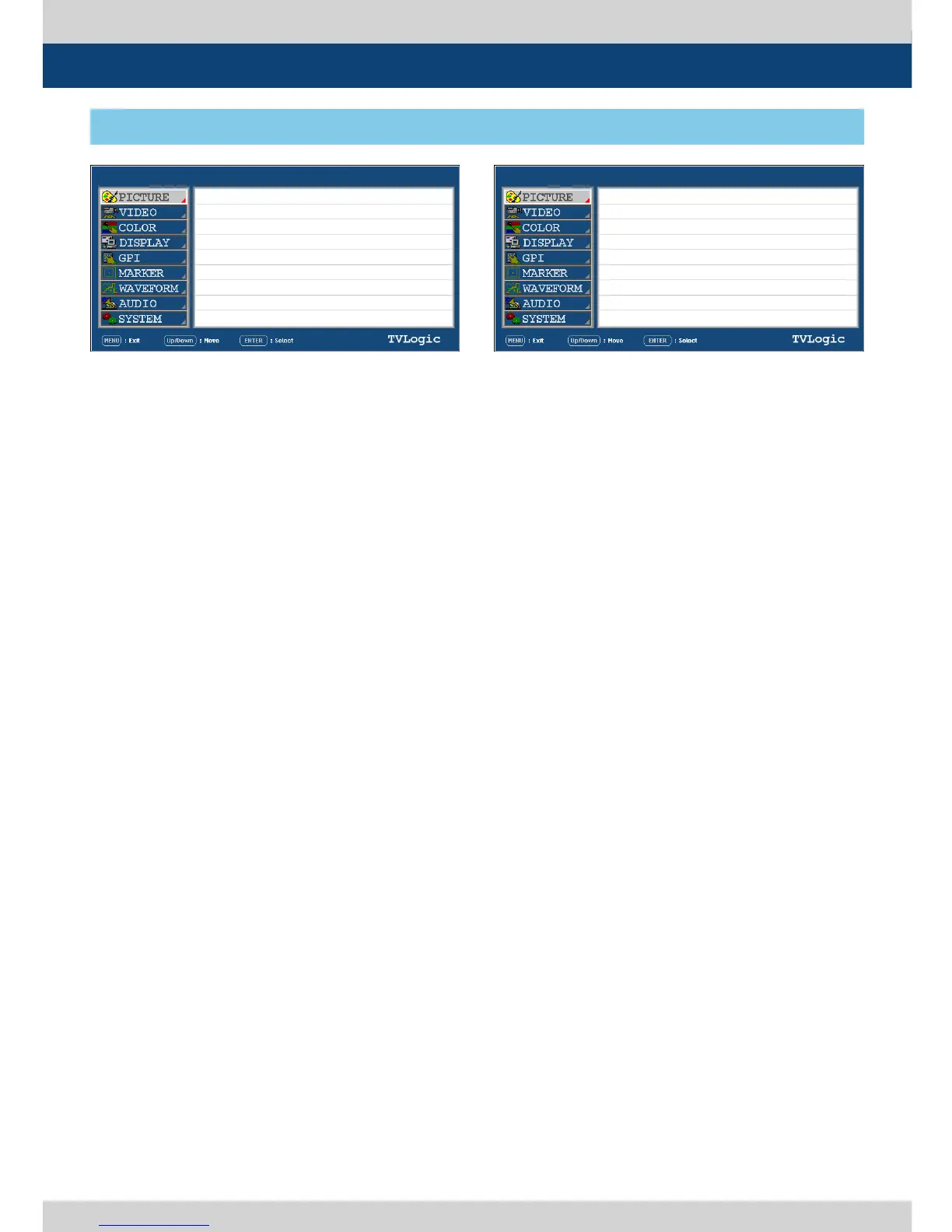
5. Menu Operations
● BRIGHT
- Used to set the brightness(=oset) level from
-100 to 100.
● CONTRAST
- Used to set the contrast(gain) level from -100
to 100.
● CHROMA
- Used to set the saturation level from -50 to
50.
● PHASE
- Used to set the phase value(hue) level from
-50 to 50.
- Is activated only in Analog signal input.
● APERTURE
- Used to set the picture sharpness level from
-1 to 5.
● NTSC SETUP
- Used to set the black level of NTSC video to
zero(0) setup or 7.5 IRE setup.
- Is activated when NTSC video signal is
input through COMPOSITE 1/2/3 or S-VIDEO
terminal.
● VGA H POSITION
- Used to control the horizontal position of
VGA.
- Only Available in DVI Analog mode.
● VGA V POSITION
- Used to control the vertical position of VGA.
- Only Available in DVI Analog mode.
● FOCUS ASSIST LEVEL
- Used to set the edge dierence value
between the edges in an image.
- Available values are from 0 to 100. Larger
value means more sophisticated detail
detection.
- Designated color is displayed when the
dierence of the edges exceeds the
previously set value.
- This feature is available only when the Focus
Assist mode is activated.
● FOCUS ASSIST COLOR
- Used to select the color of FOCUS ASSIST.
- Available values are RED, GREEN, BLUE nad
USER.
● RED
- Used to adjust the RED value from 0 to 255.
- Activates only when the FOCUSS ASSIST
COLOR is set to USER.
● GREEN
- Used to adjust the GREEN value from 0 to 255.
- Activates only when the FOCUSS ASSIST
COLOR is set to USER.
● BLUE
- Used to adjust the BLUE value from 0 to 255.
- Activates only when the FOCUSS ASSIST
COLOR is set to USER.
● USER ASPECT H
- Used to set the Horizontal size of the screen.
- Activates only when the SCAN mode is set to
USER ASPECT.
● USER ASPECT V
- Used to set the Vertical size of the screen.
- Activates only when the SCAN mode is set to
USER ASPECT.
[1] PICTURE
LEM-250A LEM-250A
SDI A SDI A
PAGE I >> PAGE II
BRIGHT
CONTRAST
CHROMA
PHASE
APERTURE
NTSC SETUP
VGA H POSITION
VGA V POSITION
PAGE II >> PAGE I
FOCUS ASSIST LEVEL
FOCUS ASSIST COLOR
RED
GREEN
BLUE
USER ASPECT H
USER ASPECT V
0
0
0
0
0
7.5 I R E
MIN
MIN
0
RED
255
220
24
MAX
MAX


 To Next Page