FHD OLED Reference Monitor 15
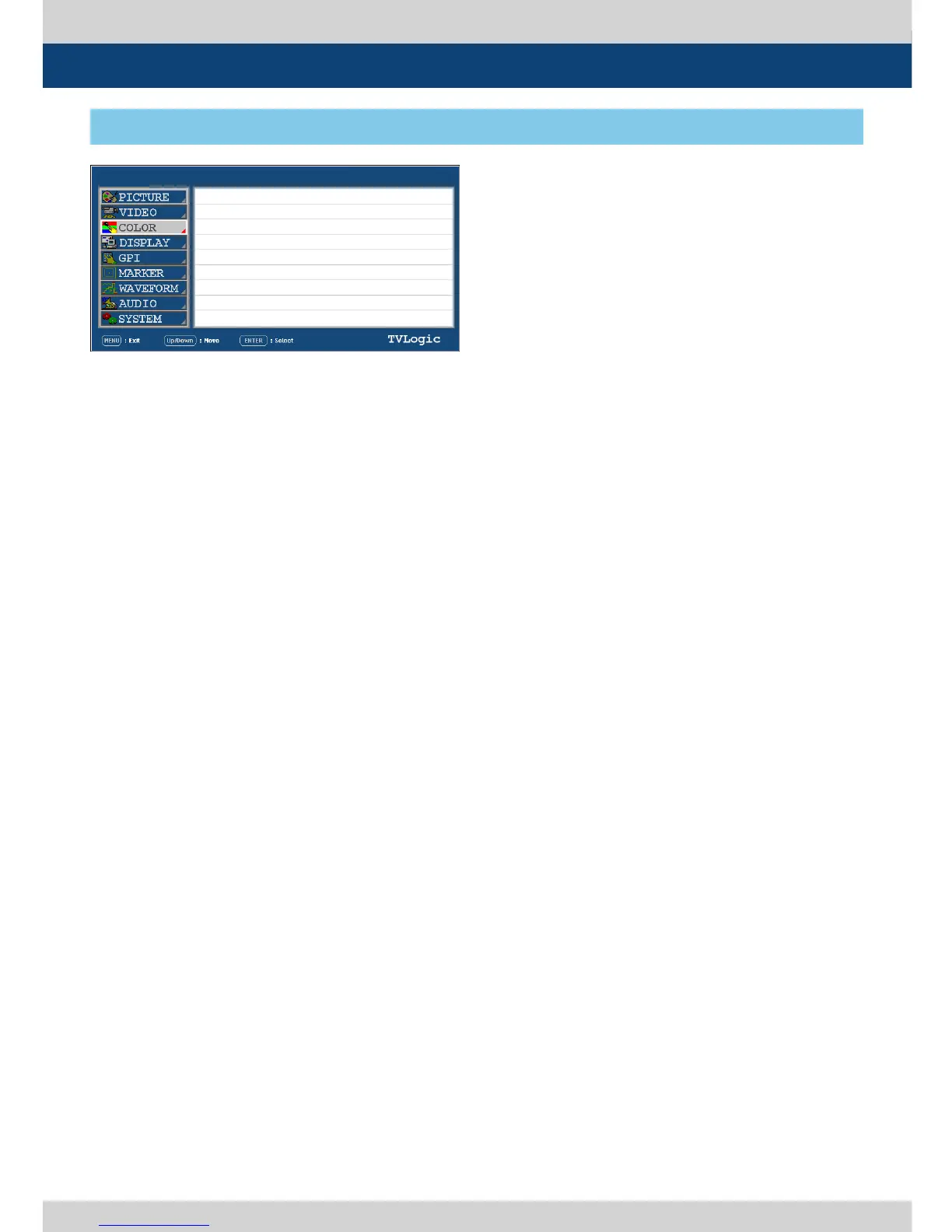
[3] COLOR
5. Menu Operations
● COLOR TEMP
- Used to control the color temperature and
allow instant access to preset color
temperature settings.
- Available values are 3200K, 5000K, 5600K,
6500K, 9300K and CUSTOM 1/2/3.
- In CUSTOM1/2/3 mode, user can dene
custom RGB GAIN and BIAS values.
- Backlight value is adjustable for each color
temperature.
● GAIN RED
- Used to control red color.
- The value is selectable between Min(-256)
and MAX(255).
- Adjusts red color of bright section.
- Only available in CUSTOM 1/2/3 mode.
● GAIN GREEN
- Used to control green color.
- The value is selectable between Min(-256)
and MAX(255).
- Adjusts green color of bright section.
- Only available in CUSTOM 1/2/3 mode.
● GAIN BLUE
- Used to control blue color.
- The value is selectable between Min(-256)
and MAX(255).
- Adjusts blue color of bright section.
- Only available in CUSTOM 1/2/3 mode.
● BIAS RED
- Used to adjust black level to control red
color.
- The value is selectable between Min(-100)
and MAX(100).
- Adjusts red color of dark section.
- Only available in CUSTOM 1/2/3 mode.
● BIAS GREEN
- Used to adjust black level to control green
color.
- The value is selectable between Min(-100)
and MAX(100).
- Adjusts green color of dark section.
- Only available in CUSTOM 1/2/3 mode.
● BIAS BLUE
- Used to adjust black level to control blue
color.
- The value is selectable between Min(-100)
and MAX(100).
- Adjusts blue color of dark section.
- Only available in CUSTOM 1/2/3 mode.
● COLOR COPY
- Used to copy the R/G/B Gain value of pre-
stored color temperature settings.
- In CUSTOM mode, nd and select the color
temperature to be used by using UP/DOWN
button and press ENTER button to copy
and apply the Gain Value to GAIN RED, GAIN
GREEN, GAIN BLUE.
- Only available in CUSTOM 1/2/3 mode.
PAGE I >> PAGE II
COLOR TEMP
GAIN RED
GAIN GREEN
GAIN BLUE
BIAS RED
BIAS GREEN
BIAS BLUE
COLOR COPY
6500K
0
0
0
0
0
0
6500K
LEM-250A
SDI A


 To Next Page