FHD OLED Reference Monitor 27
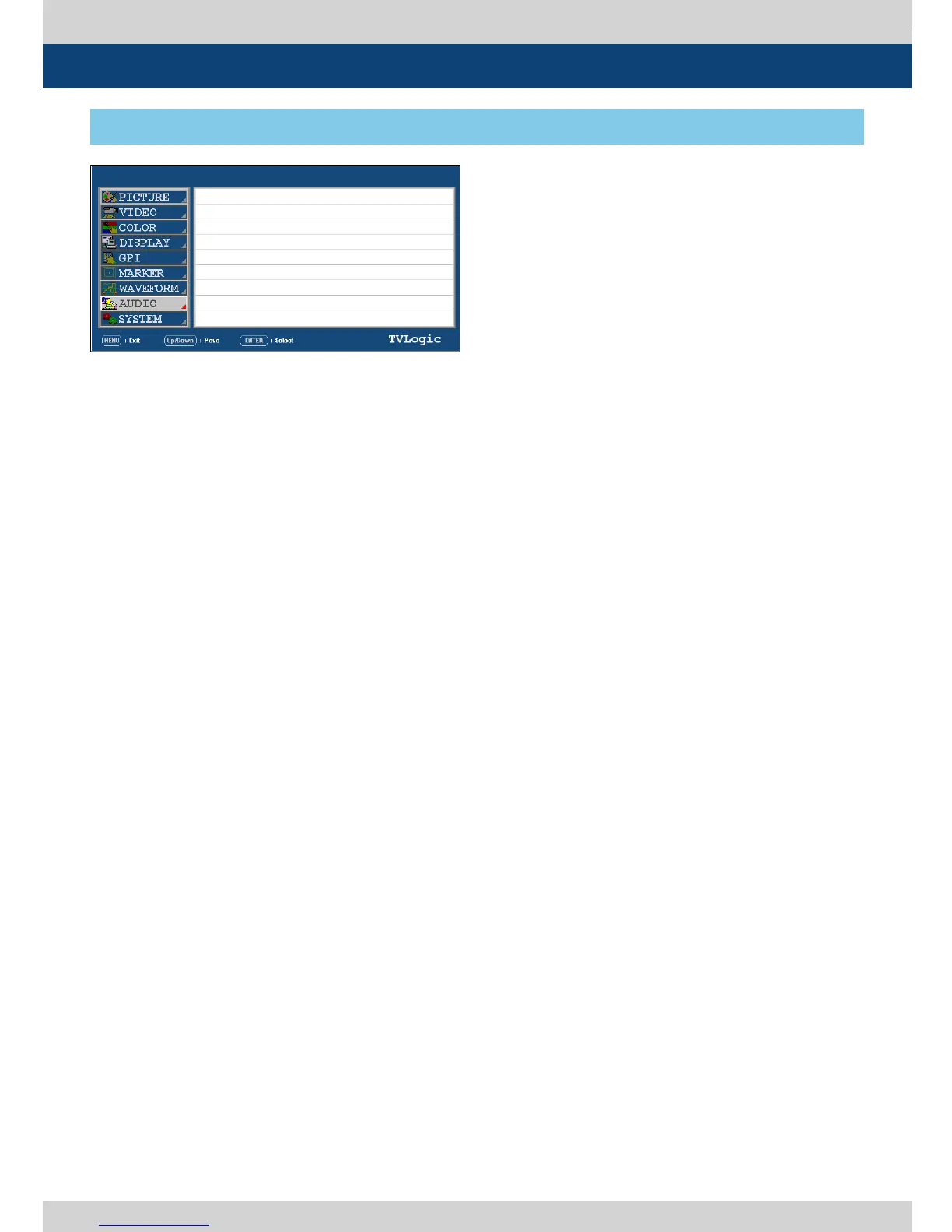
[8] AUDIO
5. Menu Operations
● LEVEL METER SELECT
- Used to control the Embedded Audio Level
Meters.
- Available modes are OFF, G1+G2, G2+G3,
G3+G4, G1+G3, G1+G4,G2+G4 and 16CH.
- If Main Menu window activates, the level
meter displays semi-transparent even if
[LEVEL METER SIZE] menu is set to Normal.
It returns to normal when the Main Menu
window is deactivated.
● LEVEL METER DISPLAY
- Used to control display method of Audio
Level Meters.
- Available modes are Pair and Group.
● LEVEL METER REFERENCE
- Used to set audio level default.
- Available values are -18dB and -20dB.
- Audio within selected value is displayed in
green and exceeded audio level is displayed
in yellow.
- Audio exceeding -4dB is displayed in red.
● LEVEL METER DECAY TIME
- Used to set the reduction time of the
maximum indication of audio signals.
- Available values are form 0 to 31. Larger
values indicate a longer time to display.
● LEVEL METER SIZE
- Used to control the size of the Audio Level
Meters.
- Available modes are SMALL, SMALL TRANS,
NORMAL, NORMAL TRANS, LARGE and
LARGE TRANS.
- In SMALL, NORMAL and LARGE modes, the
Audio Level Meter appears opaque.
- In SMALL TRANS., NORMAL TRANS and
LARGE TRANS modes, the Audio Level Meter
appears semitransparent.
LEM-250A
SDI A
LEVEL METER SELECT
LEVEL METER DISPLAY
LEVEL METER REFERENCE
LEVEL METER DECAY TIME
LEVEL METER SIZE
LEVEL METER POSITION
VOLUME
Em. AUDIO LEFT
Em. AUDIO RIGHT
OFF
PAIR
-20d B
O
SMALL
HOR.
MIN
OFF
OFF
● LEVEL METER POSITION
- Used to control the position of the Audio
Level Meters.
- Available values are HOR, VER and BOT.
*16 CH(HOR.): Displays each 8 channel audio
level meter horizontally on top left and right.
*16 CH(VER.) : Displays each 8 channel audio
level meter vertically on center left and right.
*16 CH(BOT.) : Displays each 8 channel audio
level meter vertically on bottom left and
right.
● VOLUME
- Used to control the embedded audio output
volume for the internal speakers of the
monitor.
- Available values are between 0 ~ 30.
● Em. AUDIO LEFT
- Used to control embedded audio channel for
left audio out of internal speaker and [AUDIO
OUT] in the back of the monitor.
- In HDMI mode, HDMI audio output.
- Available values are OFF, CH 1 ~ CH 16 and
Ext.
● Em. AUDIO RIGHT
- Used to control embedded audio channel
for right audio out internal speaker of the
monitor.
- In HDMI mode, HDMI audio output.
- Available values are OFF, CH 1 ~ CH 16 and
Ext.


 To Next Page