FHD OLED Reference Monitor 25
LEM-250ASDI A
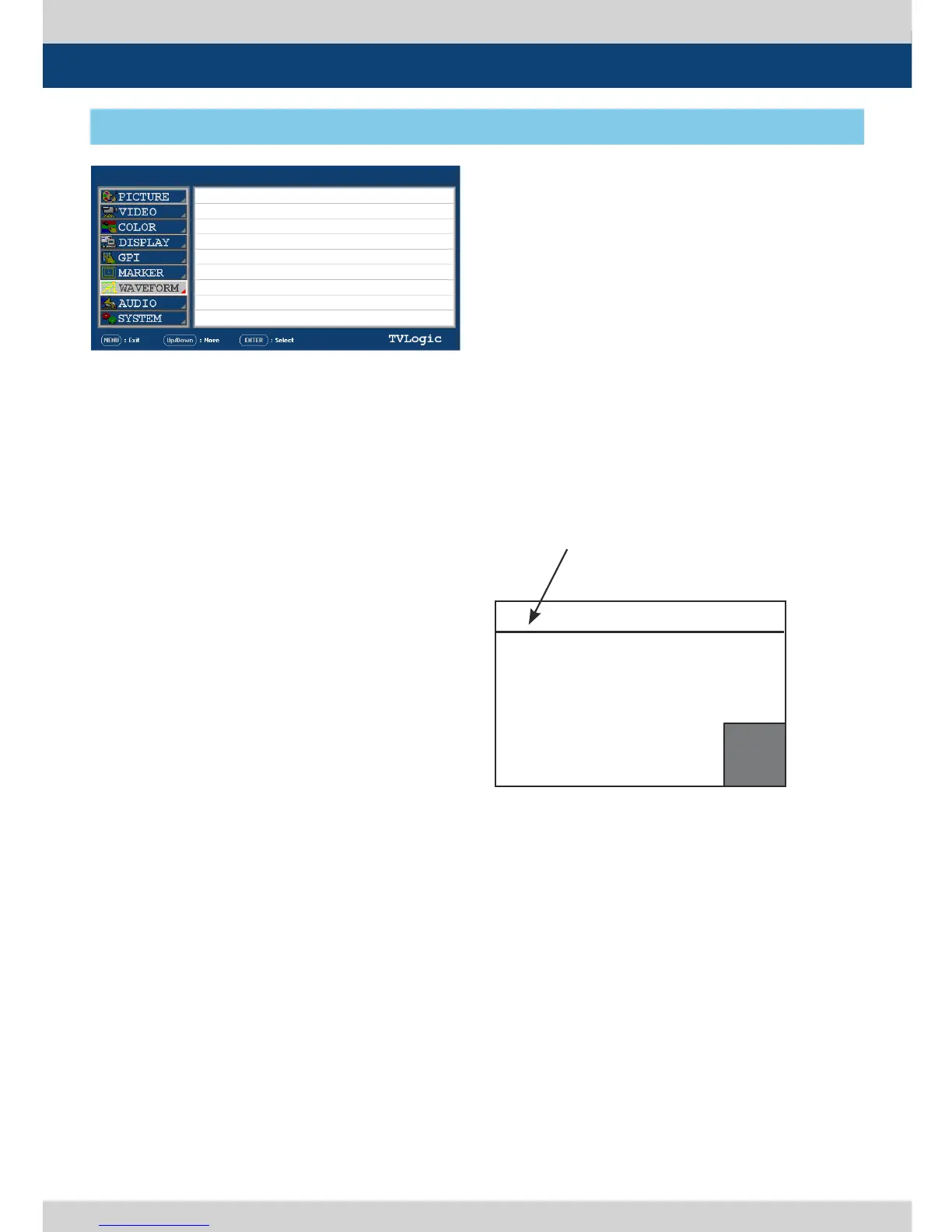
[7] WAVEFORM
5. Menu Operations
PAGE I >> PAGE II
WAVEFORM/VECTOR
WAVEFORM INTENSITY
WAVEFORM TR ANS
VECTOR GAIN X 4
LINE WAVEFORM ENABLE
LINE SELECT POSITION
LINE SELECT DRAW
WAVEFORM COLOR
OFF
OFF
OPAQUE
NORMAL
OFF
0
OFF
● WAVEFORM INTENSITY
- Used to control the brightness of the
WAVEFORM/VECTOR display.
- Available values are between 0 ~ 30. The
higher the number the brighter the
Waveform will be.
● WAVEFORM TRANS
- Used to control the transparency level of the
WAVEFORM/VECTOR.
- Available values are OPAQUE and TRANS.
* If the option is set to OPAQUE, the main OSD
will overlap with the WAVEFORM/VECTOR.
However, it will automatically display it as
transparent and goes back to opaque if the
main OSD disappears.
● VECTOR GAIN X4
- Used to increase the value of the Vectorscope.
● LINE SELECT ENABLE
- Used to select specic Vertical Line for
Waveform/Vectorscope.
● LINE SELECT POSITION
- In WAVEFORM/VECTOR, use the Up/Down
button to select User’s desired line.
● LINE SELECT DRAW
- ON/OFF the line indication for line select
feature.
- Activates only when the LINE SELECT ENABLE
feature is enabled.
- When this item is set to OFF, the Line
Waveform still displays if LINE WAVEFORM is
enabled.
● WAVEFORM COLOR
- This item cselects the color of Waveform/
Vectorscope.
- Available options are WHITE and Green.
Position changes if the value
changes in LINE SELECT option
and the waveform of the selected
position displays.
WAVEFORM/VECTOR : WAVEFORM
LINE POSITION SELECT : ON
LINE POSITION DRAW : ON
WAVE
FORM


 To Next Page